
When you are about to send a message, several options are available, including "scheduled sending":
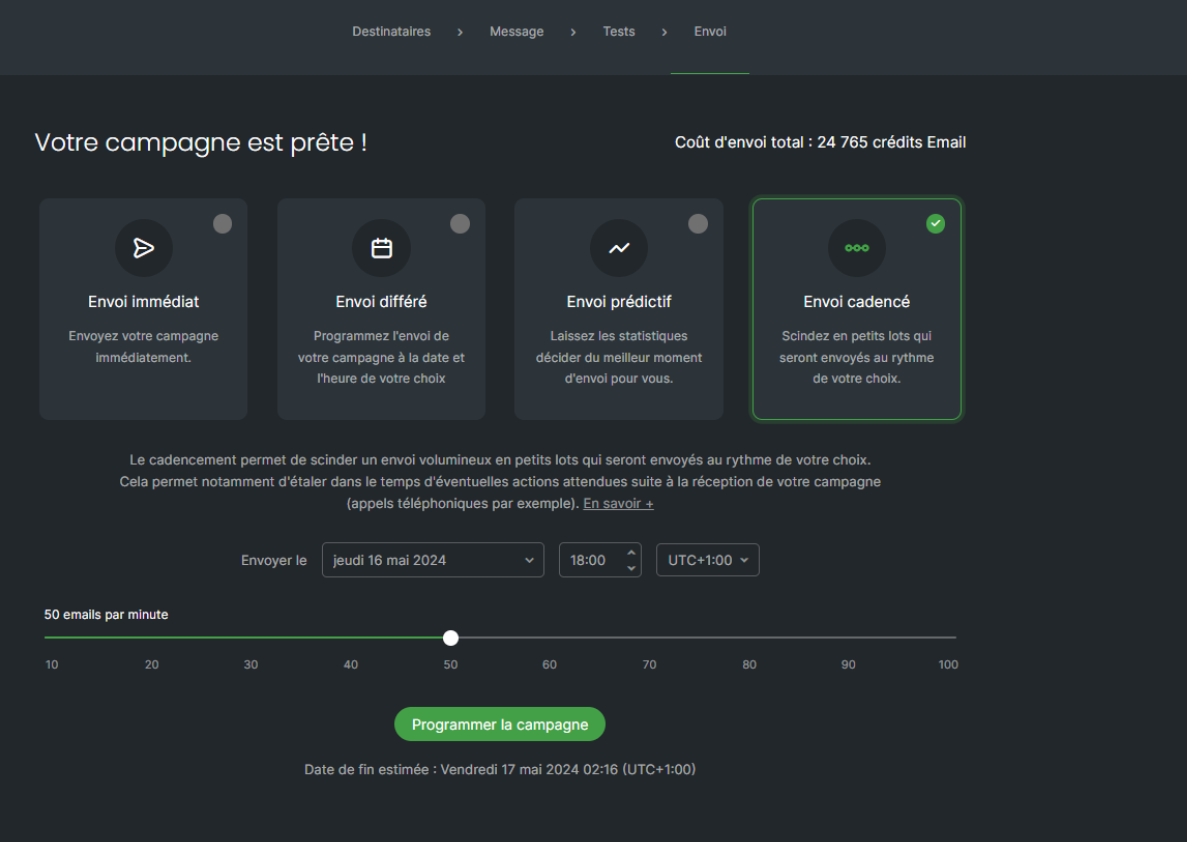
As indicated in the application, scheduling allows you to send your communication in small batches over a defined short period.
You will then use the slider on your screen to select the number of emails to send per minute. Below, the estimated end date of your send will be displayed. You can also schedule this send.
This can, for example, be useful if you expect calls following the sending of your communications or visits to your website, also allowing you to stagger the activity of your contacts. During your first campaign sends with your recently acquired domains, scheduled sending proves very useful in order not to "frighten" the spam filters of your contacts' mailboxes.
Although there is no precise rule, the ideal would be to send 40 emails/minute during the first sends.
Note: Have at least 150 contacts to perform scheduling.