You will find all your email and SMS campaigns as well as your automated workflows in the Sarbacane Campaigns application.
Yes, all the properties of your campaigns (tags, sharing, campaign name) will be retained during the update.
You will find all previous campaigns, regardless of their status (sent, draft, in progress), in the “Campagnes” section of the Sarbacane Campaigns application.
The statistics of your campaigns already sent from the previous version of Sarbacane will be accessible in the “Statistiques” section of the Sarbacane Campaigns application.
No, your automated workflows will neither be paused nor stopped during the update.
Split tests have been revamped with an even more intuitive interface, enabling you to simultaneously view both versions of the elements of your email campaign that you wish to test and to choose with a single click the version you wish to keep..

In the “Campaigns” section of Sarbacane Campaigns, you can filter the display of the listed campaigns by status, thus facilitating the search for campaigns.
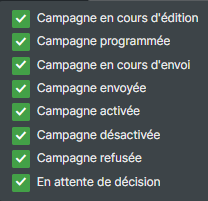
Of course, you will also find all the other campaign search and filtering options available in the previous version (search by campaign name, filtering by tag, by sending period, etc.).
When you create an automated scenario, once the trigger has been selected, you can work directly on the structure of your scenario without immediately having to associate a list or configure your trigger. You can return to the configuration later.
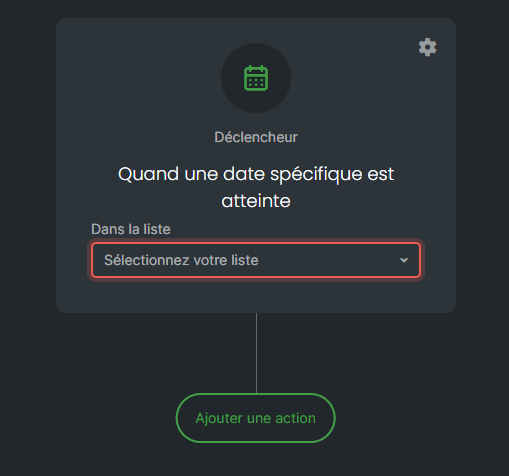
You can also change the type of trigger of an automatic workflow after you have started creating it. However, this will require you to configure the new trigger yourself.
