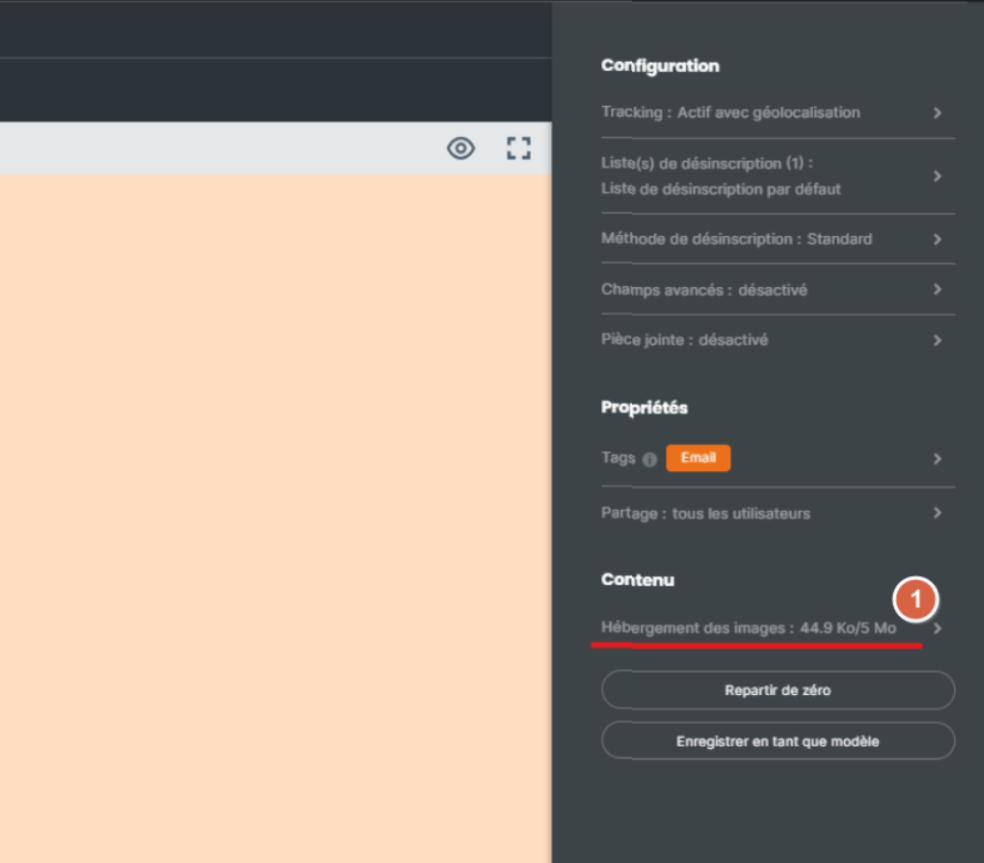
In Sarbacane Campaigns, each image of an email campaign created with the EmailBuilder is either hosted on the Sarbacane cloud or embedded in the email. You choose image by image, in the Advanced settings, image hosting option.
In the cloud | Embedded | |
|---|---|---|
Email weight | The image does not count | The image counts |
Display | Some email clients (Outlook…) wait for the contact to download the images | The image is displayed directly |
Limit | 5 MB of images per campaign | Above 194 KB of email, one more credit per recipient |
A Sarbacane Campaigns licence.
An email campaign created with the EmailBuilder, with images, at the Message step. The setting does not exist for campaigns created from an HTML file or as text only.
In the top right corner of the header, next to Split A/B, click Advanced settings.
Click the image hosting option.
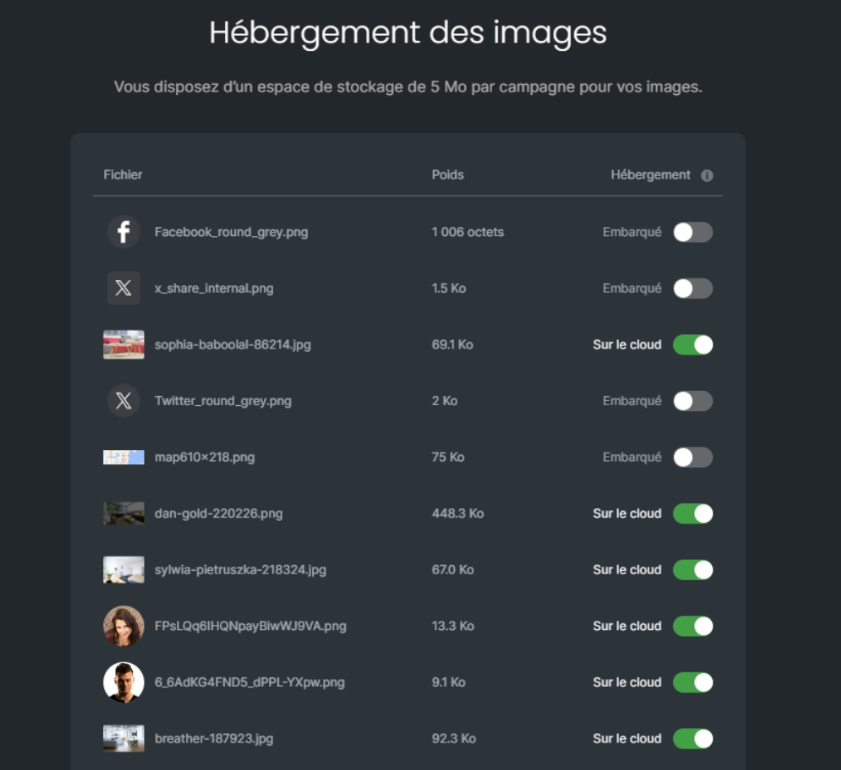
In the image hosting window, find the image: each line shows the file name and its weight.
In the hosting column, for each image, leave the cloud switch on to host it in the cloud, or turn it off to embed it in the email.
At the bottom of the window, confirm with the check mark.
Best practice: combine both. Keep heavy images in the cloud and embed your logo at the top of the email: it is displayed in the preview, especially in business email clients, which encourages contacts to open the message.
The chosen hosting is saved for each image. At the bottom of the window, the available space counter shows how much cloud space remains for this campaign.
A message says so in the image hosting window and at the checks step. Embed some of the images, make them lighter before importing them, or import them from a URL: an image that is already online has no weight.
The email exceeds 194 KB. Move heavy images to the cloud, or make them lighter before importing them: JPEG format, resizing in an image editor, no screenshots.
Outlook and some email clients block hosted images until the contact downloads them. Embed the important images (the logo, for example). For other display problems in Outlook, see Why is my email campaign not displaying correctly in Outlook?
This setting only exists for campaigns created with the EmailBuilder.
