To manage your preferences, go to the "Advanced Configuration" section of the editor, then click on "Image Hosting":
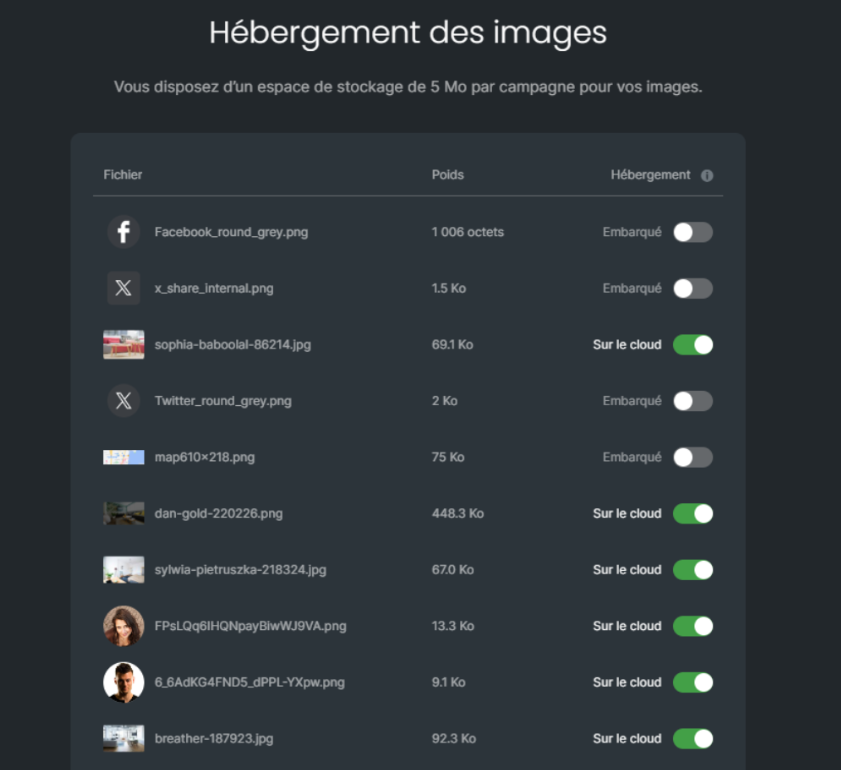
All your images are displayed, with the name, preview, and weight of each one.
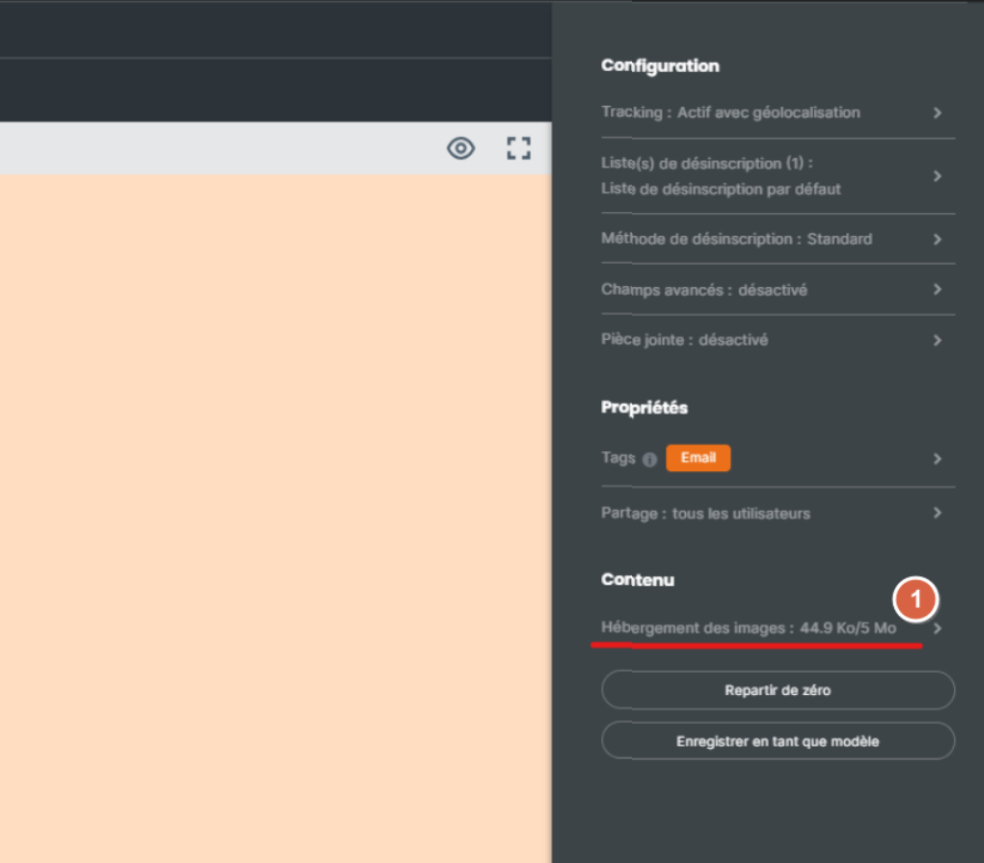
Two hosting options are available to you:
In the cloud
Embedded.
Sarbacane's cloud space allows you to host 5MB of images or videos across your entire message. The advantage of hosting your images in this space is that the weight of your images or videos will not be counted toward your message weight.
Good to know: ideally, a message should not exceed 194KB. Beyond that, sending will cost you multiple email credits per recipient and your deliverability will be impacted.
If you choose the "embedded" option, the weight of your images or videos will be automatically counted toward your message weight. The advantage of this option is that it allows you to display your image directly without needing to upload it, as is the case with Outlook messaging.
Expert Tip:
It is possible to use both types of hosting mentioned above within the same campaign, so you can choose to keep your heavier images on the cloud.
If you are communicating using professional email addresses, it may be beneficial to embed your logo at the beginning of the email in the body of your message.
You increase the chances that your recipients will open your message, as it will be more attractive during the preview in the email client. Once the email is opened, your recipients will be able to download the other images present in the body of your message.
For this, several options can be considered.
– Reduce the image size using an image editor (Paint, …)
– Use the import option from a URL by hosting your image online, it will no longer have any file size.
– Use the JPEG format to save your images.
– Do not use images from screenshots
