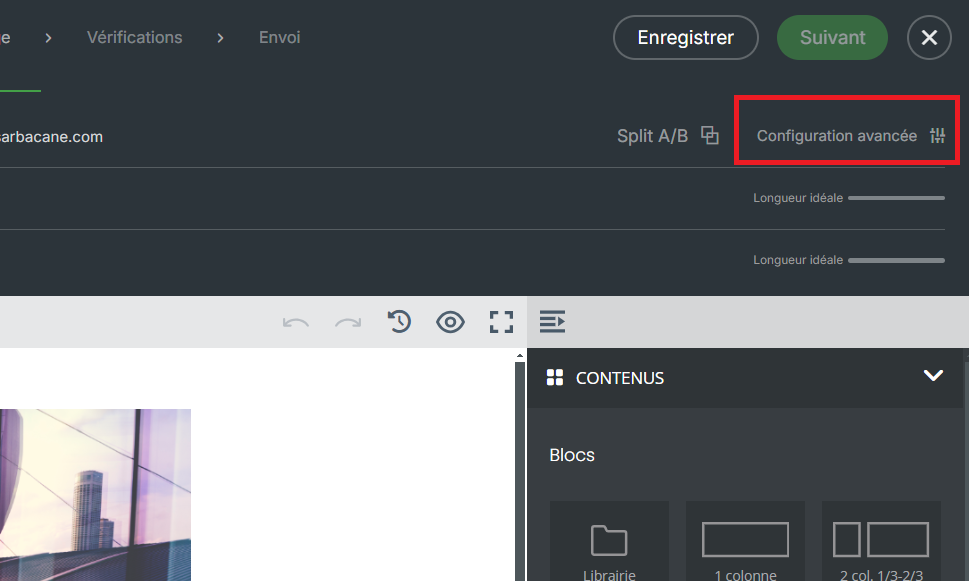
Adding an attachment is possible thanks to an option dedicated for this purpose in the “Advanced configuration” section of your editor:
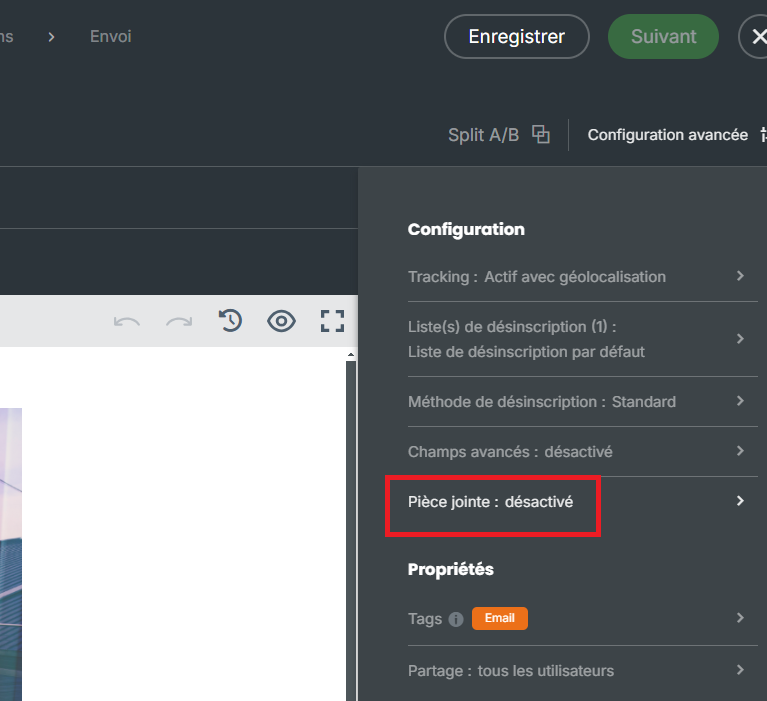
Then click on “Attachment”.
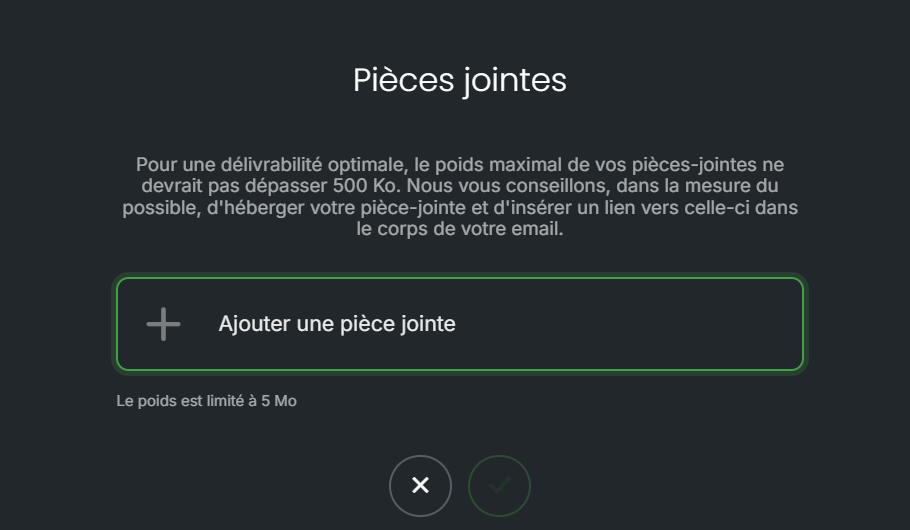
You will then be able to browse the documents stored on your computer and select the attachment to be added to your message.
That being said, adding an attachment to your message is not recommended, for several reasons:
The size : adding an attachment will significantly increase the size of your email. As a result, several credits per recipient may be consumed. The heavier an email is, the more suspicious it can appear to your recipients’ antispam filters, increasing the risk of ending up in the spam folder.
Compatibility : some email clients, such as Outlook, may randomly change the extension of your attachment, making it impossible to open.
Tracking : no tracking can be applied to an attachment, so you will not know who has opened your document.
For these reasons, it is recommended to use a document hosting platform. Once your file has been hosted, you will obtain an access link that you can configure in your message on an image, a hyperlink, or a button element.
Once this link has been integrated into your message, you will find in the statistics section of your campaign the clickers who accessed your document. Why not then follow up with those who clicked on this link to provide them with additional information, or on the contrary follow up with those who did not click? As always on Sarbacane Suite, several options are available to you!
