To close a Sarbacane Forms form automatically after a certain number of answers, turn on Limit the number of participants in the form in the Replies step, then enter the maximum number. This is useful for an event with limited places, limited stock or a team that can only handle a set number of requests. Once the limit is reached, visitors see a message saying so instead of the form.
The Sarbacane Forms application added to your Sarbacane plan (it is an option).
A form that has been created, or is being created.
In the left menu, open My forms. To the right of the form name, click •••, then Edit.
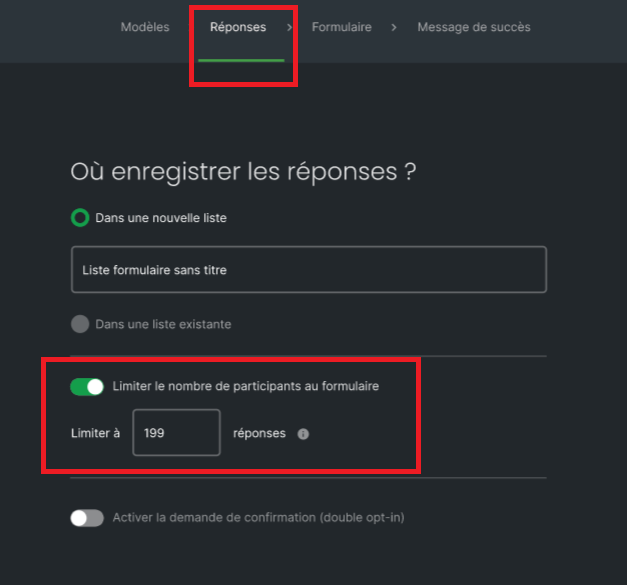
At the top of the screen, open the Replies step.
Turn on Limit the number of participants in the form.
In the Limit to field, enter the maximum number of answers, between 1 and 99,999.
At the top right, click Save. If the form is already online, click Publish my modifications.
The form accepts answers up to the chosen number. After that, when the page opens, visitors see a message telling them that the limit has been reached.
The number entered is outside the allowed limits. Enter a number between 1 and 99,999.
The limit has been reached. In the Replies step, increase the number in Limit to, or turn off Limit the number of participants in the form. Then click Publish my modifications.
