A Sarbacane Forms form sent in an email campaign opens already prefilled with the recipient's information, for all questions linked to a column of their contact list. Just add a link to the form in the campaign: with Promote, with a button linked to the form, or by pasting the form's address directly. Your contacts answer faster, and you often get more answers.
The Sarbacane Forms (option) and Sarbacane Campaigns applications added to your Sarbacane plan.
A published form. If it is not published yet: in My forms, click •••, then Edit, go to the last step and click Publish at the top right.
The information to prefill present in the recipients' contact list, in columns linked to the form's questions.
Add the link to the form in an email campaign, in one of these three ways:
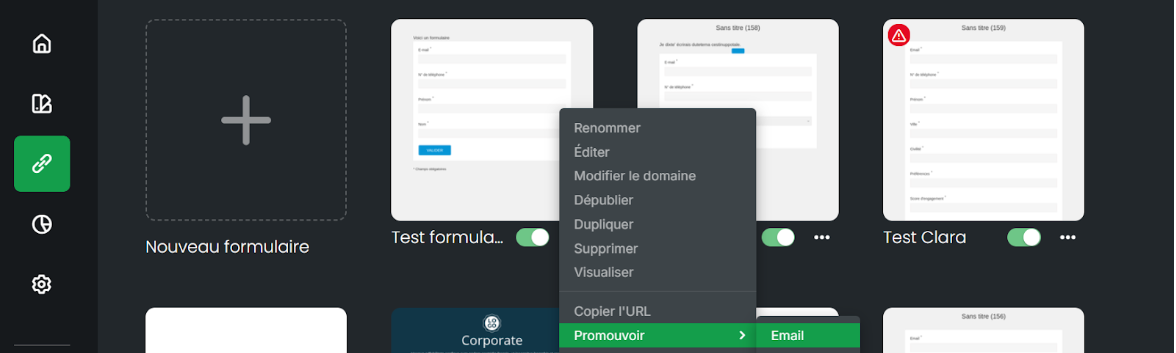
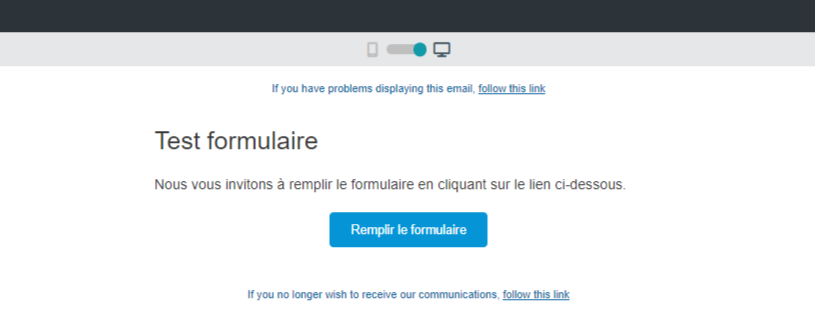
With Promote: in My forms, to the right of the form name, click •••, then Promote. A campaign is created with a button already linked to the form.
With a button in a campaign of your choice: in the campaign editor, click a button, then the gear icon to open Button properties. In Link, choose the type that links to a Sarbacane form, then select your form in the list of available forms.
With the form's address (Pages format only): in My forms, to the right of the form name, click •••, then Copy URL. Paste this address into a button or link in your campaign. A pop-up has no address of its own: use one of the other two ways.
Important Each link is personalized for its recipient. If you send yourself a test email and then forward it to someone, the form will open with your information, not that of the person who receives the forwarded email. The same applies when a contact forwards the campaign.
Send the campaign to your recipients.
When a recipient clicks the link, the form opens with their information already entered. They can correct it before sending their answer.
Only published forms are offered there. Publish the form first (see the Prerequisites), then reopen Button properties.
Check, in this order:
The recipient has a value in this column of their contact list.
The question is linked to a column of the list (see How do I link the questions of a form to the columns of your list in Sarbacane Forms?).
The email was forwarded: the link remains personalized for its first recipient. To test prefilling, send the test directly to the address to check, instead of forwarding it.
