Automatic generation and correction are available on “Text” content inserted within a block, regardless of the number of columns in that block.
As a reminder, this “Text” content is available within the Email Builder (Campaigns), the Forms Builder (Forms), and the Pages Builder (Pages).
When hovering over a “Text” content, select the magic wand. For this first approach, go to “Advanced options”.
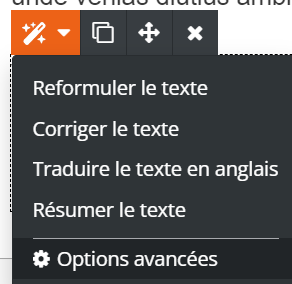
Next, let us go through some of these options.
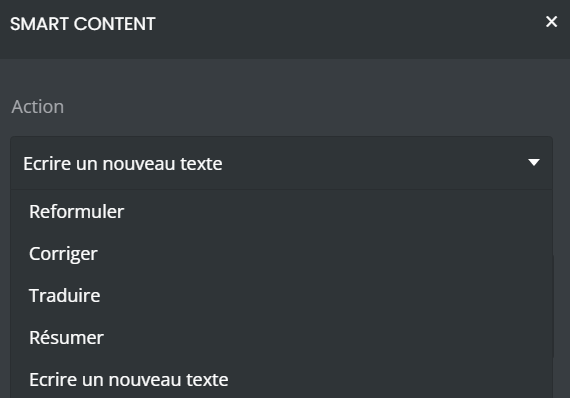
Four parameters are displayed here:
“About” allows you to state the overall subject you wish to address;
“Context” allows you to narrow down the subject in order to make it more specific (for example, the target country or period).
“Tone” allows you to adjust the writing style to match your target audience and your habits.
“Desired length” gives you control over the number of characters (350 maximum) you wish to display.
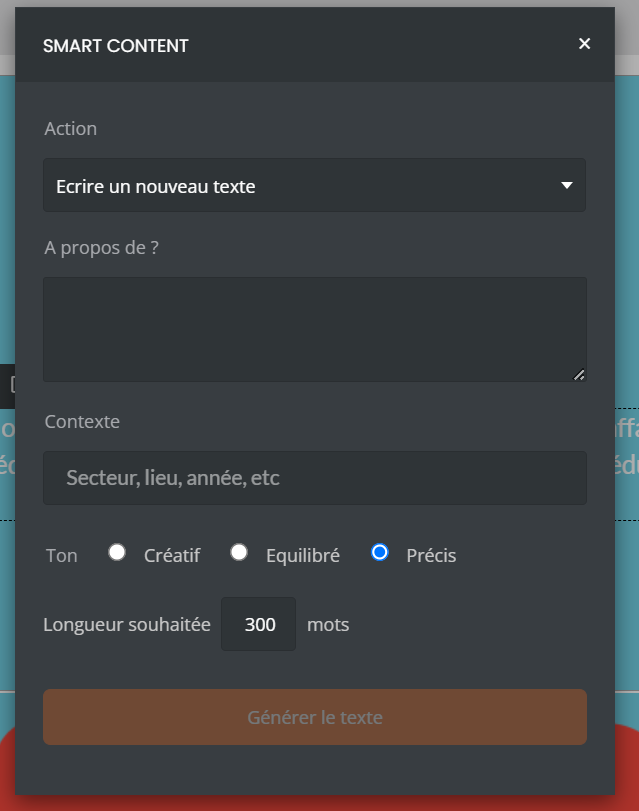
An orange block then allows you to validate your entry.
As soon as it is selected, the text ready to be corrected is displayed for a final review. If a correction seems necessary, confirming via the orange block is sufficient to start the correction.
The correction is not limited to word spelling; it also applies to conjugation as well as subtleties related to punctuation.
Good to know: text correction is possible regardless of the source of the text (automatic generation or prior manual entry).
