On this page, we see the instant generation of materials that will serve your image and your message.
First, we see a detailed example concerning Campaigns, knowing that the method follows the same logic for Forms and Pages.
To generate an email that is faithful to your objective, to your graphic charter and optimized for deliverability, go to the Campaigns icon in the left sidebar after clicking on the icon at the very top left of your page.
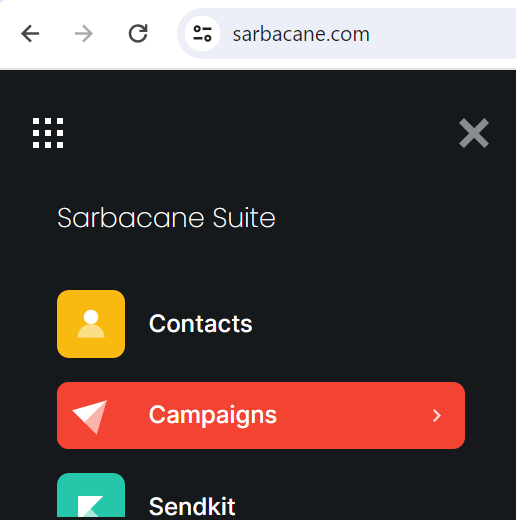
Next, click on the “My templates” icon. A menu then becomes available; you only need to choose “Smart Templates”.

After a short loading time, go to the dialog box on the right to enter the address of the page where our tool will detect the necessary graphic elements. This may be the homepage of your website, among others.
Once the address has been entered, click Enter or the green pictogram. See below the example with the Google search engine:
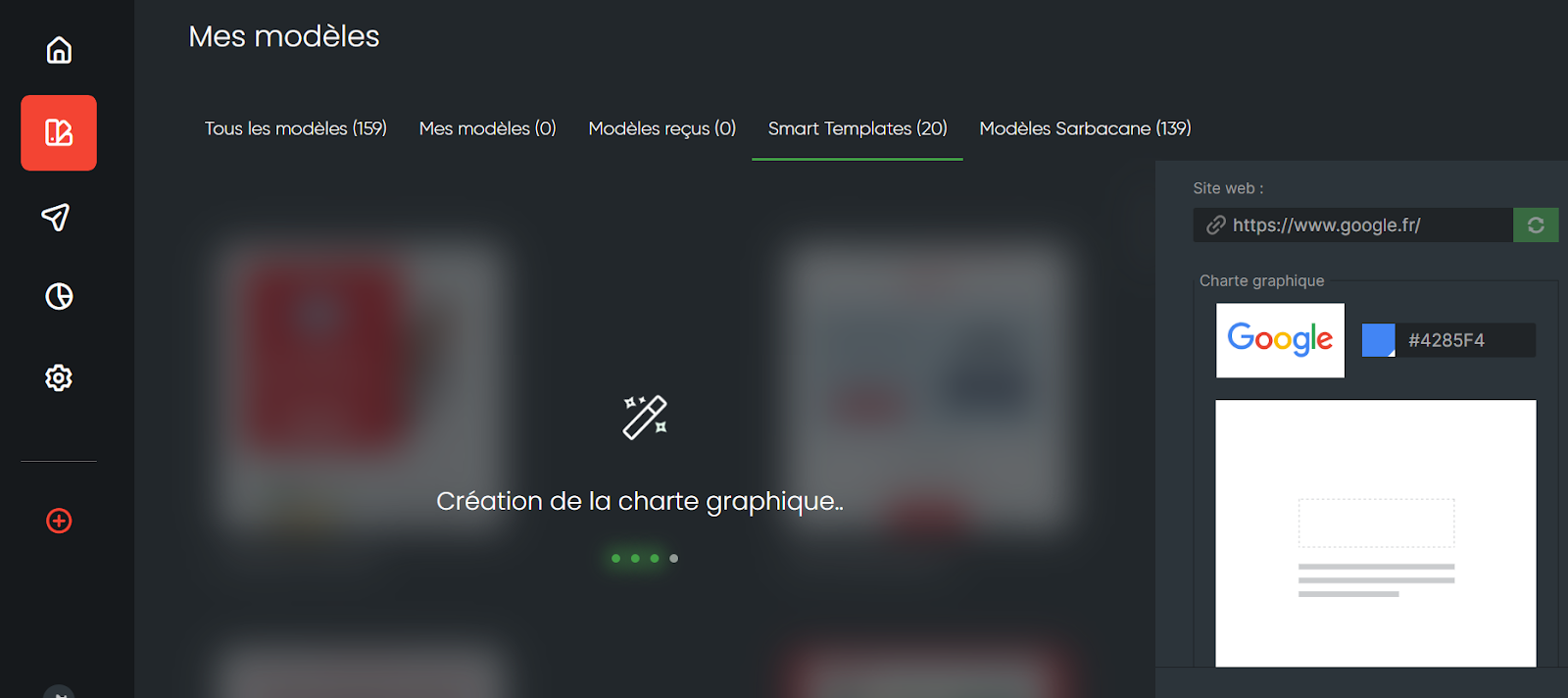
Good to know: in case of input error, an error message is displayed in yellow, and you can then enter the address again.
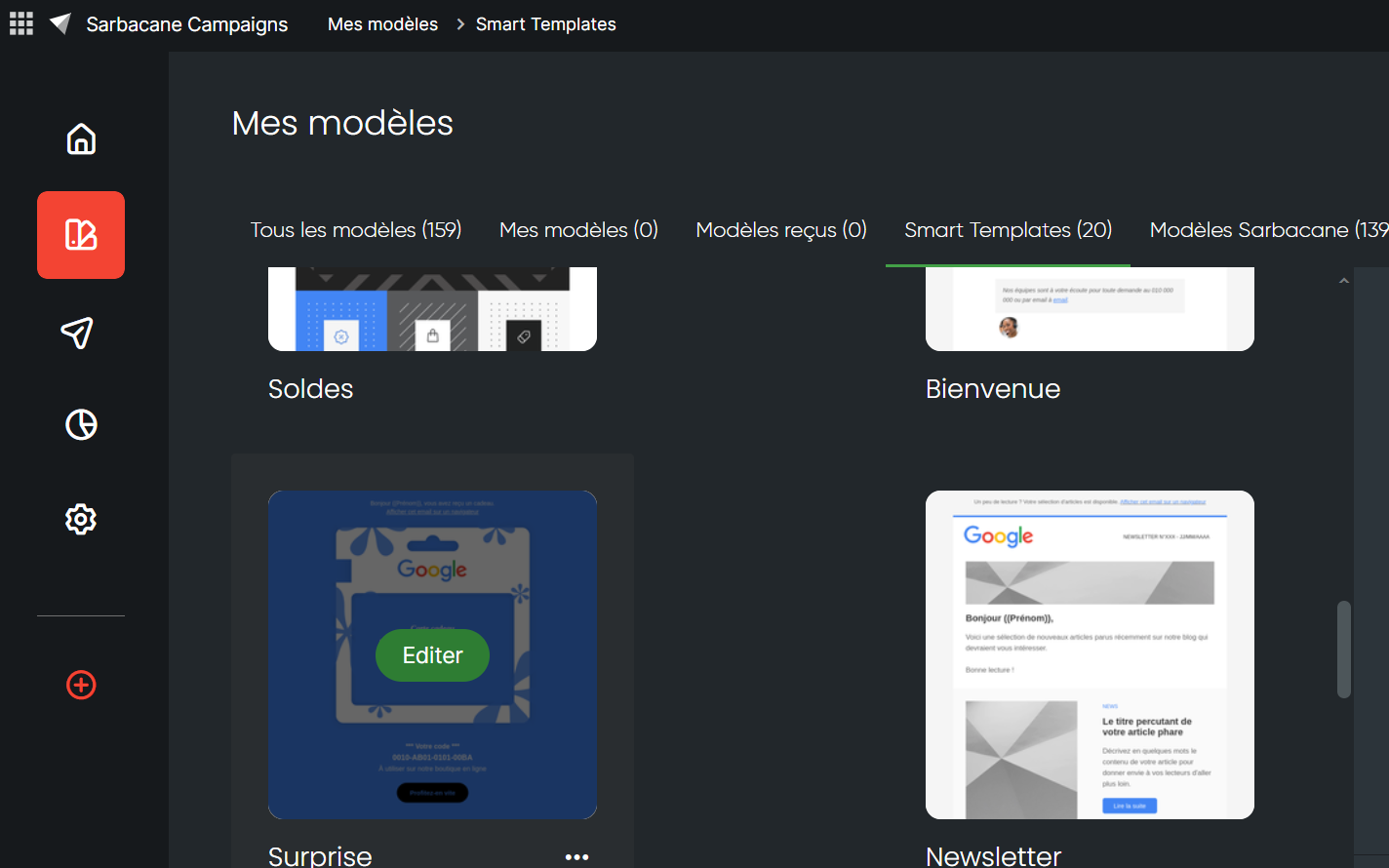
Next, go to the template of your choice; the visible previews already give you a good overview of the overall design that you will be able to edit to customize your message.
When hovering over the template, simply click the “Edit” button to review the selected template.
To create a data collection form that reflects your identity, go this time to the “Forms” tab, then follow the illustrated steps shown above for Campaigns.
The same applies to creating a landing page ready to host your message; simply select the Pages icon and repeat the instructions used on the Campaigns template.
