Sarbacane's Email Builder is the ideal tool for quickly and easily creating attractive emails. This email editor works on a drag-and-drop basis, which means you can design your message by simply placing visual elements wherever you want in your email.
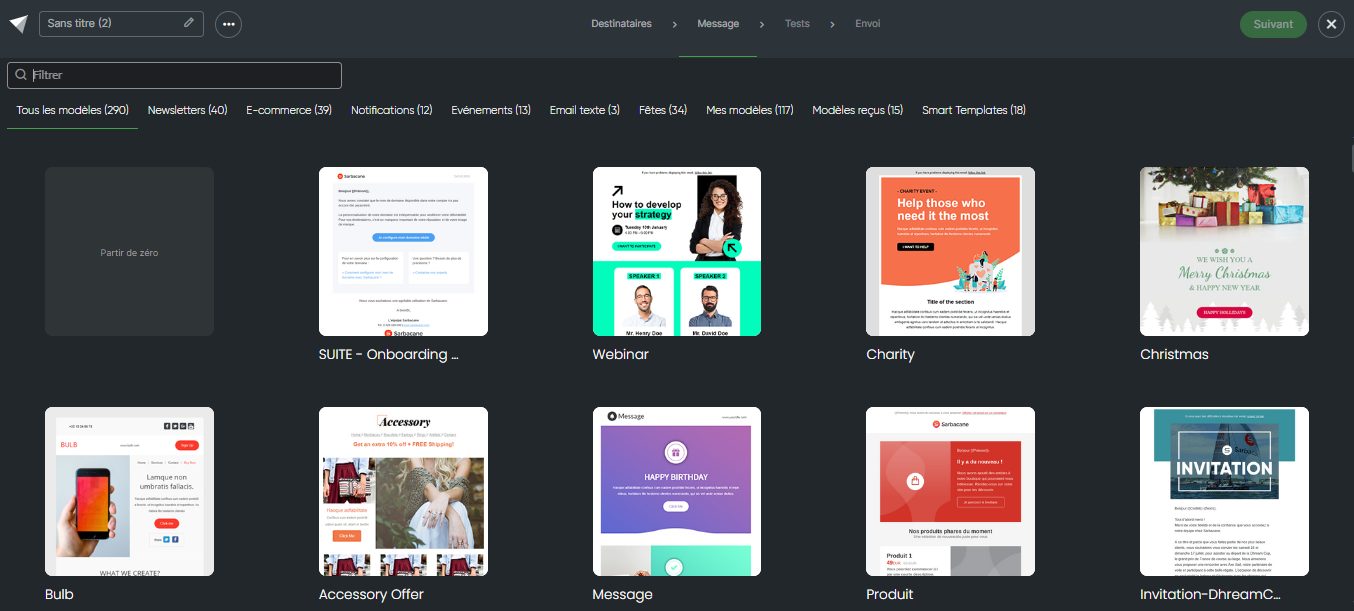
When you choose the Email Builder as the creation mode, several options are available to you to create your email campaign:
Start from scratch: If you have a clear vision of your email and prefer to create everything yourself, choose this option. You will start with a blank message that you can customize as you wish.
Start from a Sarbacane template: If you are looking for inspiration or want to save time, select one of Sarbacane's free predesigned email templates. You can then customize this template with your own texts, images and colors.
Start from one of your templates: If you have previously created custom email templates, you will find them in the My Templates tab. You can reuse and customize them easily.
Start from a received template: In the “Received templates” tab, you will find the templates that have been shared with you from another Sarbacane account. You are free to use them to create your email campaign.
Start from a Smart Template: This feature analyzes your website based on its URL and generates in a few seconds email templates that are consistent with your visual identity and ready to be sent.
The Email Builder ensures that your emails will be automatically adapted for optimal reading on mobile devices, which is essential for reaching your target audience wherever they are.
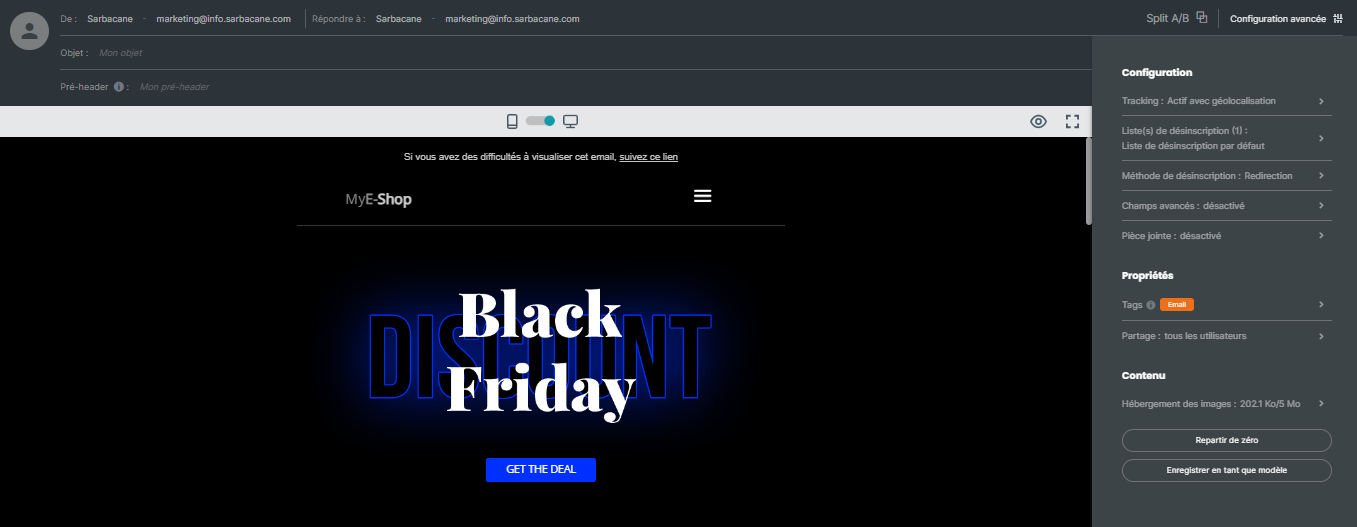
For each email campaign created with the Email Builder, you have access to the following advanced configuration options by clicking on the “Advanced configuration” section at the top right of the editor:
Configuration :
Tracking : Enable / Disable tracking options
Unsubscribe list: Define one or more unsubscribe list(s) for your email campaign, offering your recipients the possibility to unsubscribe if necessary.
Unsubscription method: Define here what should happen when a contact clicks on the unsubscribe link in your campaign:
Be redirected to a standard Sarbacane page confirming the unsubscription
Be redirected to a customized unsubscription form
Be redirected to a page on your website if you manage unsubscribes via an external page outside Sarbacane
Advanced fields: Enable / Disable the display of advanced fields such as carbon copy in the fields available in the header of your campaign
Add an attachment to your campaign
Properties:
Add tags to your campaign: this option allows you to classify your campaigns by channel or topic and to filter statistics by tag.
Sharing: this option allows you to define which users and user groups can have access to your campaign
Content:
Image hosting: Choose where to store the images included in your email: on Sarbacane servers, on an external server, or directly in the body of the email.
Start from scratch: If you wish to start your creation again from scratch, use this option to reset your work in progress.
Save as template: At any time, you can choose to save the template you are creating/customizing so that you can reuse it later. By clicking this button, you will be able to define a name for your template and choose the users who will have access to it if you share your account (learn more about account sharing).
