The Plain Text Message option, among the available creation modes in Sarbacane Campaigns, allows you to send emails in plain text format, without images or elaborate formatting.
First, from the "campaigns" tab, select the creation of a new campaign and then "Email Campaign"
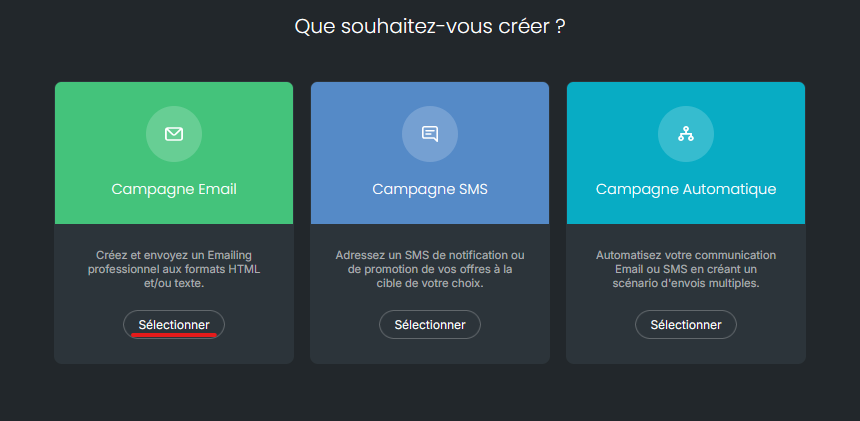
Next, from the breadcrumb trail located at the top of the screen, proceed to the "message" step in order to select "other creation methods" to find the "Plain text" option.
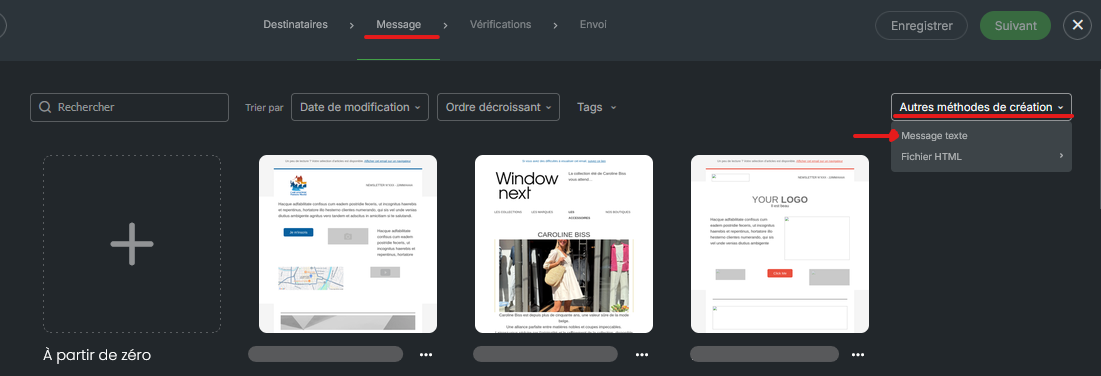
When you opt for a plain text email, here is how it works:
Simple text editor: you have a basic text editor where you can write the content of your message. There are no complex formatting tools, which means the focus is on plain text.
No images or formatting: unlike other creation modes, plain text emails include no images, styled buttons, or sophisticated page layout. Your message consists solely of text.
Custom Fields: You can, however, insert dynamic fields to personalize your message, such as the recipient's name, first name, or other specific information.
Simplicity and Clarity: The primary objective of plain text emails is to deliver a simple and direct message. They are often used for internal communications, informational newsletters, or highly targeted messages.
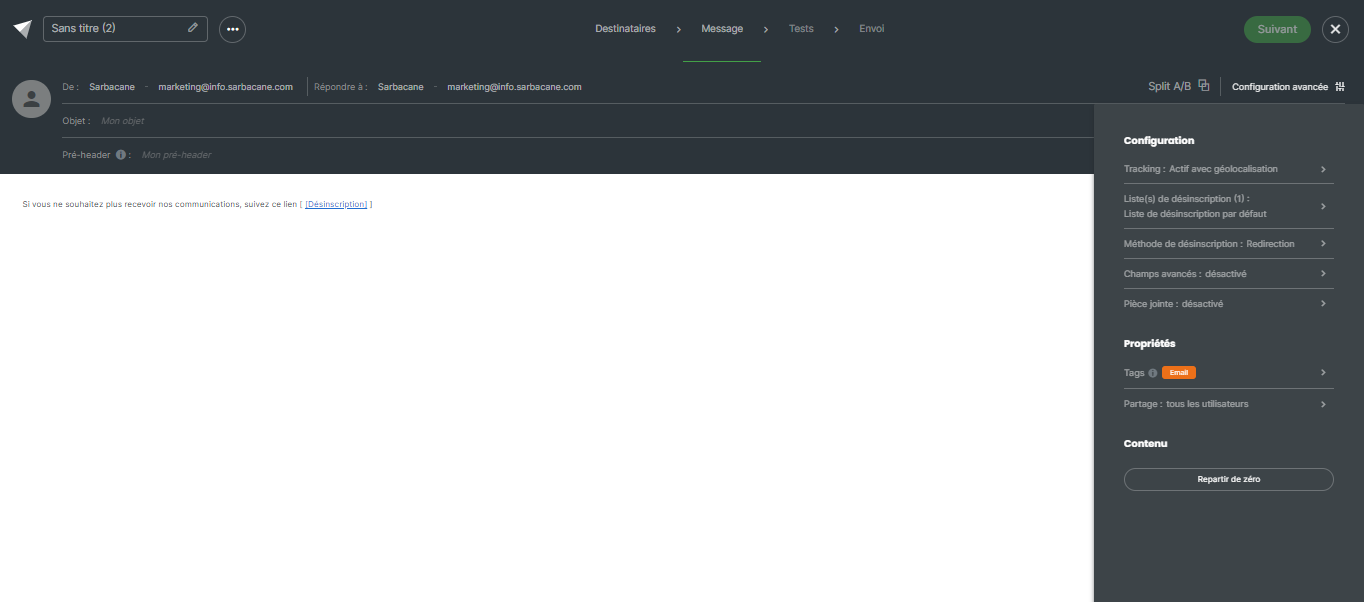
Although plain text emails are simple by nature, you still have a few advanced options to customize them further:
Configuration:
Unsubscribe list: define one or more unsubscribe lists for your email campaign, giving your recipients the option to unsubscribe if necessary.
Unsubscribe method: define here what should happen when a contact clicks on the unsubscribe link in your campaign: Be redirected to a standard Sarbacane page confirming the unsubscription, be redirected to a custom unsubscribe form, be redirected to a page on your site if you manage unsubscriptions via a page external to Sarbacane.
Advanced fields: Enable/Disable the display of advanced fields such as carbon copy in the fields available in your campaign header. Please note that blind copy does not send a copy of the campaign to the added contact. They will only be able to receive responses made by the recipients. As a reminder, a credit equal to one recipient.
Add an attachment to your campaign. Learn more
Properties:
Add tags to your campaign: this option allows you to organize your campaigns by channel or topic and filter statistics by tag.
Sharing: this option allows you to define which users and user groups can access your campaign.
Start from scratch: If you wish to restart your creation from the beginning, use this option to reset your current work.
Note: There is no tracking option here. Indeed, the open rate cannot be tracked since an open is detected when the tracking pixel is activated by the opening of an image. Here, there will only be text, so no open tracking is possible.
