What is a preheader? It is this sentence that is displayed in the preview of your inbox next to or below the subject line of the email.
It generally complements the email subject line and provides an overview of the content of the campaign. It therefore plays an essential role in optimising the open rate.
No coding knowledge is required to add a preheader to your campaigns with Sarbacane Campaigns. You simply need to fill in the “Preheader” field at the “Message” step of your email campaign.
As with the subject line, an indicator helps you determine the ideal length of your preheader.
If it is too long, the indicator will change from green to yellow and then to red. It is an aid based on an estimate of the readability of your preheader in most inboxes. Under no circumstances can this indicator reveal the quality or relevance of the wording of your preheader.
The preheader of your campaign will be visible in the preview of your recipients’ inbox but will not appear in the message body of your campaign.
Please note: If you forget to fill in a preheader for your emailing in the corresponding field, by default it will be the first sentence of the body of your message that will be detected as the preheader by webmails and other inboxes.
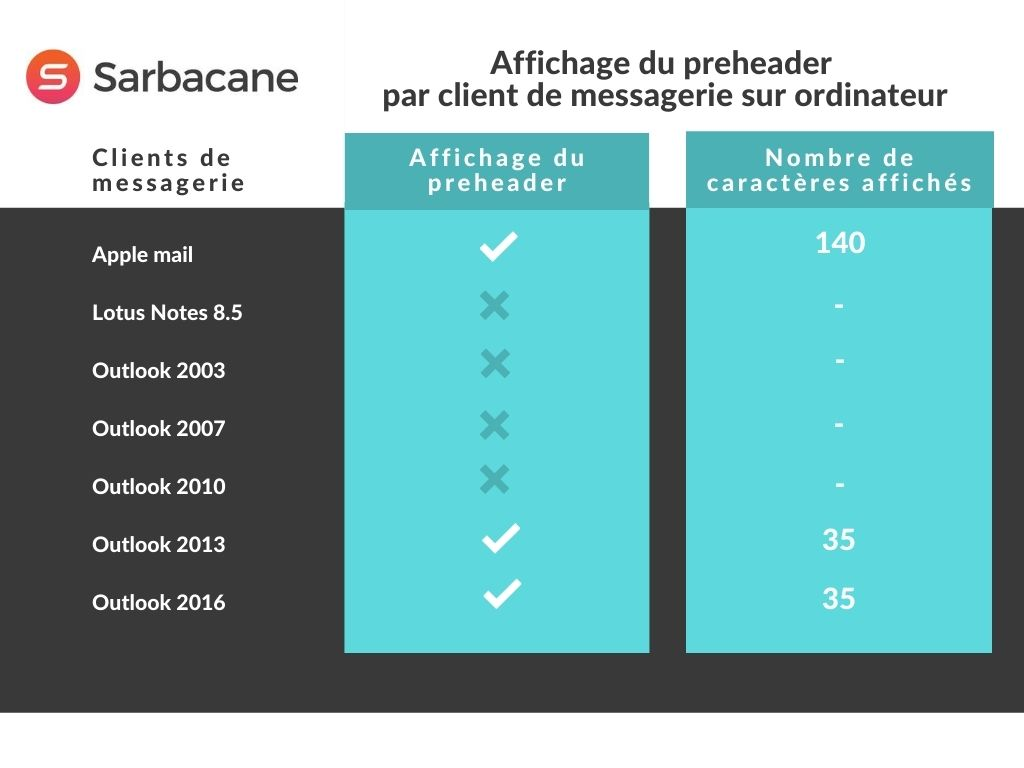
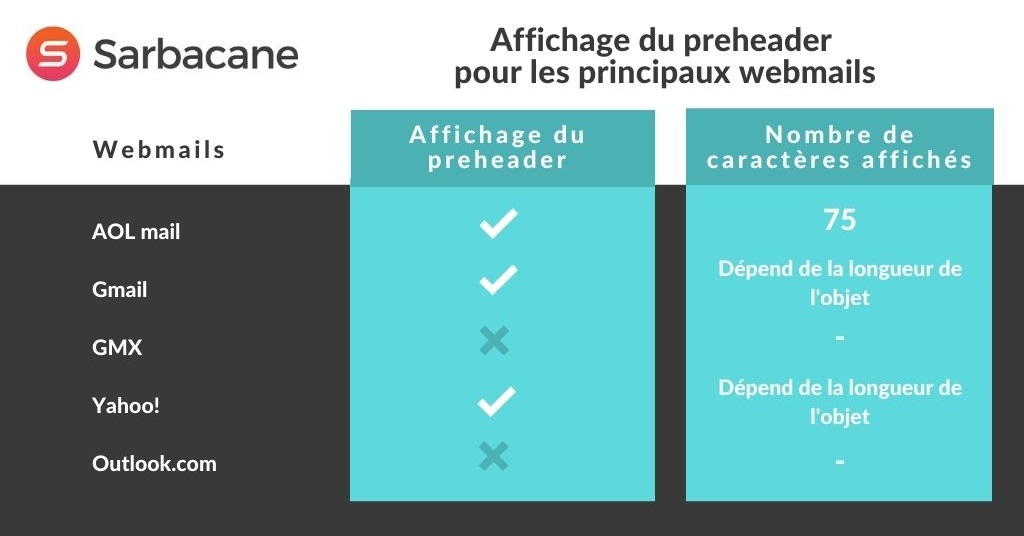
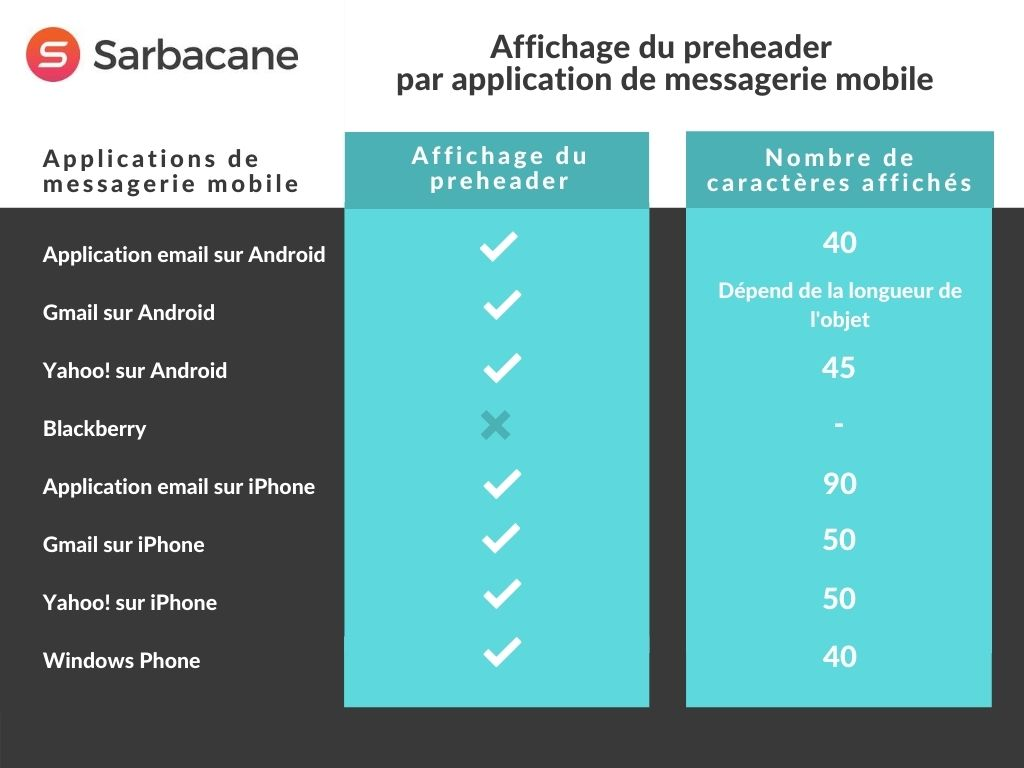
The main difficulty in writing a preheader is the fact that the displayed length varies depending on the inboxes and the reading device (computer, smartphone, tablet, etc.) used by your recipients. In general, the ideal recommended length in order to be displayed correctly in most inboxes is 30 to 35 characters.
Here is a summary of the number of characters displayed by some email clients, ISPs, webmails and reading devices. Please note, these figures may of course vary from one device to another depending on the inbox settings (in particular the width reserved for email previews) and the screen size.