On Sarbacane Suite, it is possible to define and use several unsubscribe lists. This is useful if you wish to manually manage unsubscribes for your different types of communication.
It is indeed possible to create, for the same account, an unsubscribe list for commercial information and an unsubscribe list for the newsletter.
It is also possible to use this method if you wish to feed several unsubscribe lists at the same time.
Once these lists have been created, you must ensure that you select them correctly for each of your mailings, as it is not possible to associate them by default with your communications.
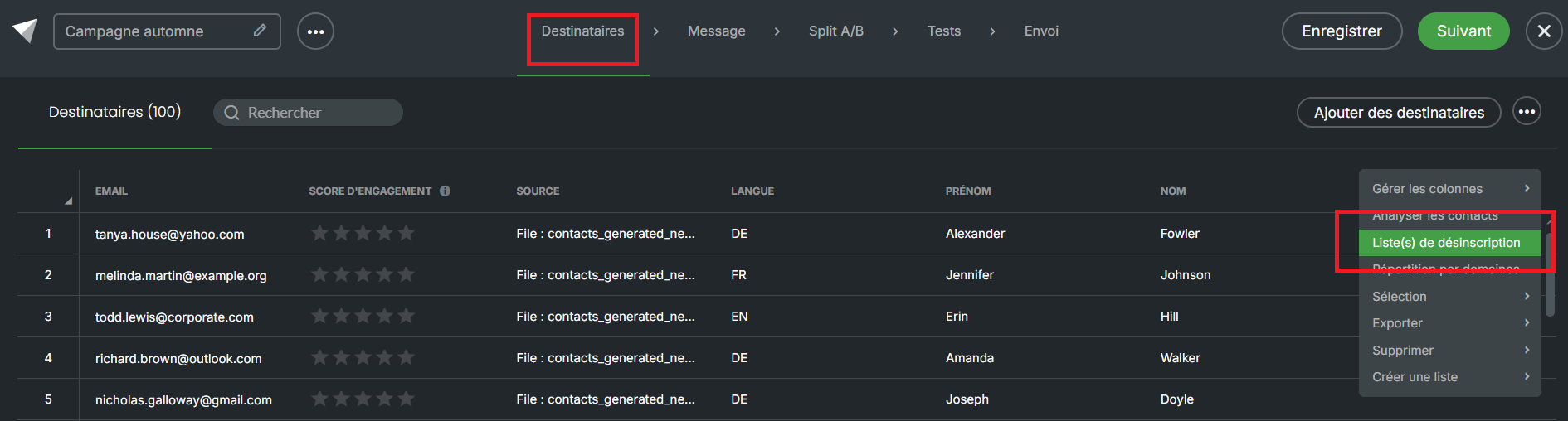
To change the unsubscribe list for a campaign, go to a campaign in draft status. Then click on the action dots at the top right of your screen, in the “Recipients” section of your campaign. You can then select “Unsubscribe list(s)”:
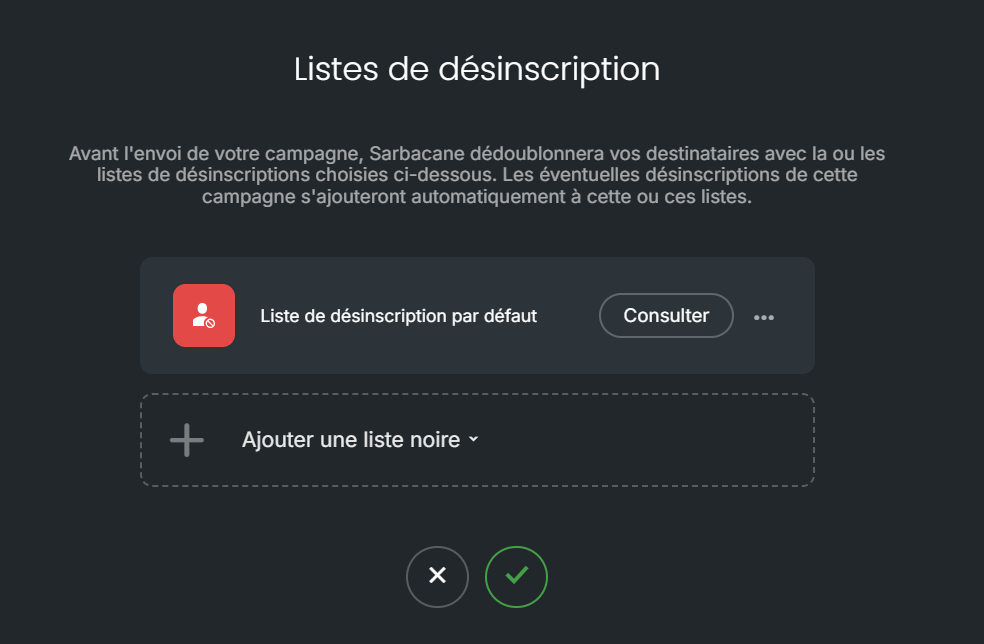
You will see the default unsubscribe list for your account, as it is not possible to send a communication without an unsubscribe list. If you wish to add others or replace it, choose “Add a blacklist” to make your lists appear.
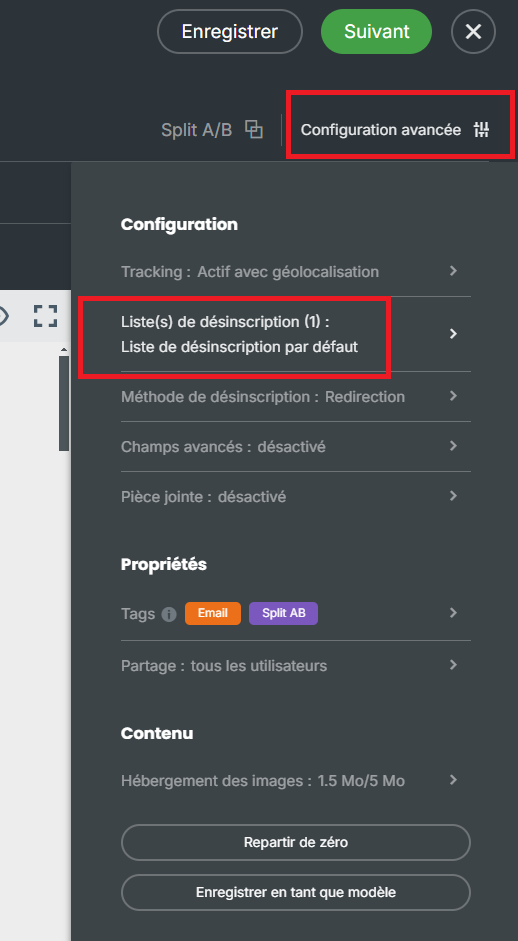
By going to the message section, you will also have the possibility to access this option by clicking on “Advanced configuration”, then going to “Unsubscribe list(s)”.