The use of a domain or a subdomain is essential when you are doing emailing, in order to be properly authenticated and recognized as a trusted sender.
In Sarbacane, it is possible to have several domains and/or subdomains. Whether you have one or several, it is important to always make sure that the domain of your choice is properly associated with your message.
To do this, you have several options:
If you have only one domain or subdomain, you can set it as default in the Campaigns settings. In this way, you will be sure to always be authenticated.

If you are in the editing of your message, in the sender section, you can also choose the domain name of your choice by clicking on the sending address:

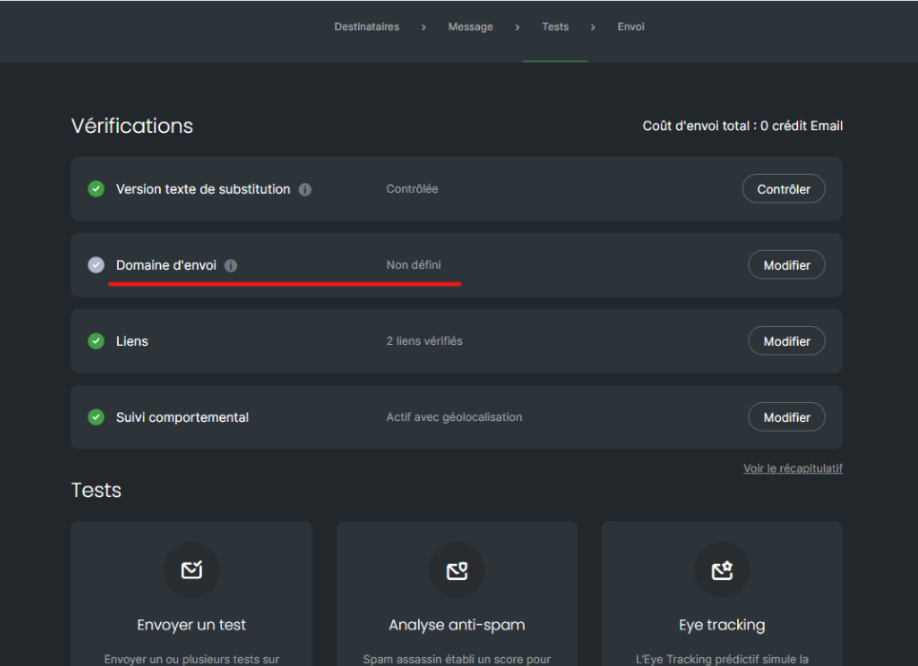
If you are in the test step, several checks are carried out on your message. If you have not selected a domain name, the software will inform you. Click on “edit” and you will be redirected to the editing of your message to select your domain name:
If you have not yet configured a domain or subdomain, a tooltip next to sending domain on this same page will redirect you to our help center on this subject.
