From your account, and regardless of the subscription you have taken out, you can benefit from the Google Analytics option.
This option enables you to track and analyse the behaviour of users who click on links redirecting to your website(s). When the link in an email includes Google Analytics tracking parameters (via UTMs), this allows data to be collected and the relevance of your communications sent from Sarbacane to be assessed. This feature can then give you an indication of the impact and interest of your recipients by observing how many visits are generated on your website following the sending of your communications.
To activate this option, go to the Campaigns settings section in your account; you simply need to enable it:
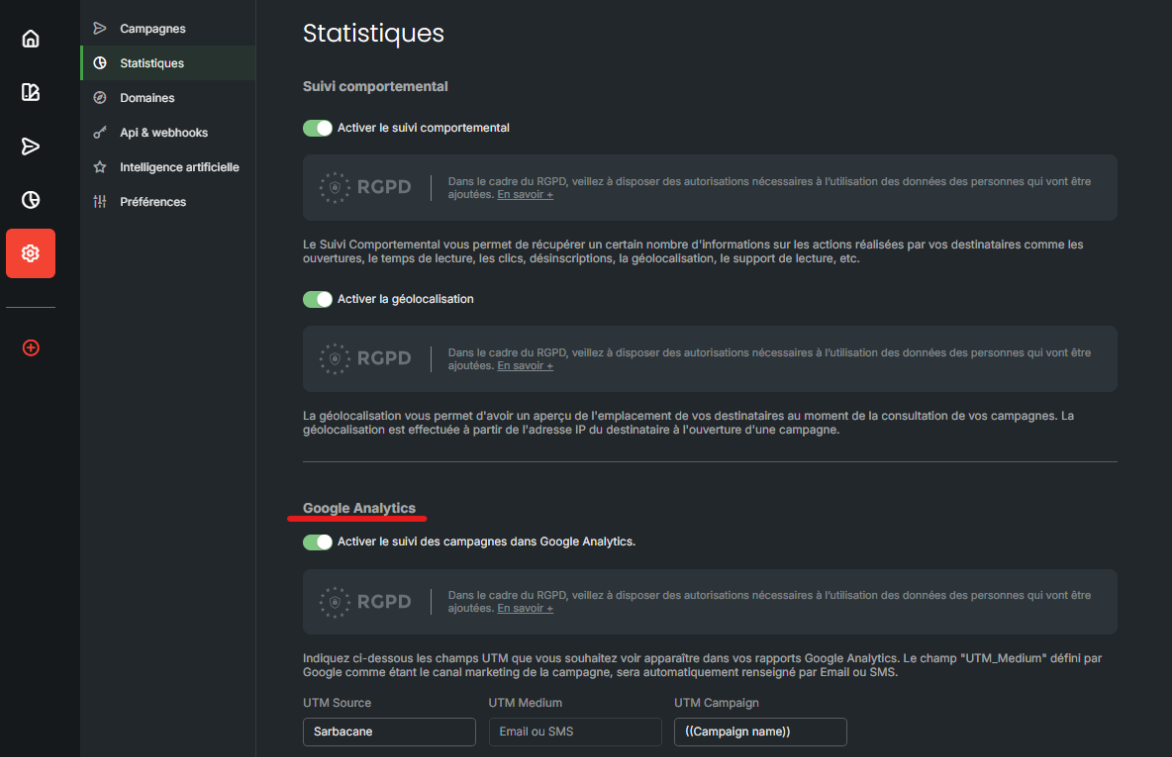
Then you will see your UTMs:
UTM Source : enables you to know that the visits generated come from your Sarbacane communications.
UTM Medium : enables you to determine whether the traffic to your website comes from Email or SMS communications.
UTM Campaign : enables you to indicate precisely from which communication the visits to your website originate. By default, we indicate a personalization field based on the title of your campaign; thus, this name adapts to all your emails without you having to make any changes and will allow you to distinguish the origin of the visits.
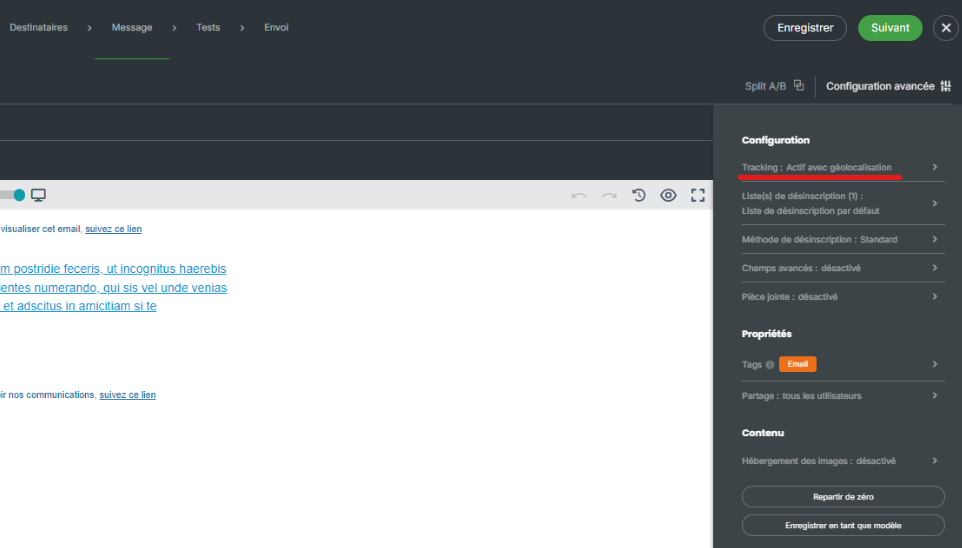
You can also manage these UTMs by campaign, from the “Advanced configuration” option, then “Tracking”:
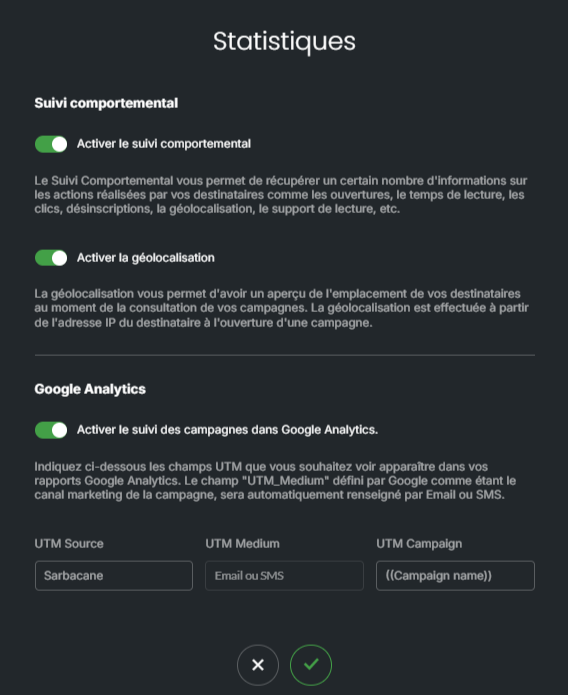
This allows you, for each campaign, to control the UTMs if, exceptionally, you wish to change the UTMs already in place:
→ At the time of sending my test, my links with my UTM do not work, what should I do?
UTMs will apply a specific code to your URLs. In rare cases, there may be incompatibilities between your campaign name and the added UTM, which then creates an error when your links are accessed. This occurs especially if you have numbers or dates in the name of your communication:

When encoding URLs, spaces, for example, must be replaced with a specific code, as they cannot be used directly. The standard encoding for a space is “%20”. However, when it is combined with numbers, this can sometimes lead to incompatibilities when redirecting your links. Therefore, make sure to carefully test your messages before sending them!
