The noCRM integration sends your leads to a Sarbacane Contacts list, manually or automatically according to rules you define. You create an API key in Sarbacane Contacts, paste it into noCRM, then choose the list and the fields to fill in. Allow about fifteen minutes. Your synchronized contacts can then be used in Sarbacane Campaigns, Sarbacane Forms and Sarbacane Engage.
A noCRM account on the Dream Team, Solopreneur or Call Master edition.
Sarbacane Contacts, included with Sarbacane Campaigns.
The Sarbacane contact list that will receive the leads, already created.
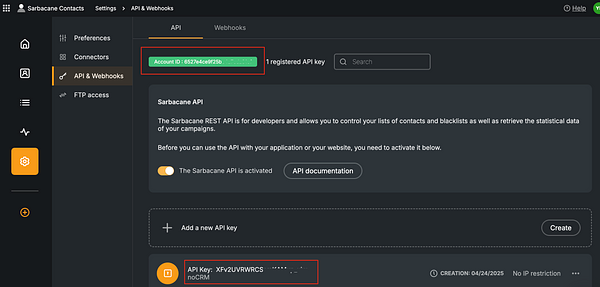
In the left menu of Sarbacane Contacts, click Settings, then API & Webhooks.
In the API tab, note the Account ID shown at the top of the page.
On the Add a new API key line, click Create.
In Description, enter "noCRM" (40 characters maximum), then click Save. Copy the key that appears in the list.
In noCRM, open Administration Panel › Integrations › Third-party applications, then select the Sarbacane integration.
Paste the API key and the Account ID into the fields provided, then click Connect.
In the integration settings, select the Sarbacane list that will receive the leads.
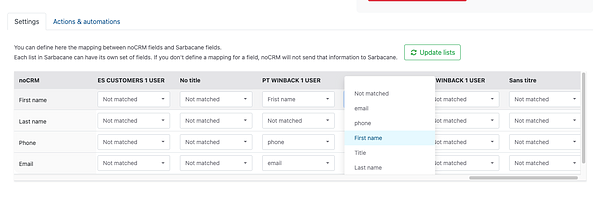
Map each noCRM field (name, email, phone, tags…) to the matching field in the list. A field left unmapped is not sent.
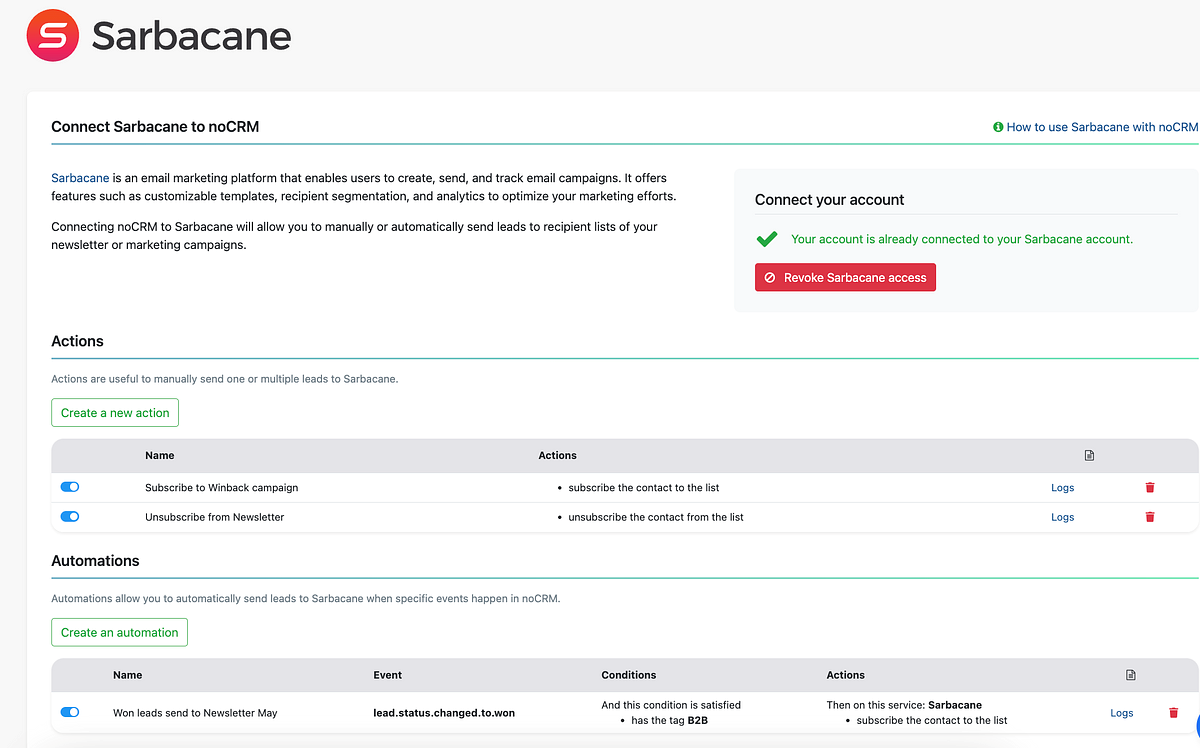
To automate sending, create a rule in noCRM. It defines which opportunity event triggers an action in Sarbacane. If the opportunity does not meet the conditions, the automation stops.
Supported events: lead.any_update, lead.assigned, lead.commented, lead.content_has_changed, lead.creation, lead.deleted, lead.email.received, lead.status.changed.to, lead.step.changed.to, lead.unassigned, lead.manual.trigger.
Supported conditions: Has the tag, Has the status, Is the owner, Is in the pipeline.
Supported actions in Sarbacane: Subscribe the contact to a list, Unsubscribe the contact from a list.
Best practice: create one API key per tool, named after the tool. You can then delete it without cutting off your other connections.
The leads sent appear in the chosen list, in Contact lists, with the mapped fields. You can then target them in your Sarbacane Campaigns campaigns.
Note: a lead without an email address in noCRM is never sent to Sarbacane.
Check that the API key and the Account ID were pasted without spaces, and that the key still exists in API & Webhooks. If the key is restricted to certain IP addresses, remove the restriction or add noCRM's addresses.
Check in this order:
The lead has an email address.
It meets the rule's conditions.
The rule sends to the right list.
The noCRM field is not mapped to any field in the list. Complete the mapping (step 8).
