If your recipients see an address such as …@ip05.rp12.net instead of yours, your campaign was sent with a Sarbacane shared domain. This happens in two cases: your domain was typed by hand in the sender address instead of being chosen from the list, or no custom domain is set up.
You have a domain or subdomain in the Activated state on the Domains page of Sarbacane Campaigns.
You have an email campaign that has not been sent yet.
In the Message step, click the sender address.
If your domain is shown as a single block (a sign that it was typed by hand), click the small arrow to the right of the sender address.

In the list, select your domain name. The address is then split in two: the part before the @, then your domain.

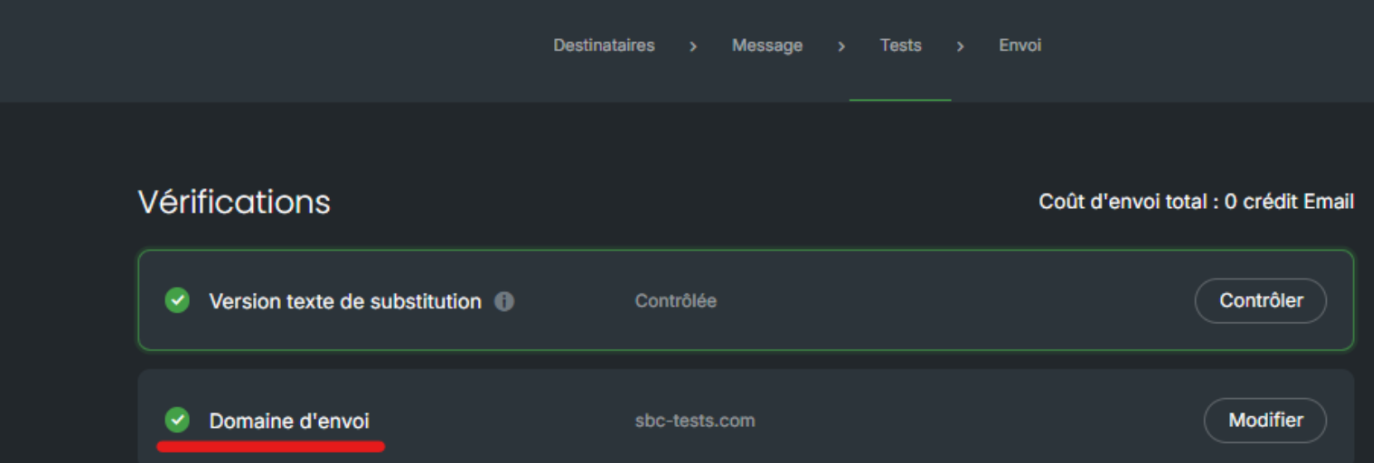
In the Tests step, check the sending domain control, which shows whether your domain is correctly selected.
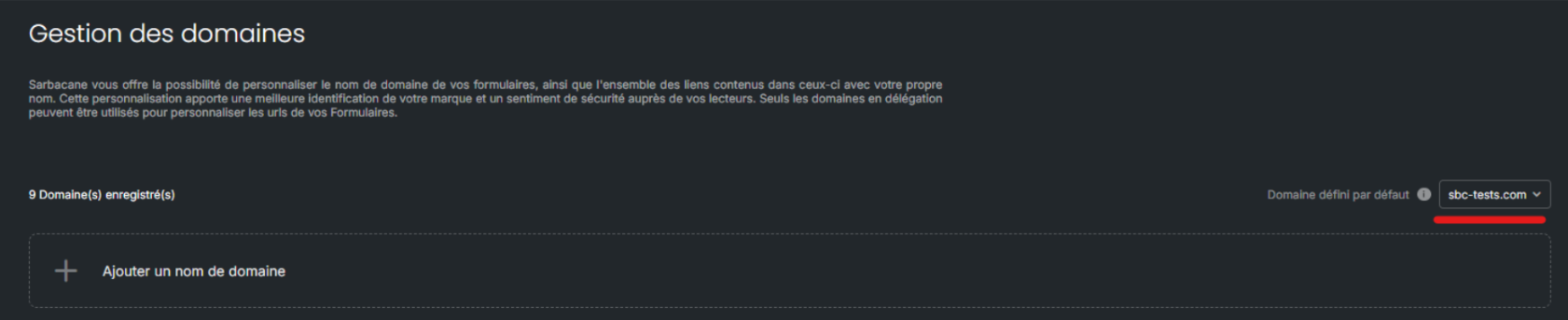
Best practice: so that all your campaigns are sent with your domain, set it as the default. At the top right of the Domains page, select it in the Default domain list.
Your recipients receive the campaign with a sender address using your domain name.
Set up a subdomain of your website (see How do I set up a sending subdomain in Sarbacane Campaigns?) or buy a domain with Sarbacane.
It is not active yet. Check its state on the Domains page (see Why does my subdomain stay in the Invalid state in Sarbacane Campaigns?).
