When you create a campaign in Sarbacane, it contains several versions:
A visible version, the HTML version, which is the one you see when you receive your email, with the configured links, images, etc.
A plain text version (or fallback text version), which contains only text without formatting.
Why is it important to update it?
Updating this version is very important before sending your campaign, for several reasons:
If you duplicate your campaign, change the texts and images, but do not refresh your text version, some mail services may misinterpret the content of your message (display of the old duplicated version, interpretation errors, etc.).
An unchecked text version (thus not identical to the HTML version of your message) will trigger antispam filters. Indeed, this is a technique used by spammers to hide certain information in the text version of an email.
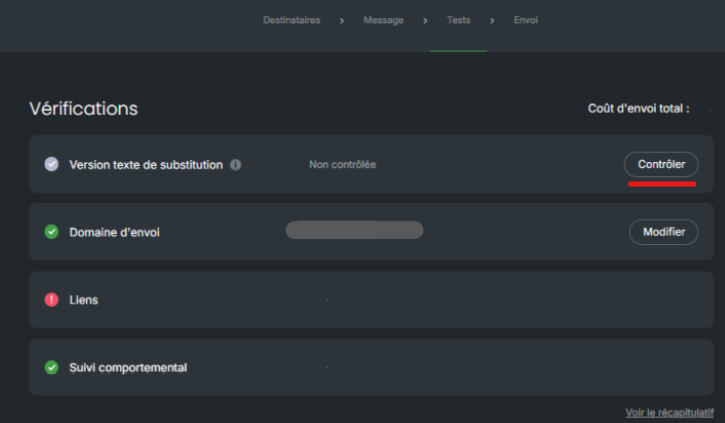
In the image above, you can see that the text version appears as “unchecked”.
How to check it?
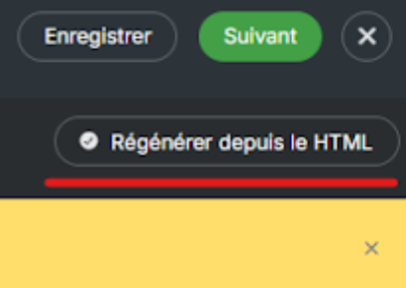
You simply need to click on the “check” button, then select “Regenerate from HTML”:
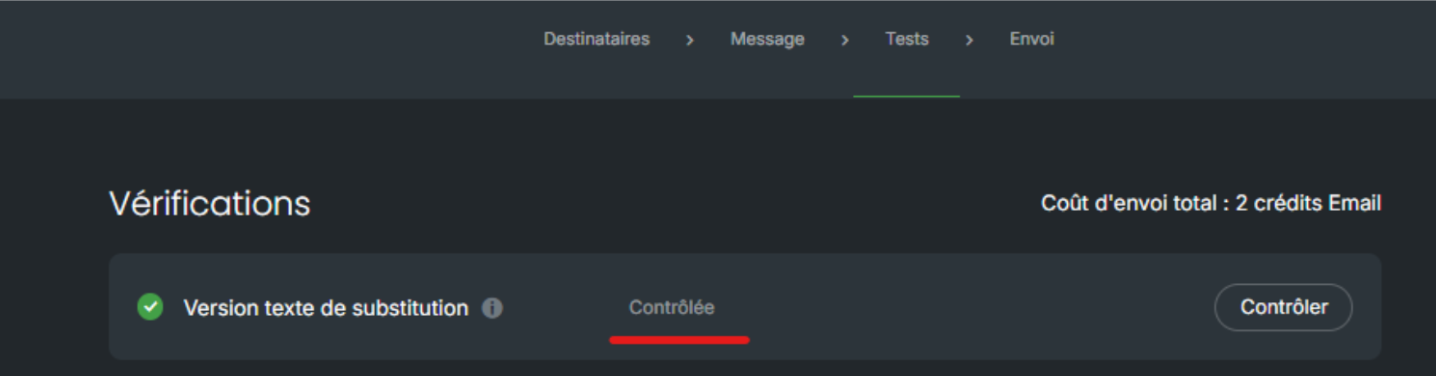
The verification has been successfully carried out; you can see below that it is marked as “checked”:
Once the update of this version has been validated, you can send your campaign.
