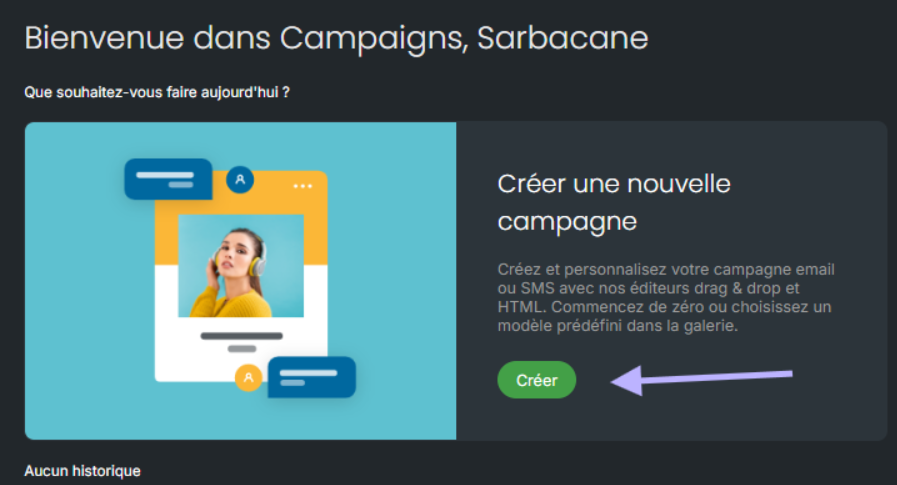
From Sarbacane, you can create both email campaigns and SMS campaigns. To create an SMS campaign, click on “create” in the Campaigns section of your account.
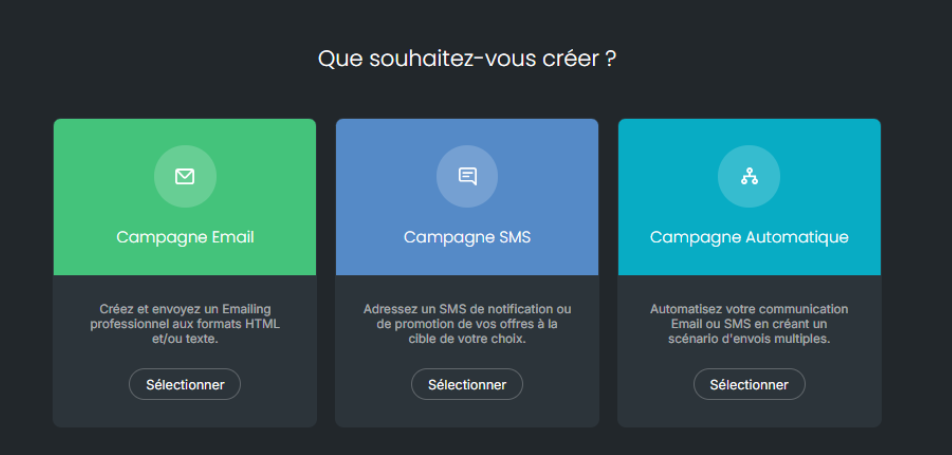
Then choose the “SMS Campaign” option:
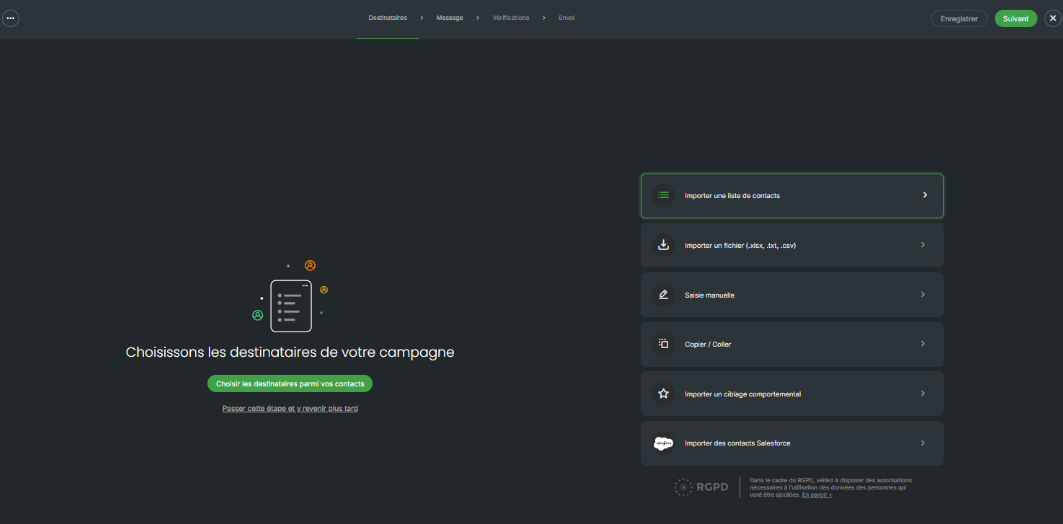
Import your contacts for an SMS campaign
Before launching your campaign, start by importing your contact file.
Make sure that:
All numbers are mobile numbers (landline numbers cannot receive SMS messages),
All contacts are intended for the same country.
Once your contacts have been imported, an automatic analysis will suggest adding the corresponding country calling code.
Important: only one country calling code can be selected per SMS campaign. Therefore, if you wish to send your message to numbers located in several countries, you will need to create a separate campaign for each country of origin of the numbers.
Click on “Next” to write your message.
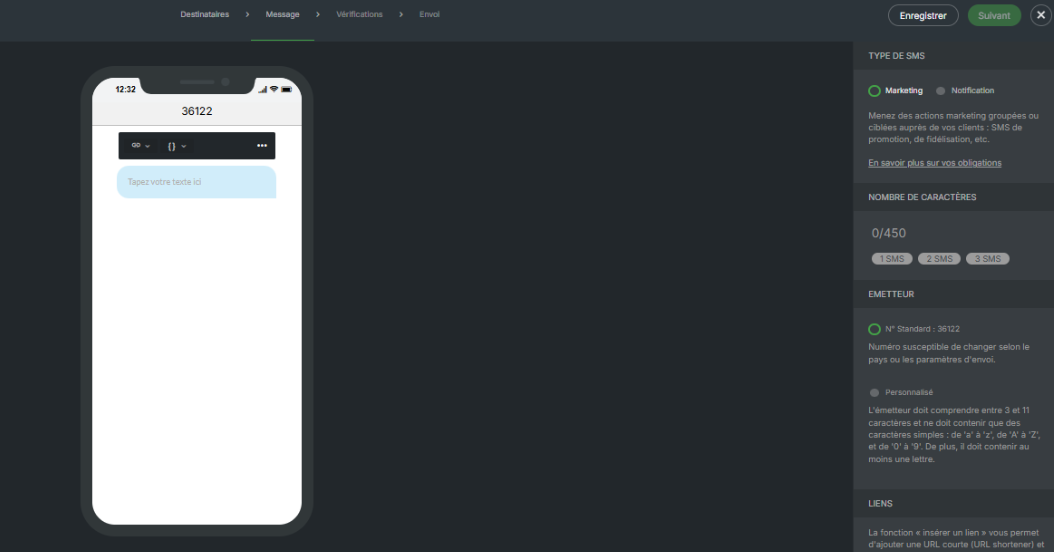
Let us look at the available options:
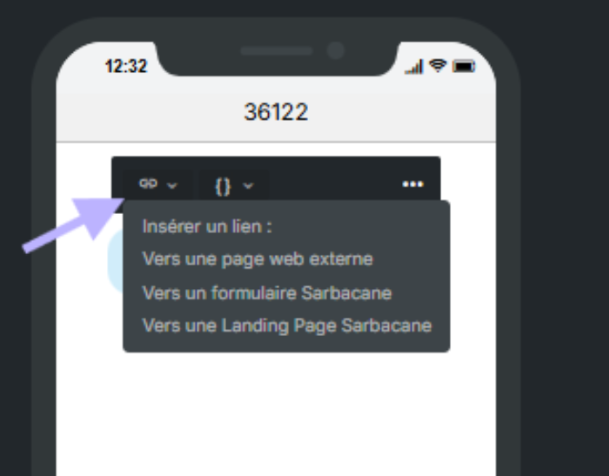
Add a link in your SMS
When creating your campaign, you have the option to add a link in your message.
By choosing this option, the link will be automatically tracked, allowing you to know who clicked on it.
You can direct your recipients to:
an external web page (your website, a news item, etc.),
a Sarbacane form,
a landing page created with Sarbacane.
Customize the content of your SMS
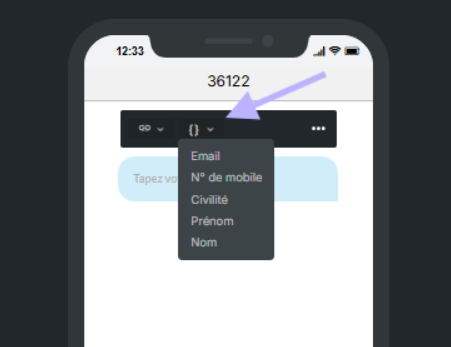
The personalization option, available next to the text field, allows you to add dynamic variables to your message.
Depending on the data available in your contact database, you can automatically insert information such as the last name, first name, or any other personalized data.
This makes your campaigns more relevant and engaging for each recipient.
Other options available in the “ … ” menu
Statistics : enable or disable behavioral tracking (clicks, interactions, etc.).
URL domain : if you insert a link, you can choose the domain name used for link shortening.
Unsubscribe list : add or edit the unsubscribe list associated with your campaign.
Start from scratch : delete all message content and start again from a blank base.
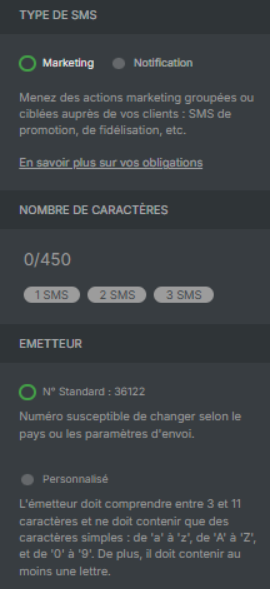
On the right side of your screen, you can define settings for your message:
Selection of SMS type
When creating your SMS campaign, you must choose between 2 types of messages:
Marketing SMS : promotional message (invitation, special offer, survey, redirection to a website, etc.)
An unsubscribe notice (STOP) is automatically added, as it is mandatory.
Sending restrictions apply: sending is permitted only from Monday to Saturday, between 8:00 a.m. and 8:00 p.m.
Just below this, you will see the character counter, which will change according to the length of your SMS. Below 160 characters, your SMS will cost you 1 credit per contact. If your message is longer, it may use up to 3 credits.
Some accented characters, such as “ê”, are not supported. In this case, Sarbacane flags them and suggests replacing them in order to proceed to the sending step.
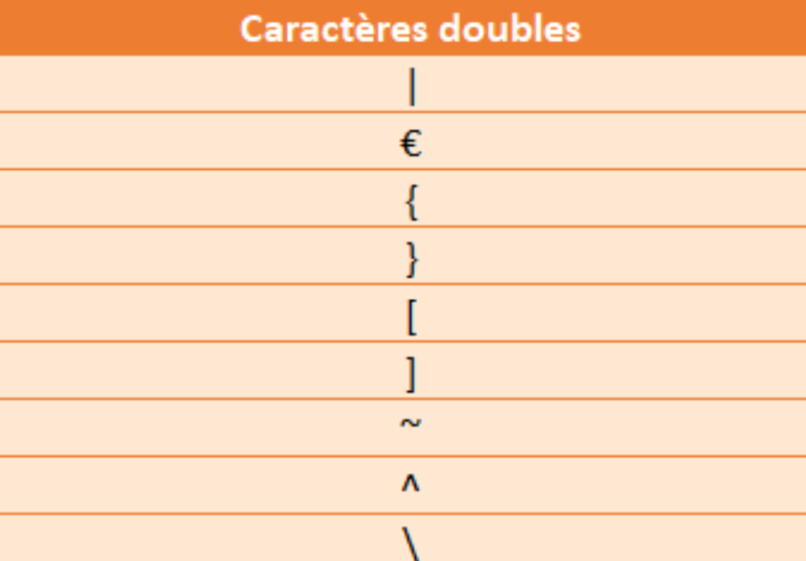
Furthermore, some characters are counted double, such as those shown in the table in the screenshot below:
Choice of sender
Standard number: numbers automatically defined according to our aggregators.
Please note that a contact can reply to your SMS if you use this option; the replies will be available in your statistics.
Custom name: you can choose a sender name between 3 and 11 simple characters without spaces or special characters.
Please note that your contacts will not be able to reply to your message. For marketing campaigns, note that the mention STOP SMS adds 11 characters to your message.
If your sender name is protected, a brand declaration will then be mandatory. Consult our documentation for more information.
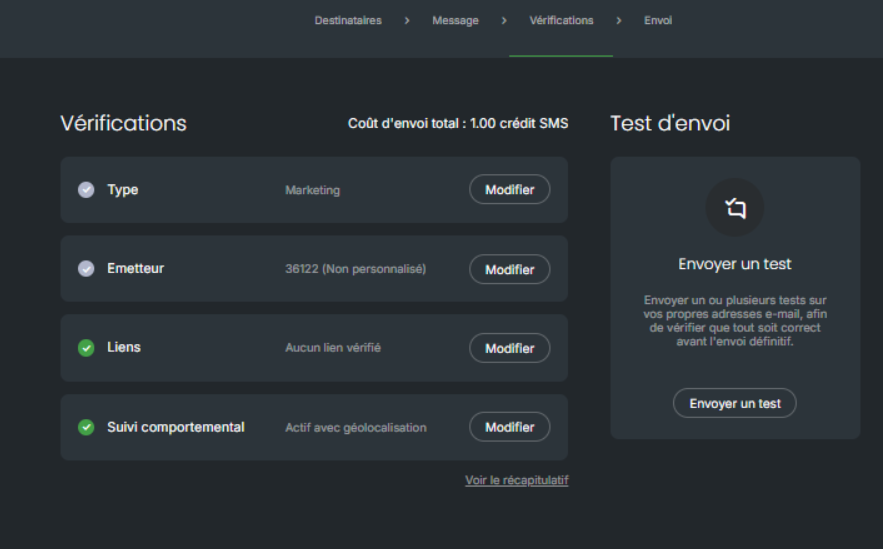
The next step allows you to have a summary of your message and to send a test before the final sending.
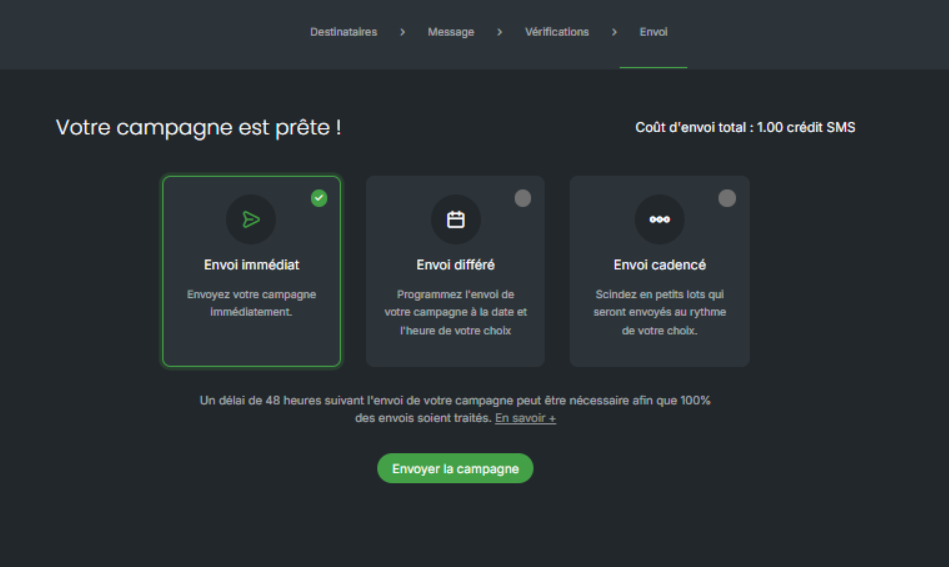
Your campaign is ready!
You can send it immediately or schedule it to be sent (delayed sending).
The scheduling option allows you to send your SMS in small batches in order to optimize the delivery rate.