Using a domain name for your mailings is now essential to deliver your emails under the best possible conditions.
From Sarbacane, and if you have your own domain name, you can create what is called a subdomain or a delegation. The advantage of delegation is that you benefit from the reputation linked to your own domain name, while securing the latter. This configuration will require access to your domain name host. Below, we will review the procedure to follow.
Note: if you do not have a domain name or if you do not wish to create a subdomain, it is also possible to reserve a new domain name.
See also our article to guide you when configuring with your hosting provider.
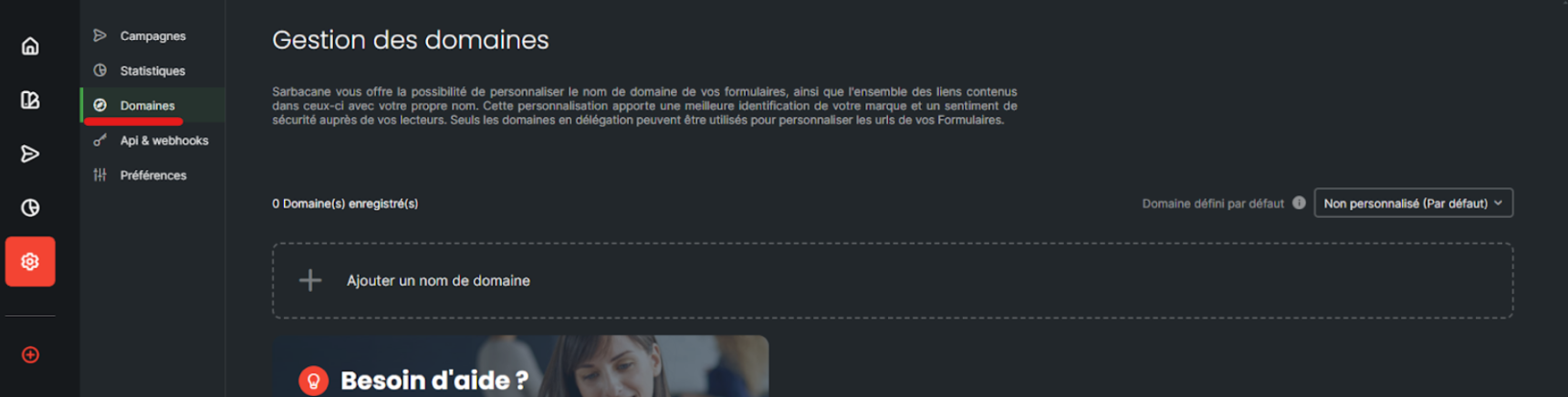
To set up a delegation, go to the “Domains” section of the settings:
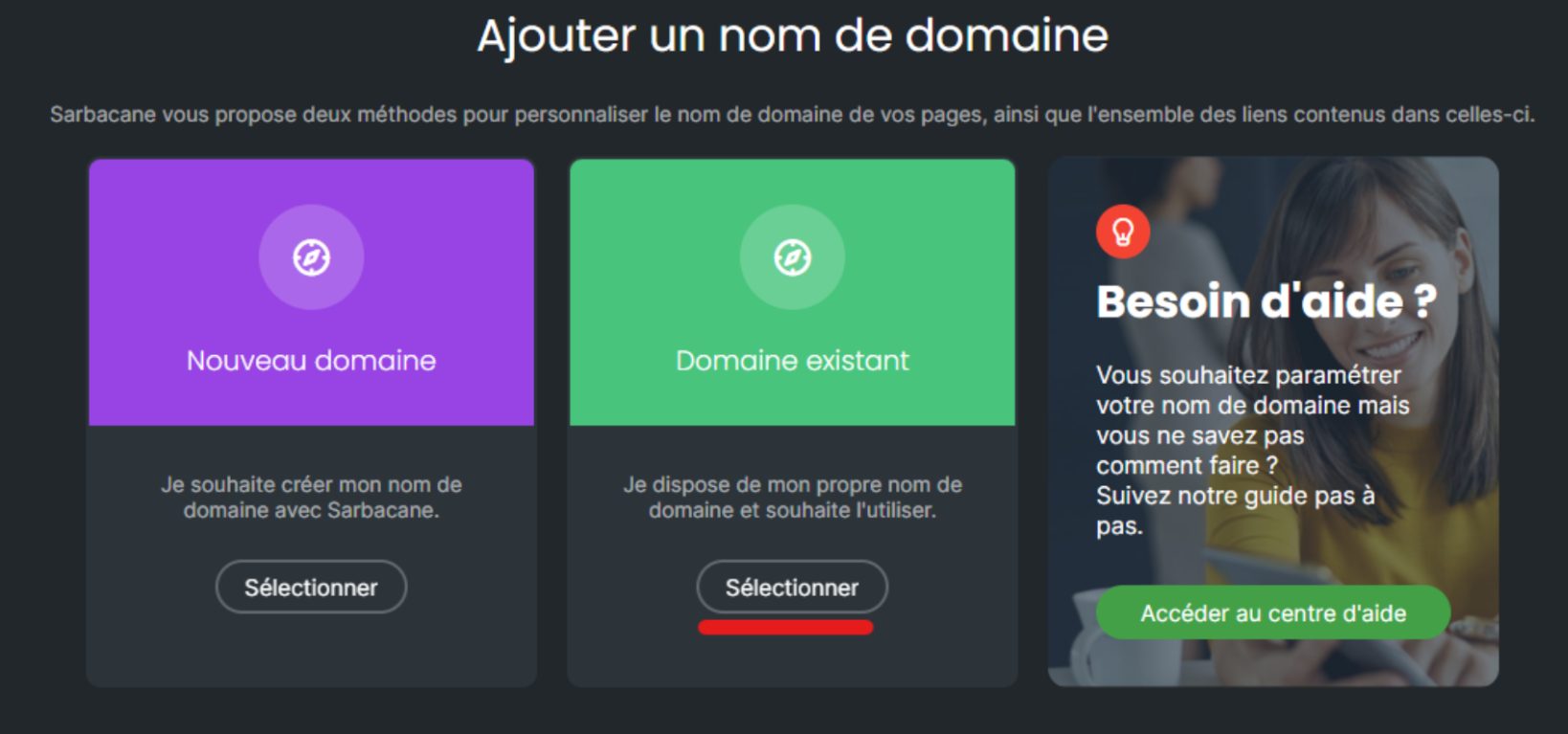
Click on “add a domain name”, then choose the “existing domain” option
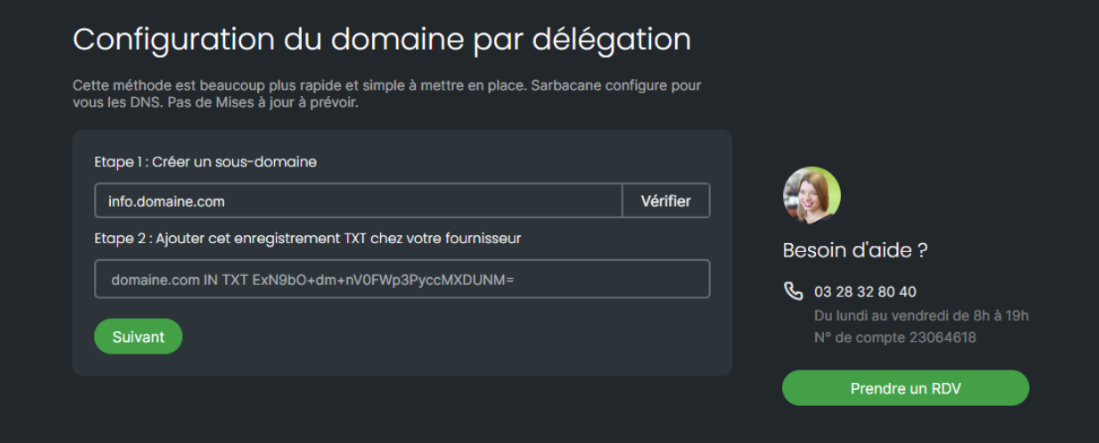
The first step is to enter your subdomain, such as info.domain.com
After clicking on “verify” in “Step 1”, the first entry to copy and paste with your hosting provider will appear in “Step 2”. This is a TXT record that must point to your root domain (here domain.com):
Click on “next”.
The two NS data entries are displayed in “Step 3”:
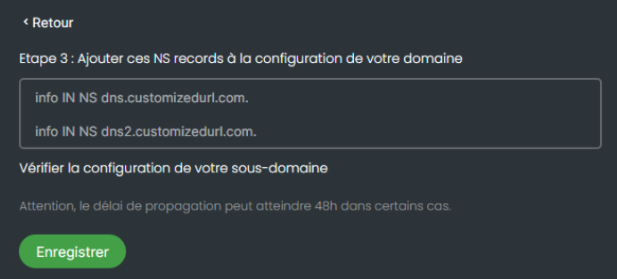
These two entries must be provided to your hosting provider on your subdomain (here info.domaine.com), simply by copying them.
Once these operations have been completed, click on “save”.
Your domain will appear in your account.
The status will initially appear as “pending validation” while the records are propagating at your hosting provider.
This validation process can take up to 48 hours.
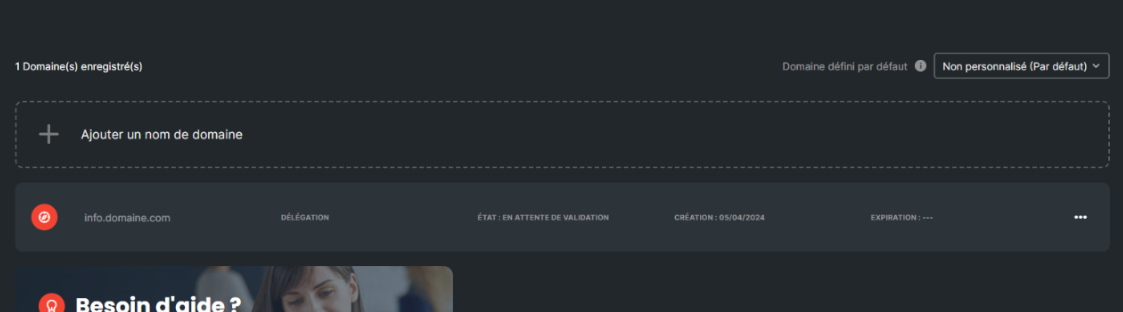
Once your new subdomain has been validated, remember to set it as the default on the right side of your screen to ensure that it is correctly applied to each of your mailings.
Please note that you can have as many subdomains as you wish. You can, for example, have a subdomain depending on the type of communication you send: commercial.domaine.com, news.domaine.com, notifications.domaine.com, etc.
