For Sarbacane Campaigns to validate your sending subdomain, add three records to your domain's DNS zone at your hosting provider: one TXT record on the root domain and two NS records on the subdomain. The example below uses OVH, and other hosting providers work the same way.
You have created the subdomain in Sarbacane Campaigns and have the Configuration of your domain by delegation window open, which shows the values to copy (see How do I set up a sending subdomain in Sarbacane Campaigns?).
You have access to your domain's DNS zone at your hosting provider, or help from your IT department or webmaster.
Your hosting provider accepts NS records on a subdomain (see Troubleshooting).

Important: add these records within 48 hours of creating the subdomain in Sarbacane. After that, the subdomain is not validated and you must delete it and create it again.
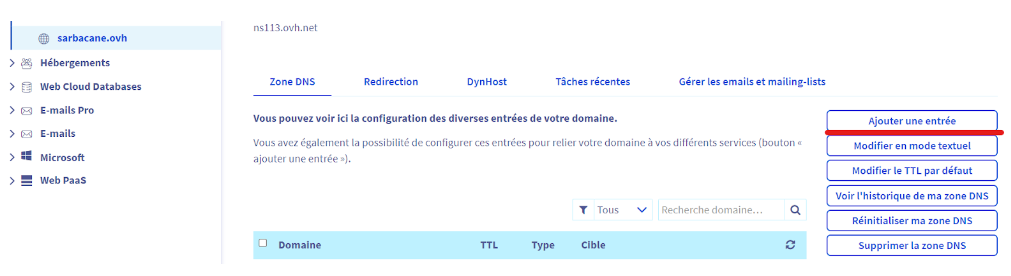
In your hosting provider's customer area, open the DNS zone of your domain (for example your-site.com).
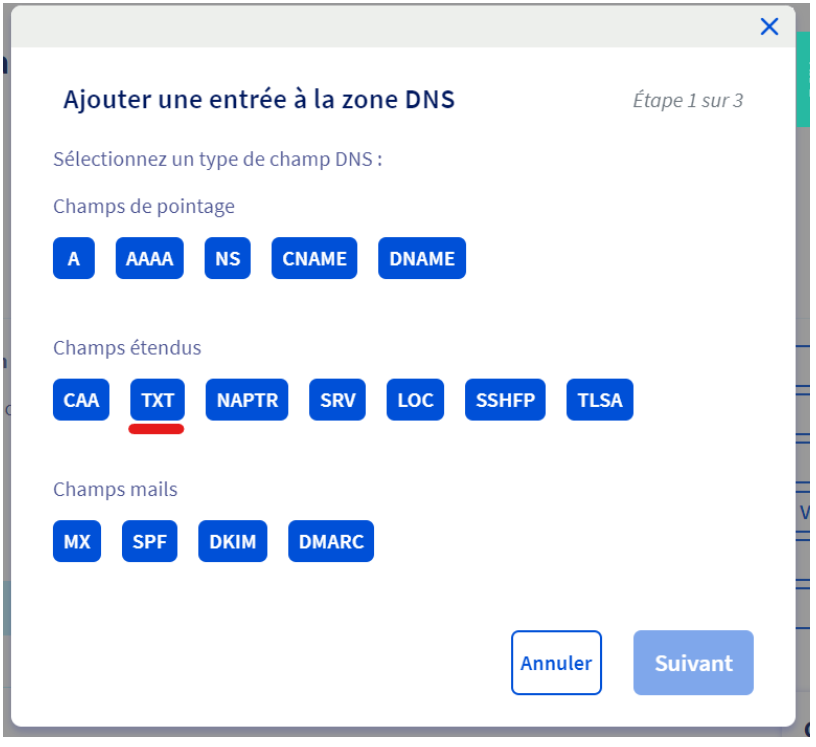
Click the button to add an entry, then choose the TXT type.
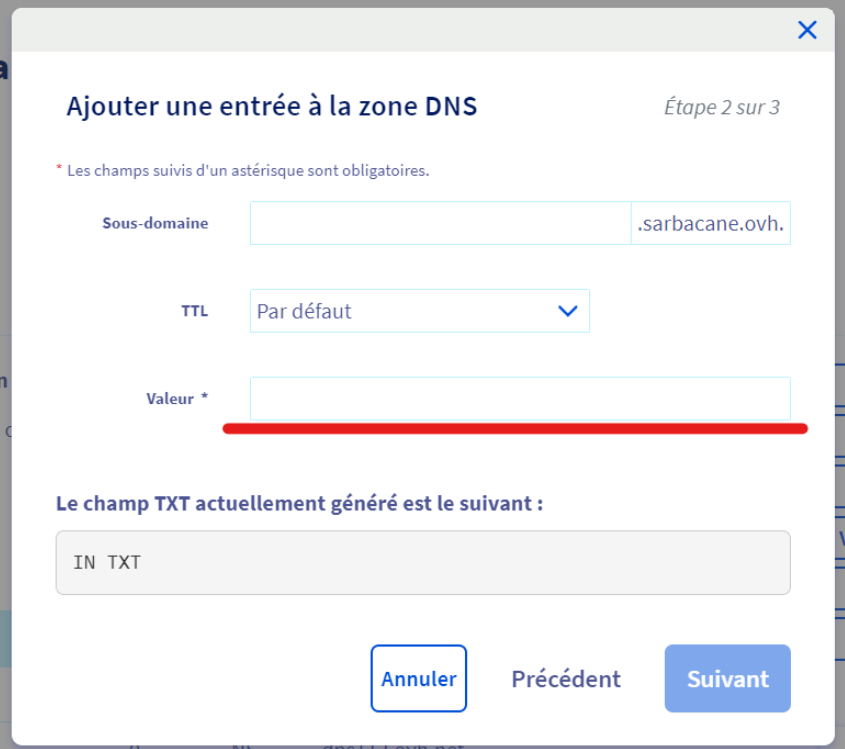
Leave the Sub-domain field empty: the TXT record applies to the root domain (your-site.com), not to the subdomain.
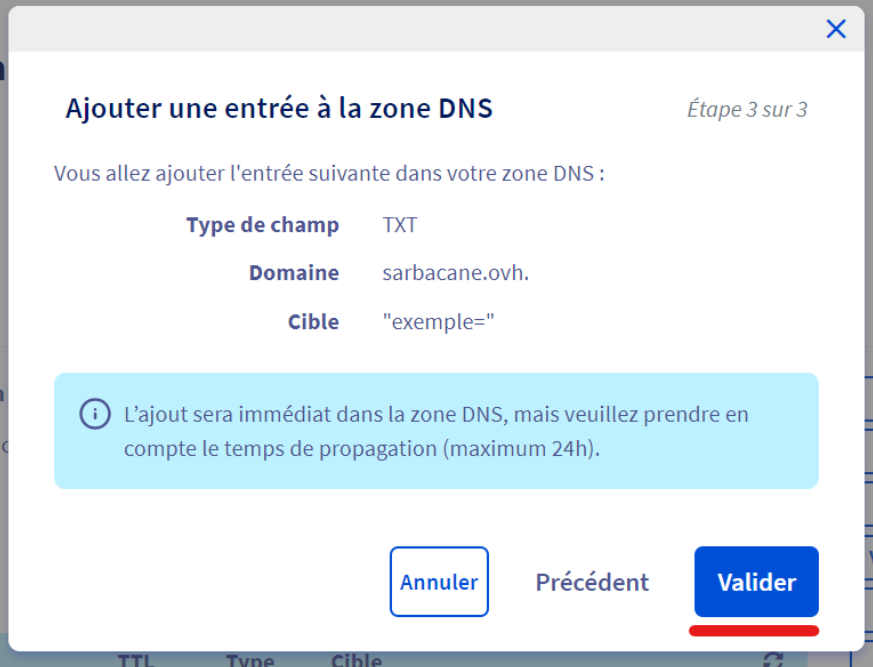
In the Value field, paste the TXT value shown in Sarbacane (the string of characters ending with the = sign), then confirm.
Add a new entry of type NS.
In the Sub-domain field, enter the part before your domain (for example news for news.your-site.com).
In the Target field, enter dns.customizedurl.com., then confirm.
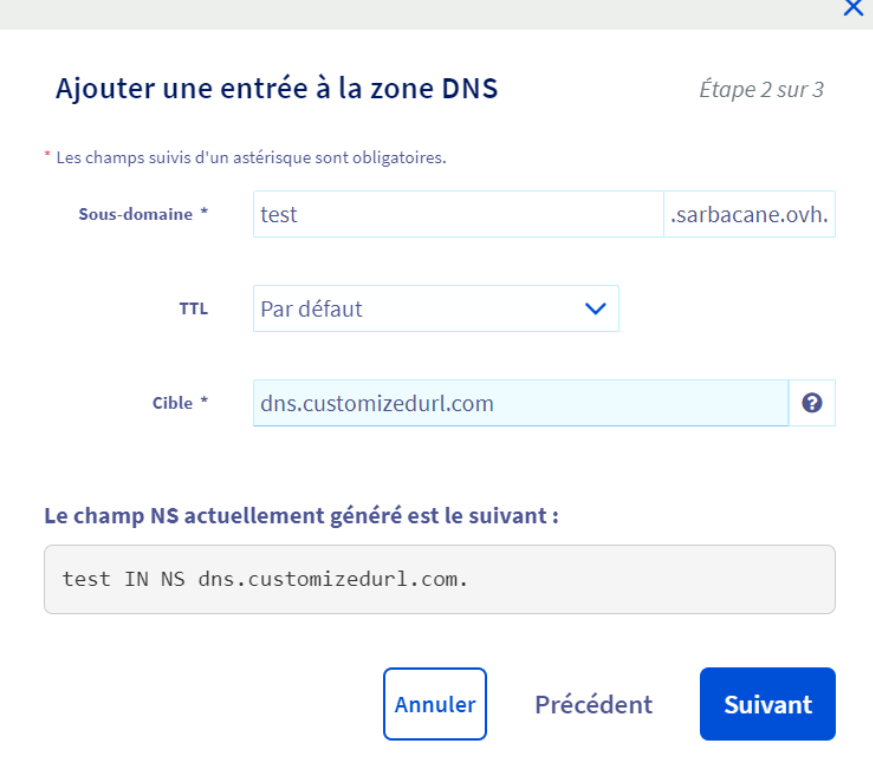
Add a second NS entry on the same subdomain, with the target dns2.customizedurl.com., then confirm.
Note: enter both NS targets with the final dot, otherwise the delegation does not work.
In Sarbacane Campaigns, on the Domains page, the subdomain changes from Awaiting validation... to Activated. Allow 24 to 48 hours depending on your hosting provider.
Some hosting providers do not allow NS records on a subdomain. In that case, write to technical support at [email protected].
Hosting provider | Delegation possible |
|---|---|
Yes | |
Yes | |
Yes | |
Yes | |
Yes | |
Yes | |
Wix | No |
Hostinger | No |
O2switch | No |
Planethoster | No |
Microsoft | No |
Check that the TXT record is on the root domain and that both NS targets end with a dot. Then follow the checks in the article Why does my subdomain remain in "Invalid" status?.
See your hosting provider's help (links in the table above) or ask your IT department.
