
If you already have a domain name, Sarbacane provides you with a delegation configuration option, meaning that you will be able to create a subdomain. The advantage of this option is that you benefit from the existing reputation of your domain.
In the “settings” section of Campaigns, go to “Domains”, then click on “add a domain name”. You can then choose the “existing domain” option:
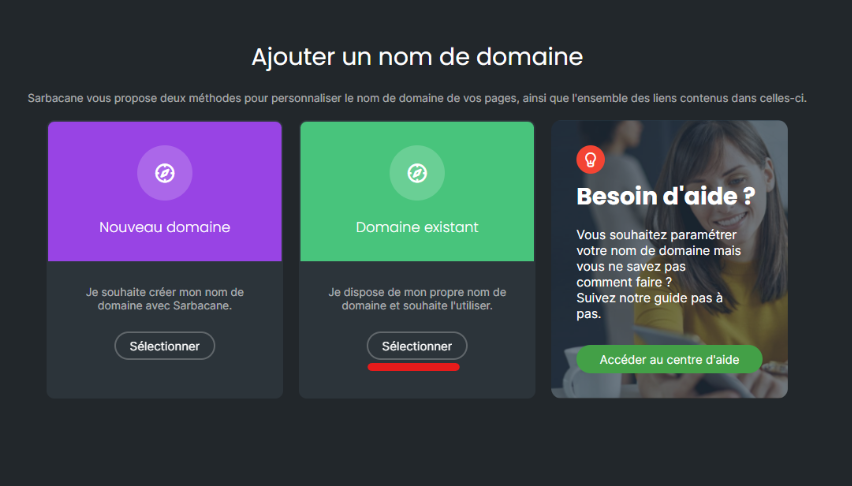
You must then go to your domain name host to set up this connection.
The following configuration example is based on the interface of the OVH host, but all hosts operate in more or less the same way.
Once you have retrieved the records provided by Sarbacane in your interface (see the article “How to create a subdomain on Sarbacane”), you will be able to apply them with your host.
Go to the DNS zone of your domain.
There you will find an option to add an entry.
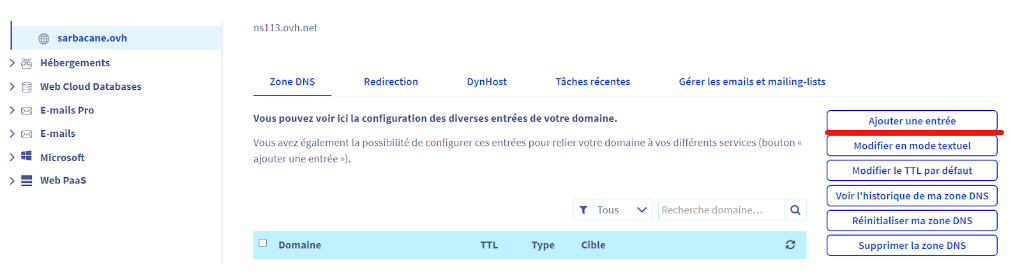
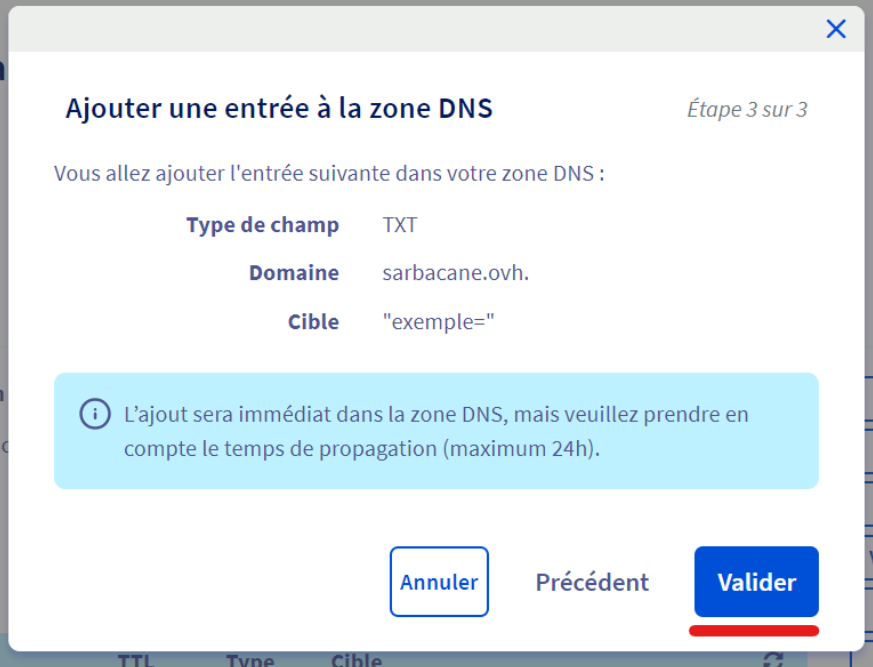
Let us start with the TXT record.
Here is how it appears when you add it.
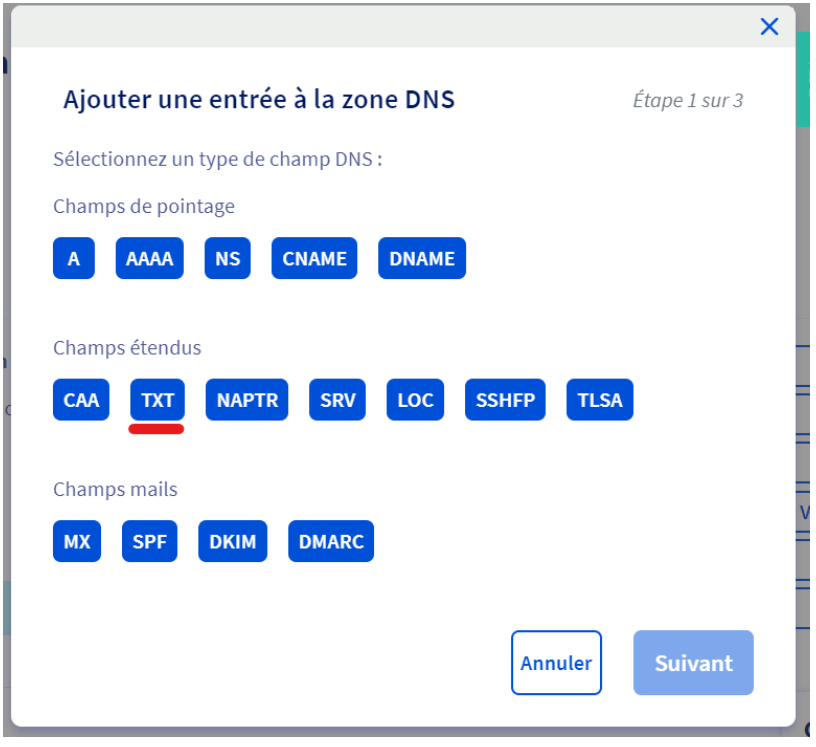
The TXT record must be configured on your root domain, here sarbacane.ovh (and not the subdomain that you have just created on Sarbacane). You should therefore only see your domain displayed, as shown below.
Enter in “Value” the entry provided in your account (the string of characters ending with the equals sign).
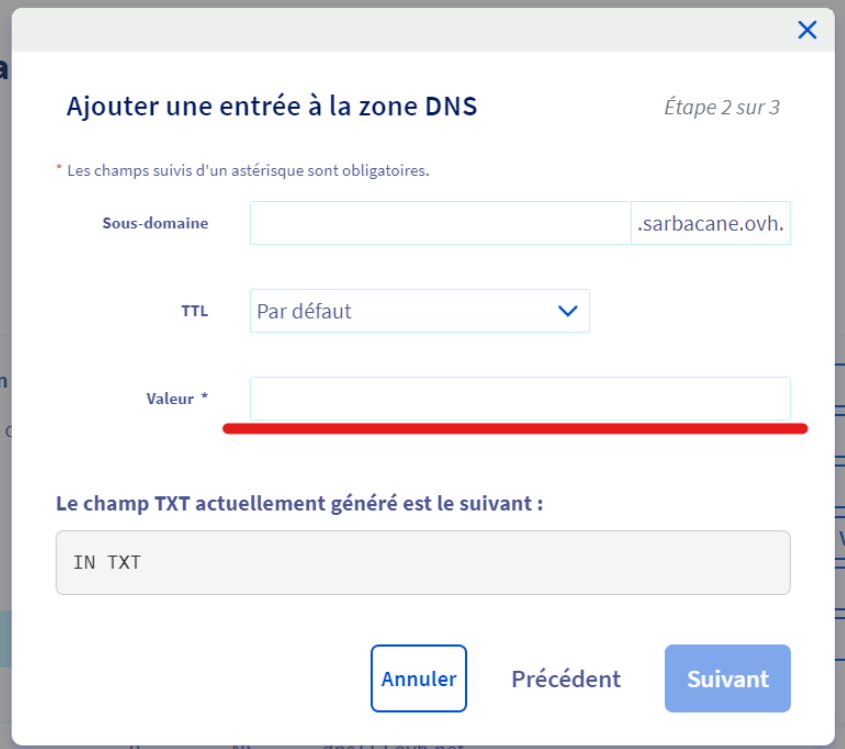
Then confirm the addition.
Let us continue with the NS records.
Adding the NS records is done in the same way; modify the field type by choosing NS this time.
Enter the subdomain defined in step 1 on Sarbacane (here “test”). Then add in the target the first value indicated in the third step on Sarbacane.
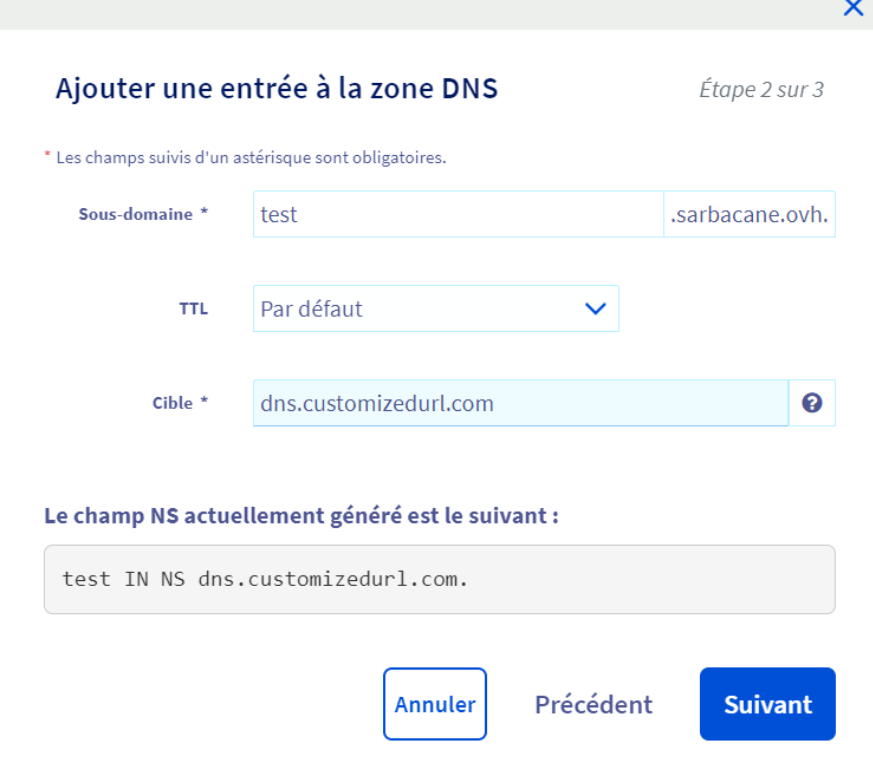
Perform the same operation for the second NS record provided in the final step in your account.
The validation time in the application may vary between 24 and 48 hours (this depends on your hosting provider).
If your subdomain is not validated, please refer to our article on this topic.