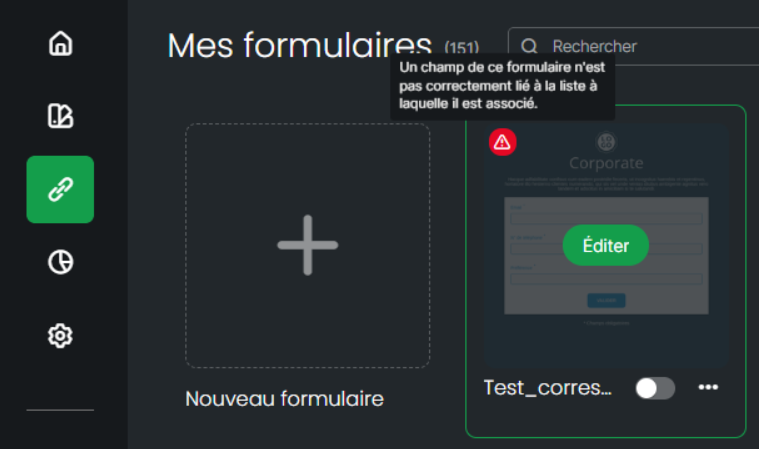
An essential element for the proper functioning of your forms is the matching of your columns with your questions or requests.
If this is carried out correctly, you will collect your responses in the expected columns.
Let us take the example of a form:
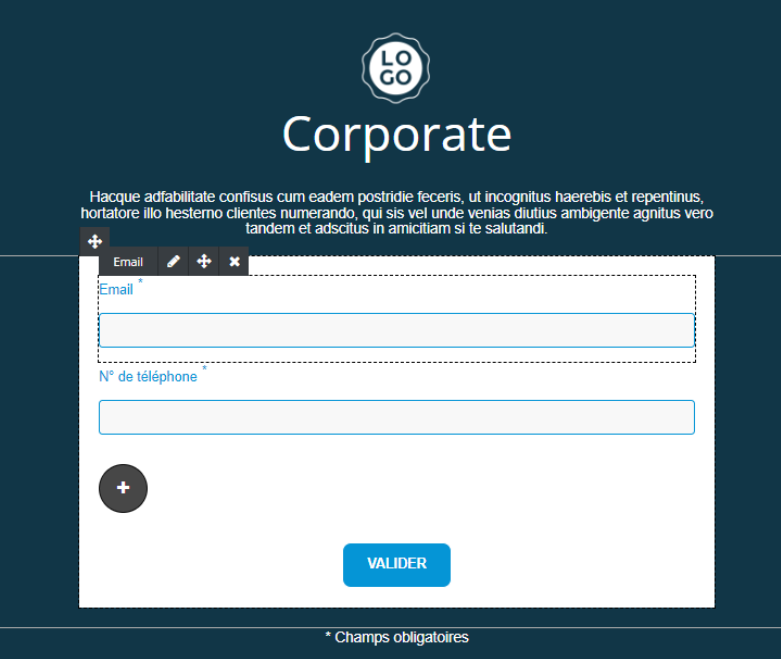
The fields Email and Phone number are what are called system fields (default fields). It is imperative that no deletion or replacement action be performed on these system fields, as this would make identification impossible or compromise identification.
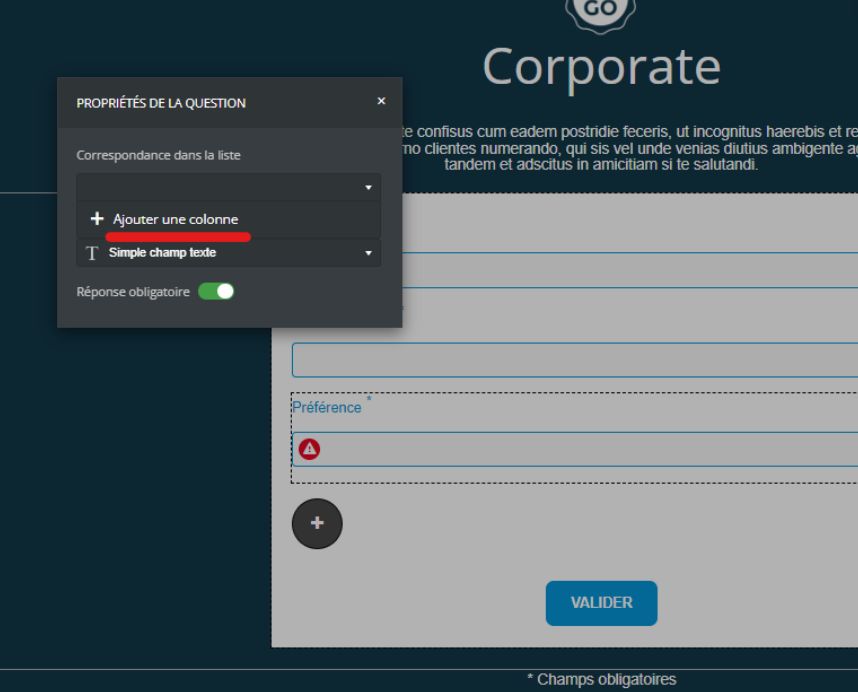
If you add a new question, you will be asked to create a match (so that the response is correctly delivered to your contact list and in the right place). If this column does not yet exist in your contact list, you will need to create it:
If you already have columns in your contact list, you will choose where the answer to your question will be received:
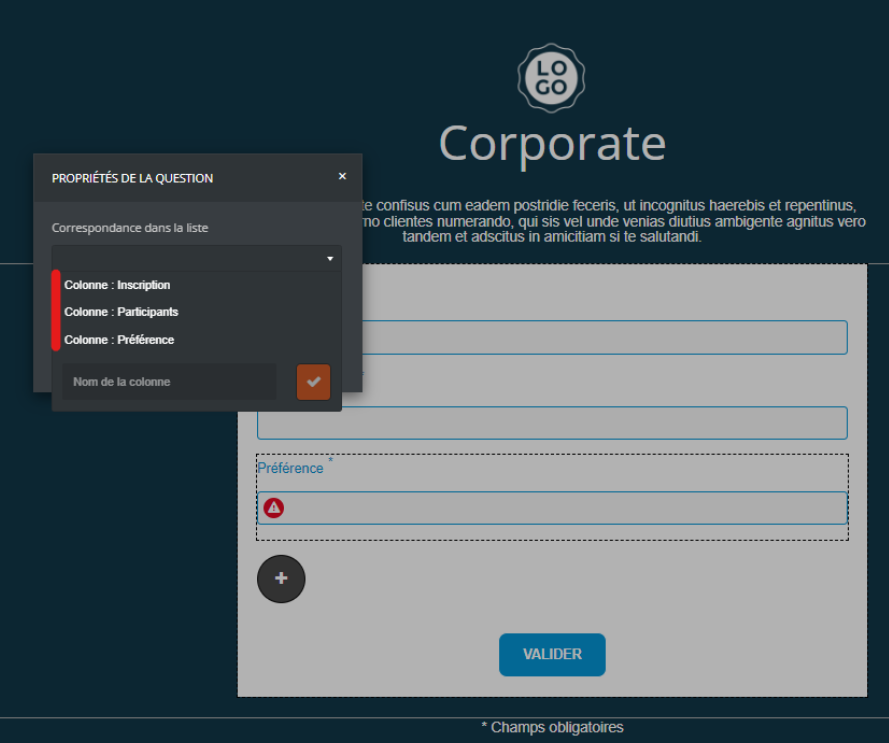
Please note that if column matching is omitted, a warning icon will be displayed next to your question, as well as during the next step.
A warning message will finally be displayed when hovering over the form if the matching has not been corrected: