The value of conditional answers
It may happen that the respondent to a form wishes to specify an answer, and that, on your side, you wish to refine data collection.
Some examples:
Your respondent answers “yes” to an invitation to an event: in this case, will they be accompanied?
Your respondent answers “not satisfied” in a satisfaction survey: in this case, why?
Your respondent answers “very interested” when a service or product is announced: in this case, would they like to be called back for a presentation appointment?
Integrate a conditional answer step by step:
Drag and drop a “Condition” block
Name the column and specify whether the answer is mandatory or optional
Write the wording of the question and the different options (= answers) to be checked
Drag and drop the question that will be displayed when the corresponding option is selected.
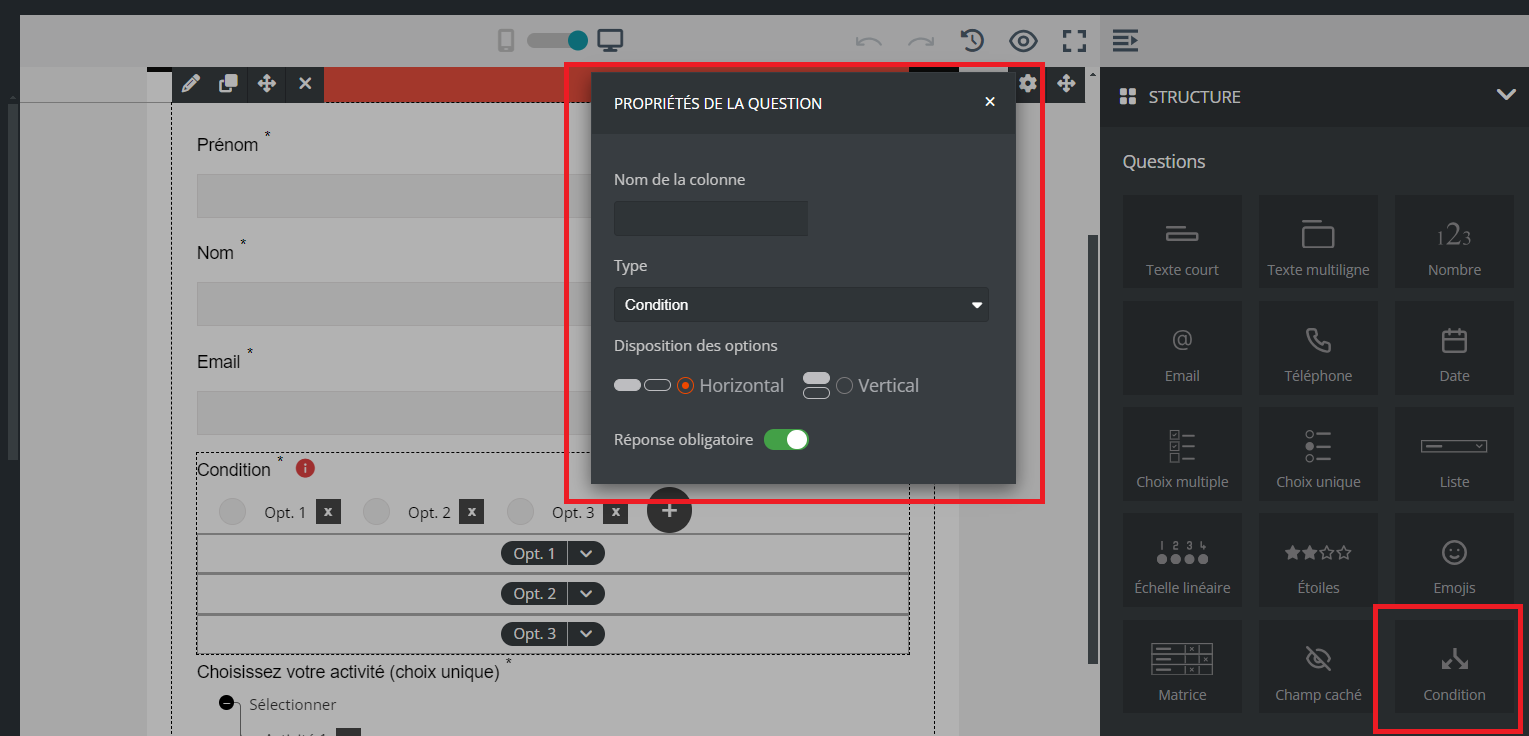
For example: if your question allows the selection of 3 answers, each answer can display its own additional answer. Similarly, it is not necessary to provide an additional question for each initial answer.
