To send your sequences from another address, disconnect the current mailbox, then connect the new one. Your contacts stay in their sequences: sending resumes from the new address as soon as it is connected. It takes about five minutes.
A Sarbacane Engage licence.
The login credentials of the new mailbox, at its host.
Important Disconnect and reconnect straight away. An email due while no mailbox is connected fails at its sending time, then goes out on the next full hour after reconnection.
In the left menu, at the bottom, click the settings icon, then the email section.
Under your connected address, click the button to disconnect your email.
In the confirmation window, click the disconnect button.

In the mailbox block, click the provider of the new address and connect it, following the matching article.
For an OVH, Gandi or IMAP/SMTP address, choose the folder in the sending mailbox section, then click the button to select this sending mailbox.
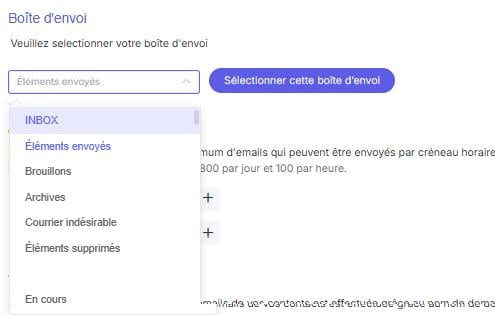
In the sending quota block, set your hourly and daily quotas again.
Important Your sending quotas are reset every time a mailbox is reconnected. Remember to set them again, otherwise the sending pace of your sequences changes.
The mailbox block says that your email account is connected, followed by the new address. The next emails of your sequences go out from it.
No mailbox was connected at the sending time. Check that the new mailbox is connected: the email goes out on the next full hour.
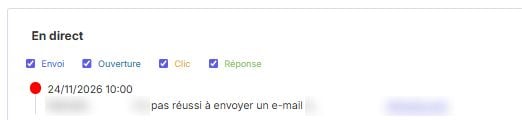
Sarbacane Engage disconnected your mailbox automatically. Reconnect it with the new password, following your provider's article, then set your sending quotas again.
