The pre-header is the short sentence shown next to or below the subject of your email in the inbox. In Sarbacane Campaigns, you type it in the pre-header field, just below the subject. Aim for 30 to 35 characters.
A Sarbacane Campaigns subscription.
An email campaign being created.
At the top of the screen, click the Message step.
At the top of the message, below the subject field, click in the pre-header field.
Type your sentence. To personalize the text (first name, etc.), click the { } icon in the field.
To the right of the field, check the ideal length gauge: it turns from green to yellow, then red, when the text gets too long.
At the top right, click Save.
Note: the gauge only estimates whether the text will be readable in full in most inboxes. It does not judge the quality of the message.
Your recipients see the pre-header in their list of emails, next to or below the subject. It does not appear in the body of the email. In the checks step, the pre-header line confirms that it is filled in.
The pre-header field is empty: mailboxes then display the beginning of the email body (often the line inviting readers to view the email online). Fill in the field, or use the button next to the pre-header line in the checks step.
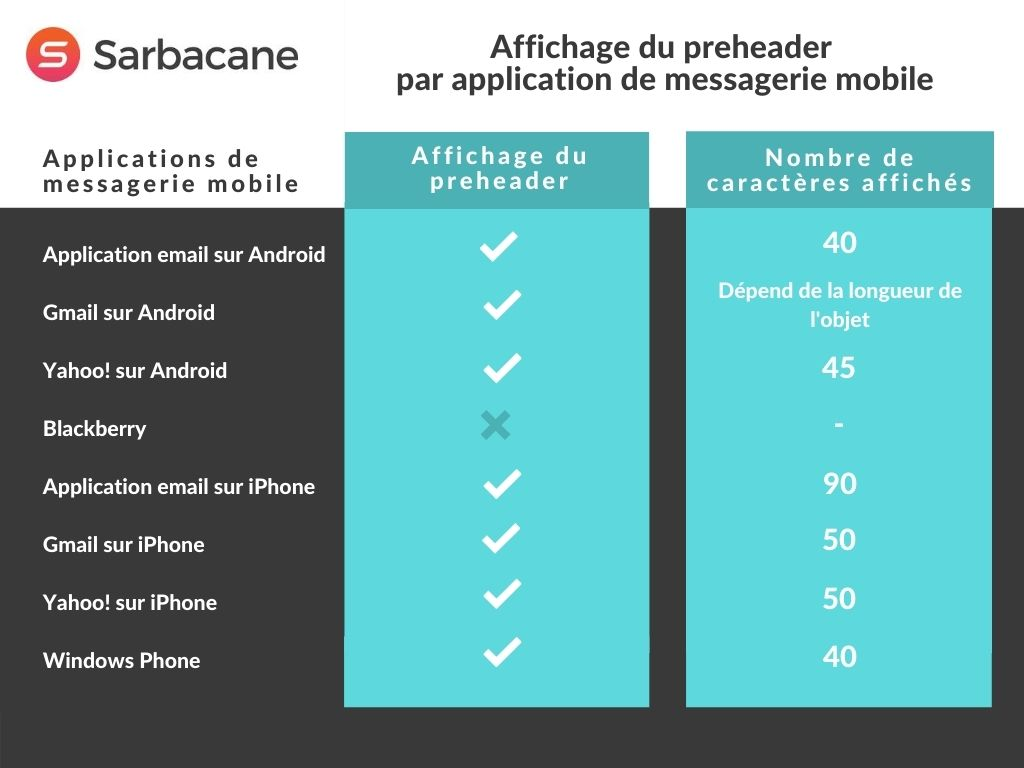
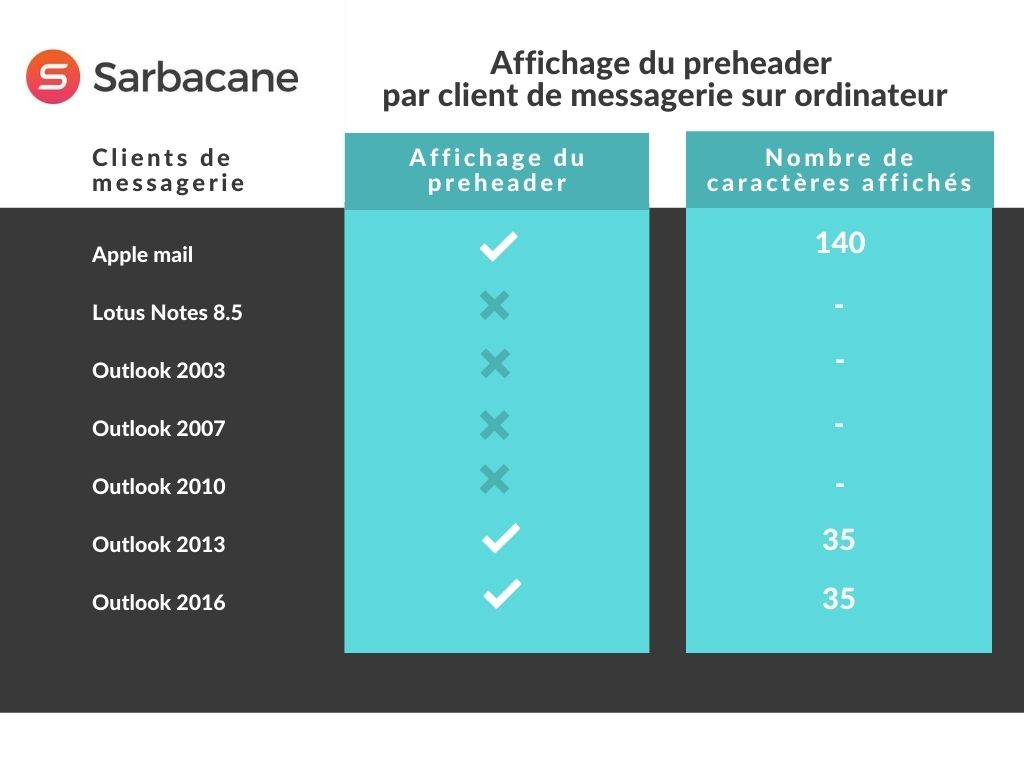
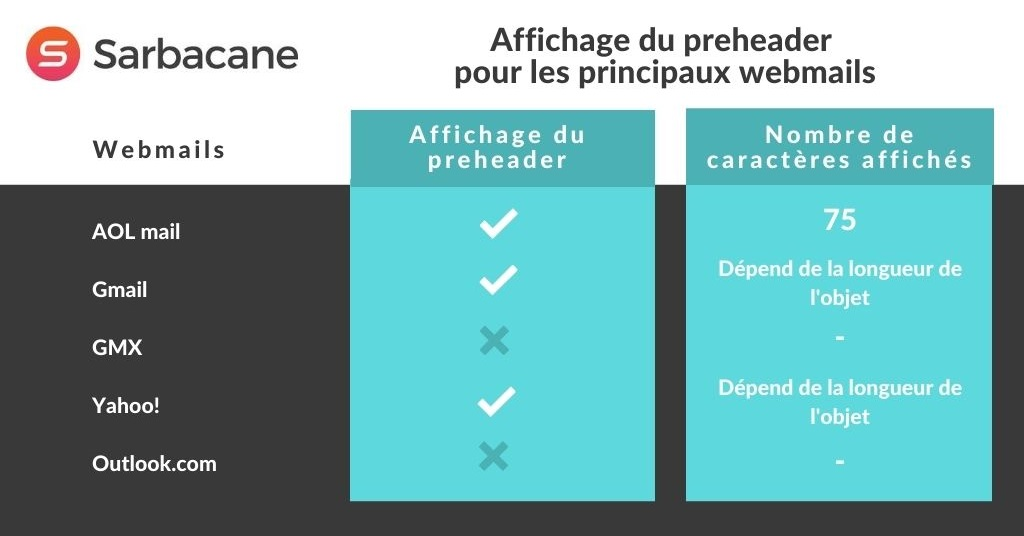
The number of characters displayed depends on the mailbox, the device and the screen width. Shorten the text to 30 to 35 characters and put the key information first. The tables below show the length displayed by some mailboxes.
Desktop email clients
Webmails
Mobile email apps