First log in to your noCRM account, then:
1. On the menu bar, click on “Admin Panel”.
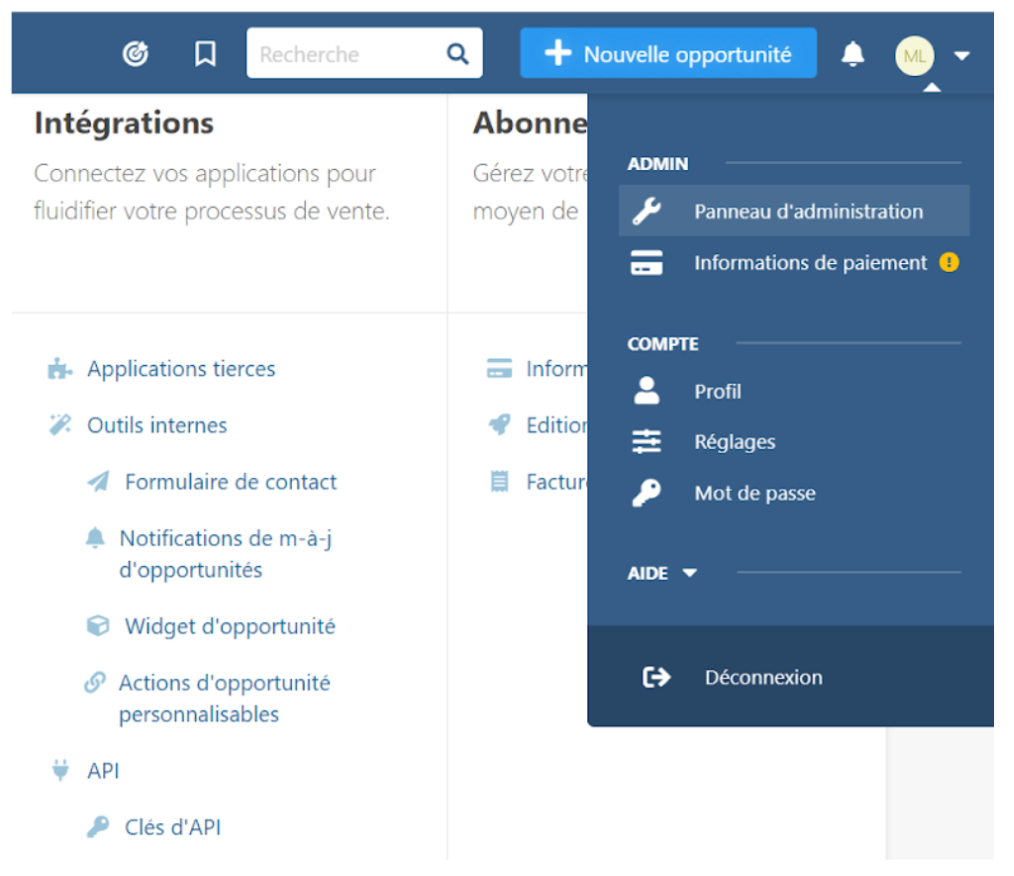
2. A page opens. Then select “API keys”.
3. Click on the “Create an API key” button.
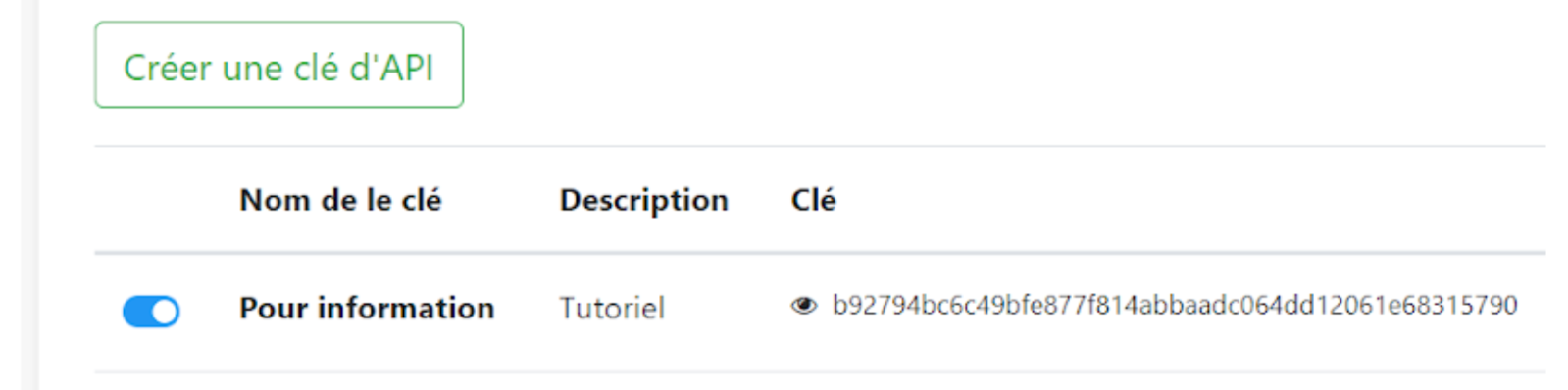
4. Click on the eye icon to copy the full key by selecting all the characters. These characters are not those shown in the image above; each generated key is unique to you.
1. Go to Sarbacane Engage, then click on “Integrations”.
2. Select noCRM from the list that appears, then paste your API key and enter the subdomain that was provided to you by noCRM.
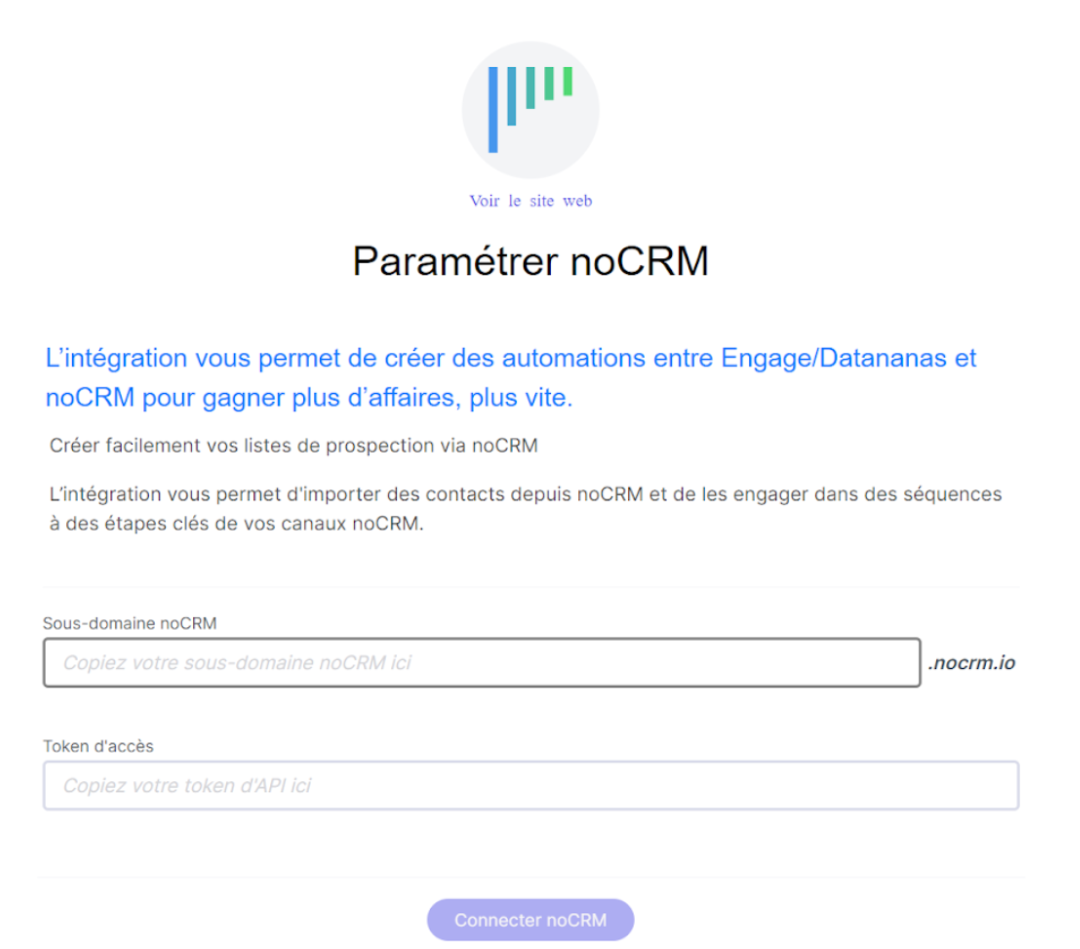
Then confirm so that the connection between noCRM and Sarbacane Engage can be established.
