On Sarbacane Suite, it is possible to define and use multiple unsubscribe lists. This is practical if you wish to manually manage unsubscriptions for your different types of communications.
It is indeed possible to create, for the same account, an unsubscribe list for commercial information and an unsubscribe list for the newsletter.
It is also possible to use this method if you wish to populate multiple unsubscribe lists simultaneously.
Once these lists are created, you must ensure that you select them for each of your sends, as it is not possible to associate them by default with your communications.
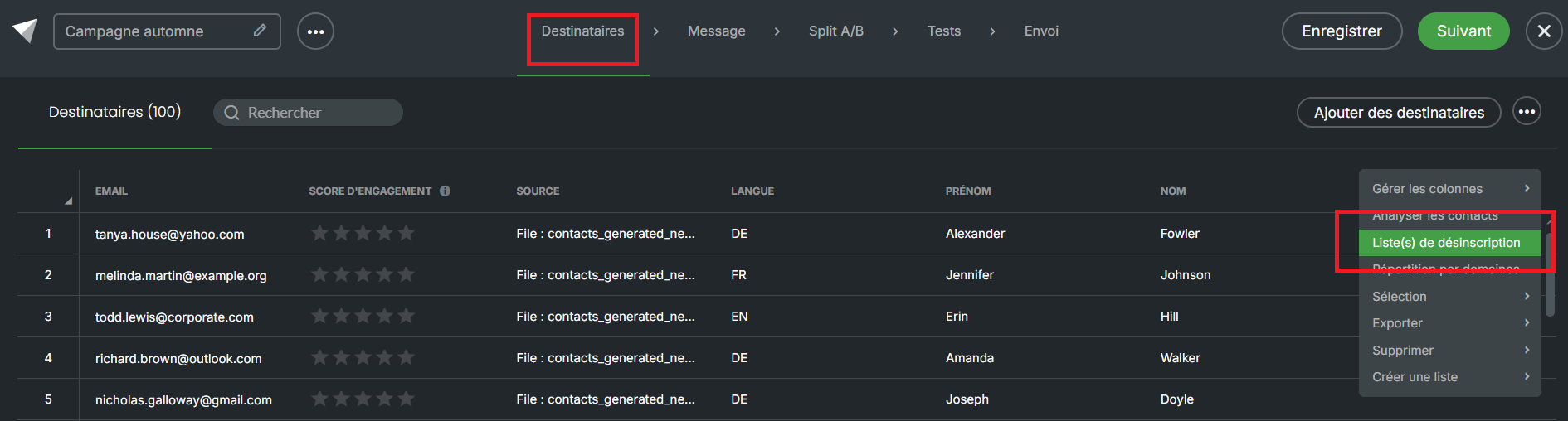
To change the unsubscribe list for a campaign, go to a campaign in draft mode. Then click on the action points in the top right of your screen, in the "Recipients" section of your campaign. You can then select "Unsubscribe list(s)":
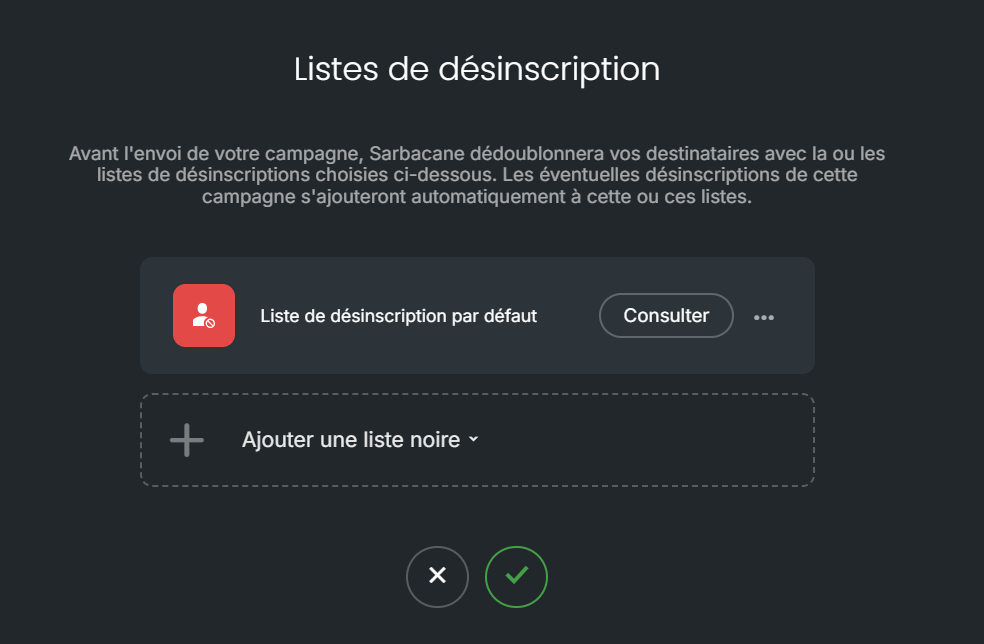
You will see the default unsubscribe list for your account, as it is not possible to send a communication without an unsubscribe list. If you wish to add others or replace it, choose "Add a blacklist" to display your lists.
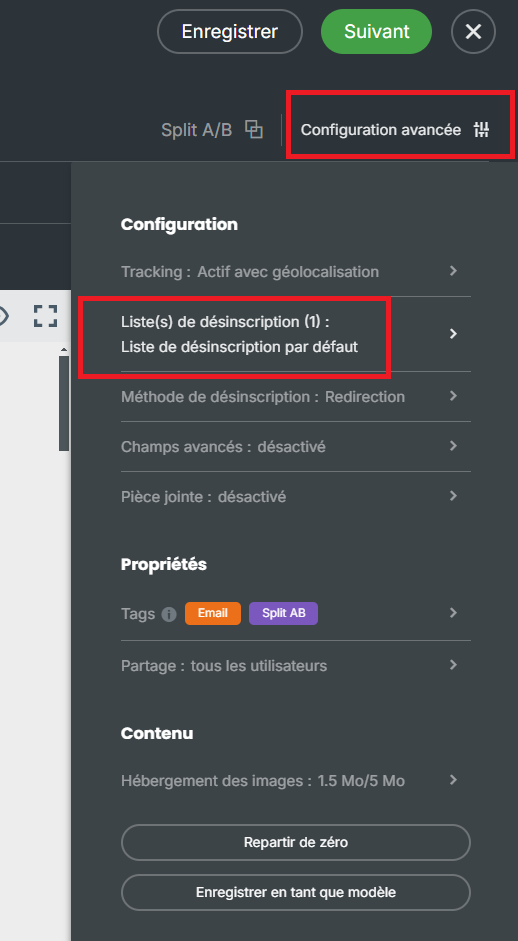
By navigating to the message section, you will also have the option to access this feature by clicking on "Advanced Configuration", then navigating to "Unsubscribe List(s)".