In Sarbacane Campaigns, every campaign uses at least one unsubscribe list. Before sending, the contacts in these lists are excluded, and every contact who unsubscribes from the campaign is added to them. By default, the account's Default opt-out list is used. To use other lists (one for the newsletter, one for sales offers…), select them for each campaign.
A Sarbacane Campaigns licence.
To use a list other than the default one: create it first in Sarbacane Contacts (see How do I create and update an unsubscribe list in Sarbacane Contacts?).
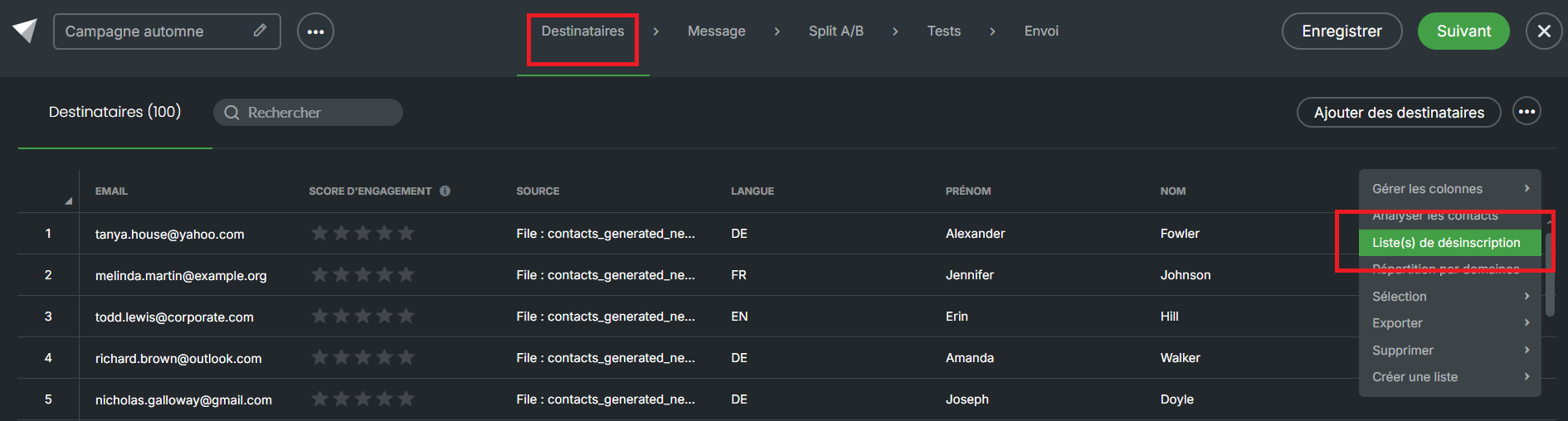
At the Recipients step, in the top right corner, click •••, then Unsubscribe list(s).
In the Opt-out lists window, click Add a blacklist and choose the list.
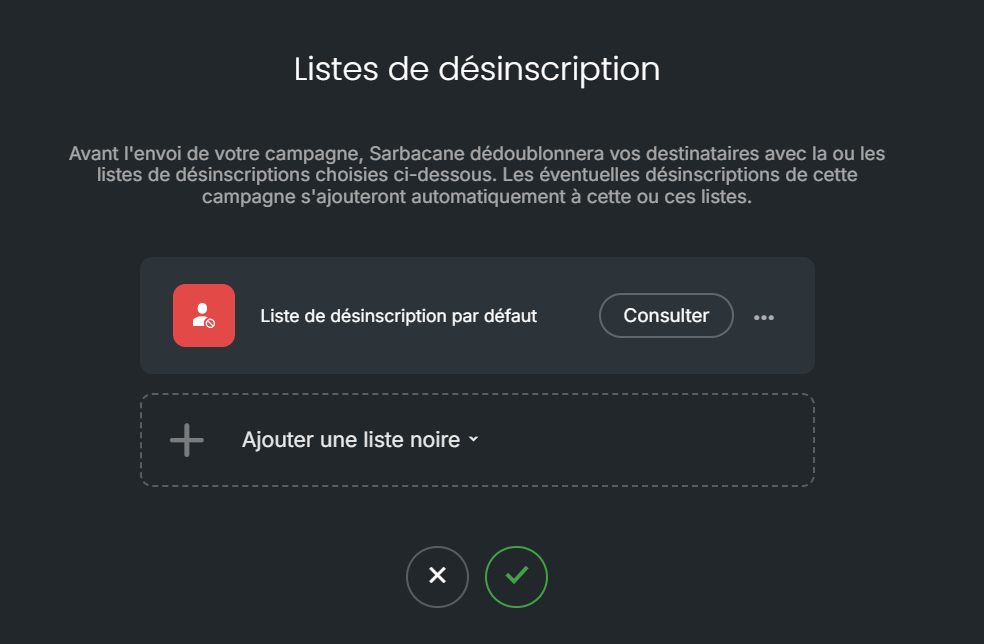
Confirm with the check mark.
At the Message step, the same window opens from Advanced settings › Unsubscribe list(s).
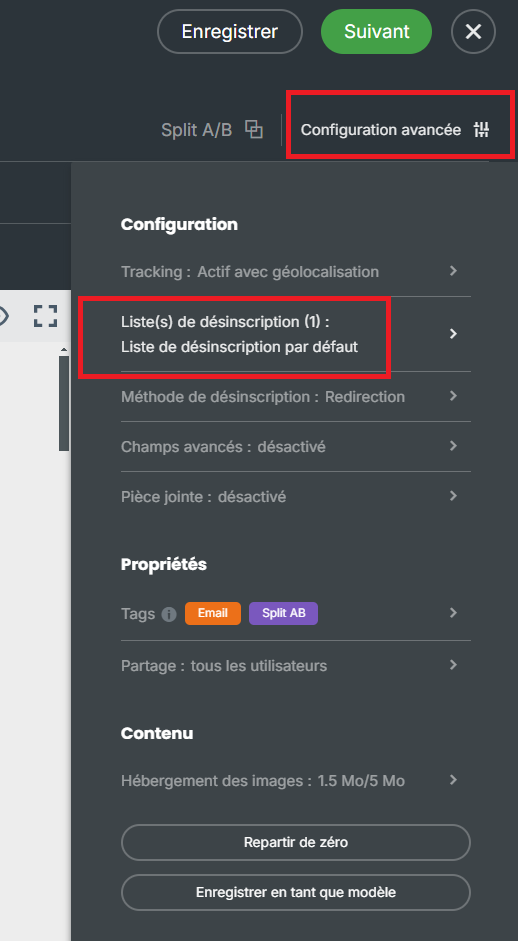
Important: you can remove the Default opt-out list from a campaign only after adding another list: a campaign must always have at least one unsubscribe list.
Note: a duplicated campaign keeps its unsubscribe lists.
The chosen lists appear in the window. When the campaign is sent, their contacts are excluded and new unsubscribers are added to them.
The campaign did not use that list. Add it at step 2 for your next sendings.
