Within Sarbacane Engage, it is possible to optimise your prospecting workflows through automatic actions that are conditioned by the behaviour (or absence of behaviour) of your prospect. The same applies to the presence or absence of information within their record.
These actions can be defined according to several precise criteria that we explore in the remainder of this article.
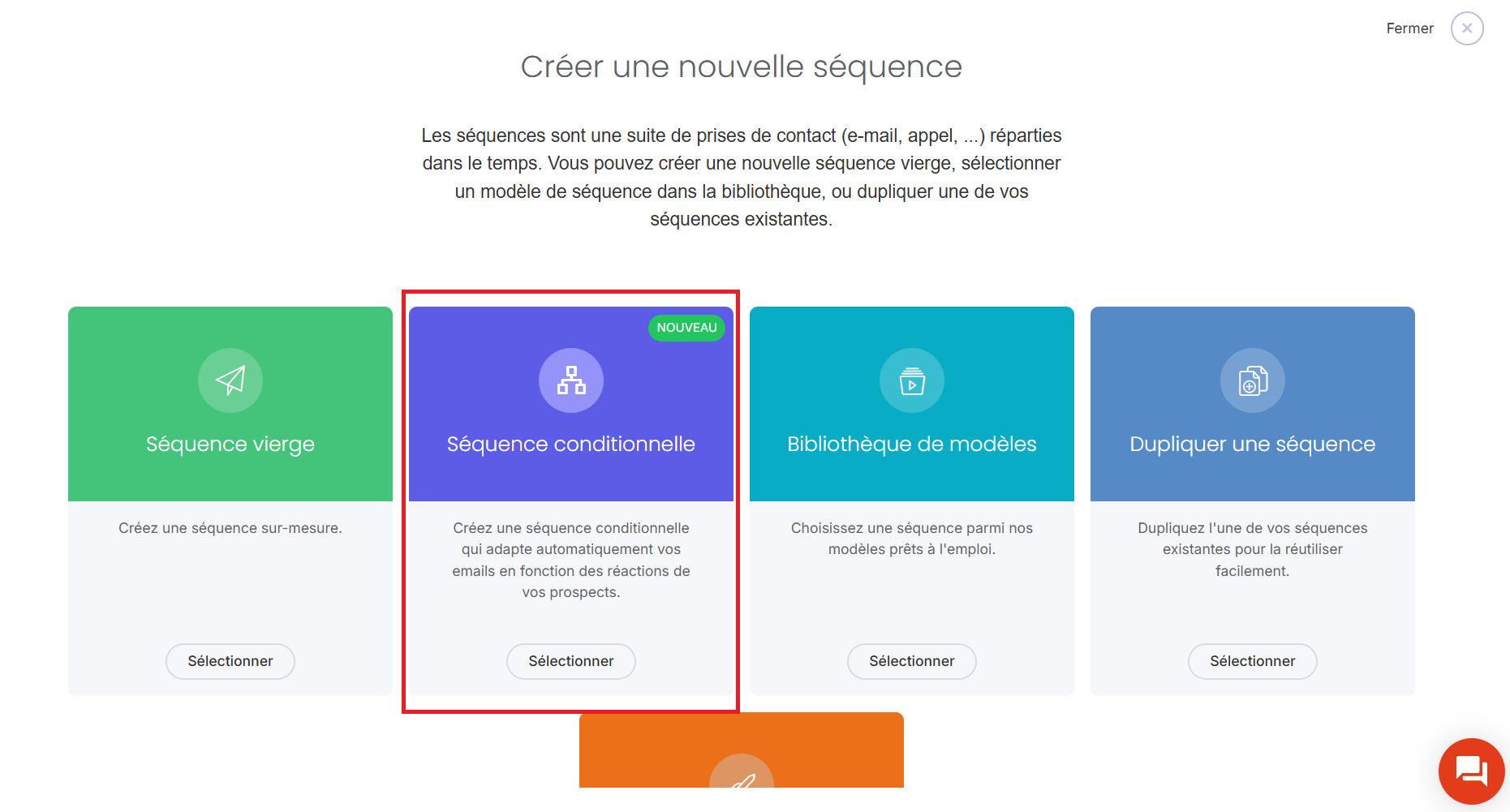
Once on the Sarbacane Engage home screen, click on Sequences, then New Sequence.
Several blocks are displayed; simply choose Conditional sequence.
When adding a new step, several sub‑sets of choices can be distinguished:
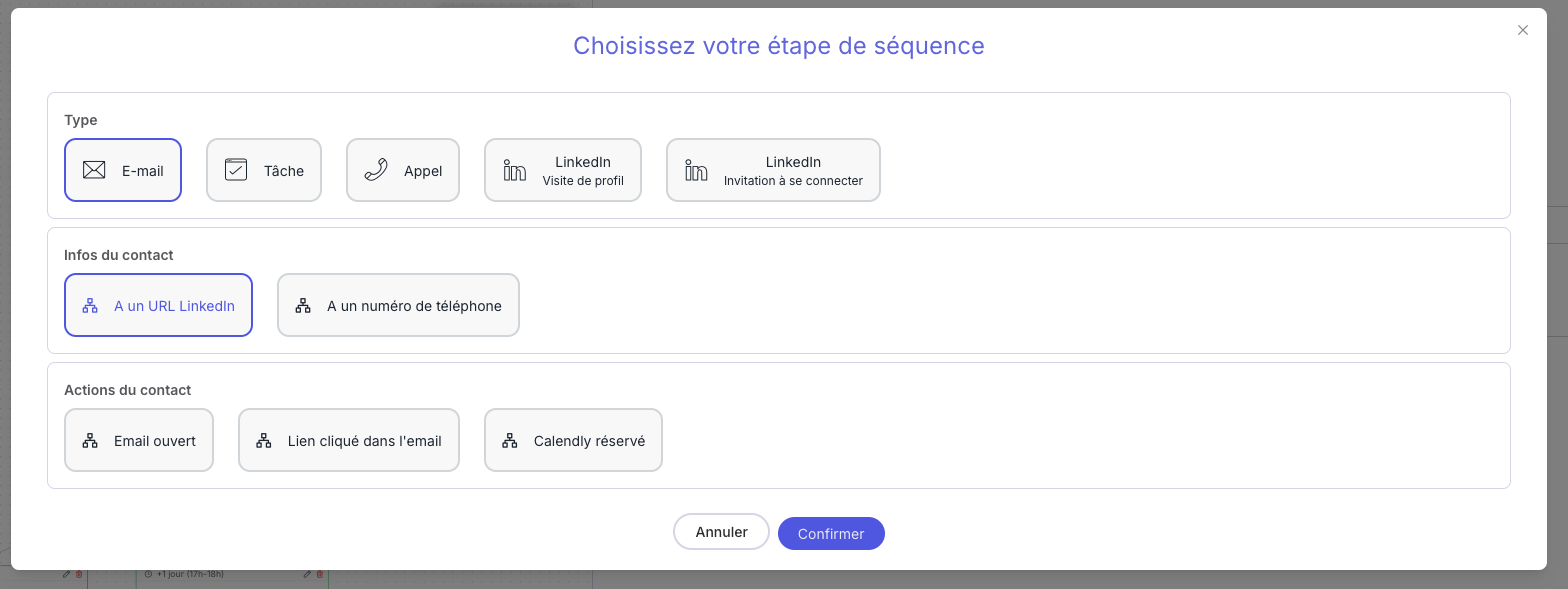
Type: this is the action that will be carried out by the Engage account when there is (“true”) or is not (“false”) information related to the contact, or when an action has been performed by the contact.
Contact information: this is information related to the contact, available at the time of passing through the relevant step.
Contact actions: this refers to a specific behavior of the contact, observed during the execution of the sequence.
Good to know: it is not mandatory to create two branches for each action performed by the account; the “true” and “false” conditions related to the contact’s information and actions can both lead to the same action. This is useful for clarifying your sequence if several users are supervising it.
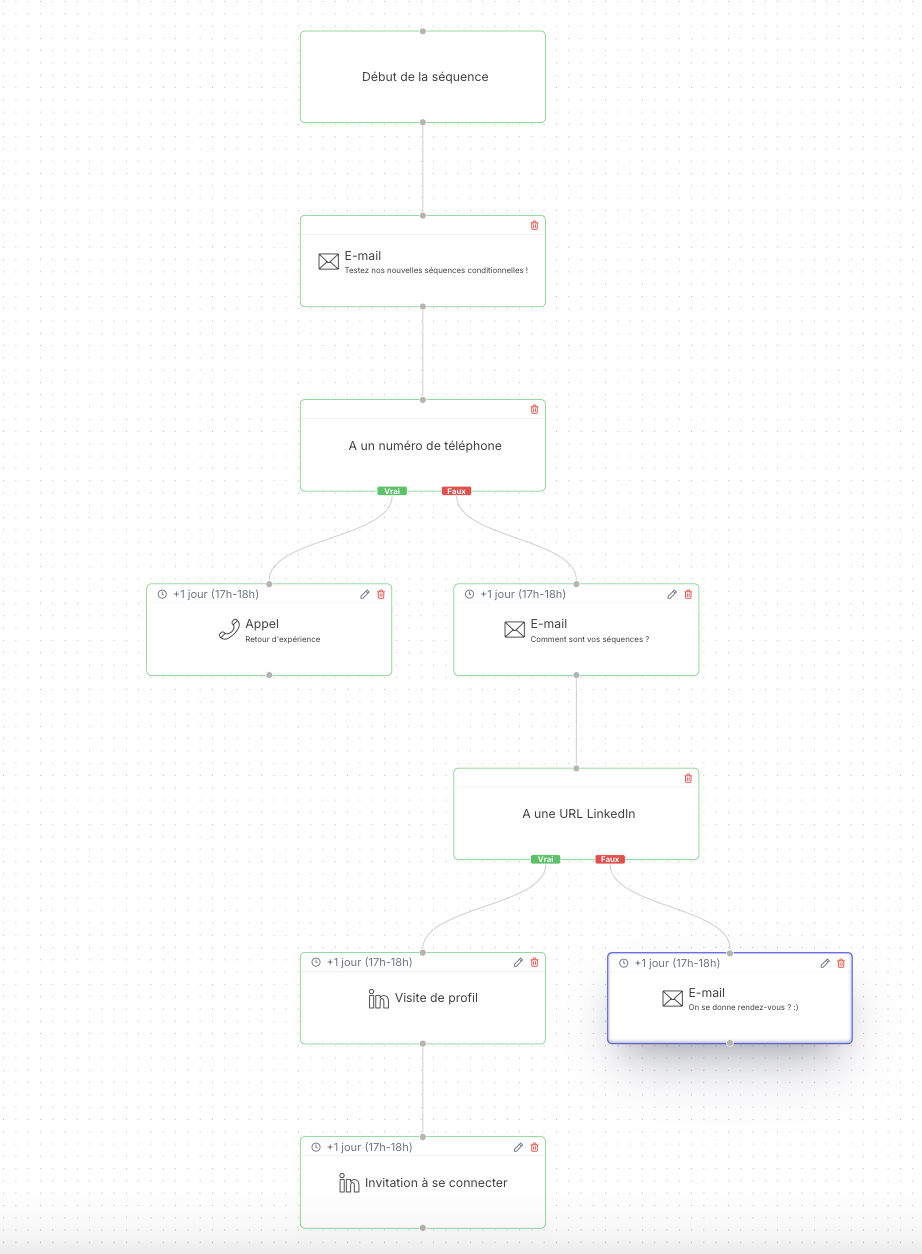
An email is sent. This email will be followed by a call if a phone number is available. If no number is available, a follow-up email will be sent.
Following this email, the sequence checks whether a LinkedIn URL is available: if this is the case, a profile visit will take place, followed shortly thereafter by a connection request.
If no LinkedIn URL is available, a final follow-up email is sent.
Please note that each action can follow a specific timetable and be triggered at predetermined times.