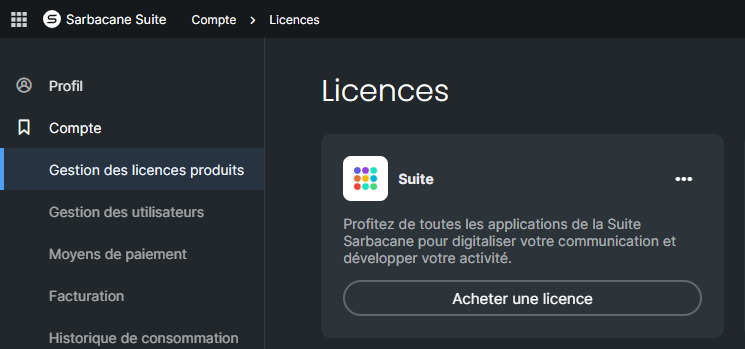
You purchase a license from Product license management, in your Sarbacane account settings: a Sarbacane Suite license or a license for a specific application. You can add more at any time: they are billed on a prorated basis until your subscription renewal date.
Be the account owner or an administrator.
In the top-right corner of the screen, click your avatar.
In the left-hand menu, under Home, click Product license management.
Choose the license type:
for a Sarbacane Suite license, click Buy a license in the Suite section;
for a per-application license, open the application's action menu, then click Buy a license.
In the online store, adjust your order if needed: number of licenses, email or SMS volume (Sarbacane Campaigns, Sarbacane Sendkit), support level.
Follow the store steps to complete your order.
Your license and credits are available in your account as soon as the order is confirmed. You then just need to assign the license to a user.
Add: this is possible at any time, using the steps above. New licenses are billed on a prorated basis until your subscription renewal date.
Remove: contact your account manager. The new number of licenses takes effect from your next billing period.
