In Sarbacane Campaigns, each email campaign is sent with one of your declared domains, which authenticates your sendings and identifies you as a trusted sender. You can set a default domain for all your campaigns, then change it for a specific campaign in the header of the Message step.
A Sarbacane Campaigns licence.
At least one domain or subdomain added in Sarbacane Campaigns and active (see the article on configuring a sending domain).
In the left menu of Sarbacane Campaigns, click Settings.
In the settings menu, click the domains option.
In the top right corner of the domain management page, in the default domain list, choose your domain.

At the Message step, on the sender line of the header, click the arrow to the right of the address field.
In the list, choose one of your domains rather than the non-customised option. The default domain is marked as such.

Note: at the bottom of the list, the option to manage your domains opens the domain management page directly.
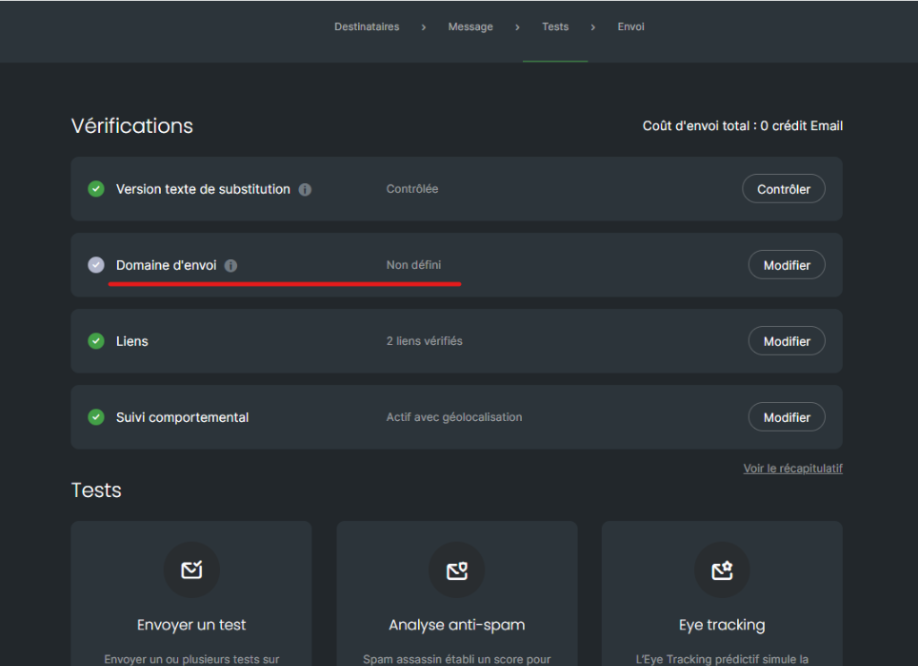
The sending address ends with your domain. At the checks step, the sending domain line no longer reports any problem.
No domain is selected for this campaign. On this line, click the edit button: you are taken back to the Message step to choose your domain (steps 4 and 5).
This domain is not ready for sending. In the domain management page, check its status, then finish its configuration (see the article on configuring a sending domain).
It has not been added yet. In the domain management page, click the option to add a domain name.
