From Sarbacane Suite, you have the ability to track the behavior of your recipients once your emails are received, and to analyze in detail all associated statistics. Behavioral tracking allows you, for example, to know who opened your communications, how many times, when, etc.
These statistical data can be enabled or disabled at any time on your account (by default, they are enabled).
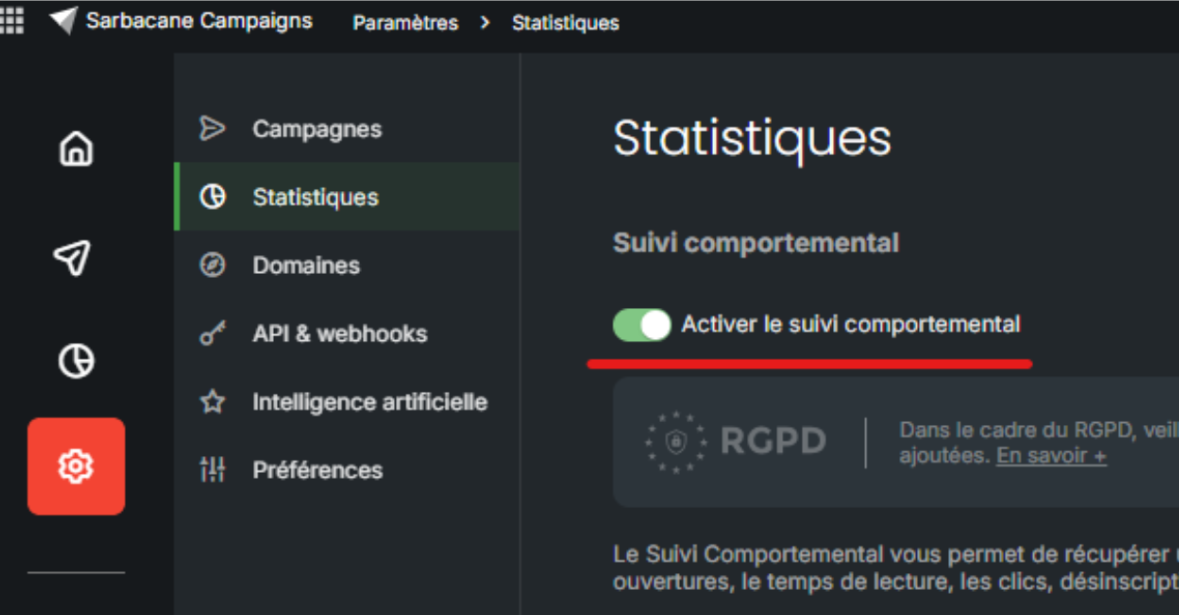
You can enable or disable behavioral tracking across your entire account from Campaigns > Settings > Statistics, by turning pixel tracking on or off:
You also have the option to disable behavioral tracking for only a specific campaign.
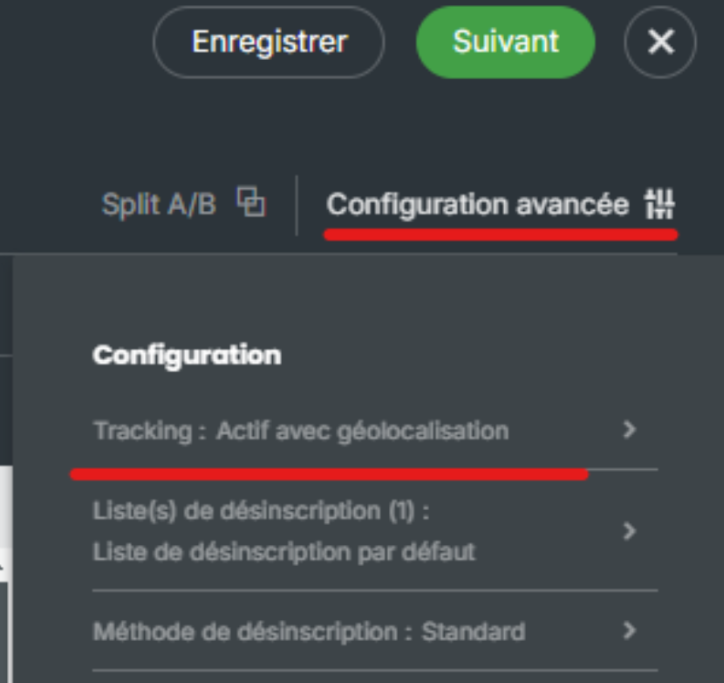
To do this, access your campaign editing, then navigate to the "Advanced Configuration" section of the Message tab:
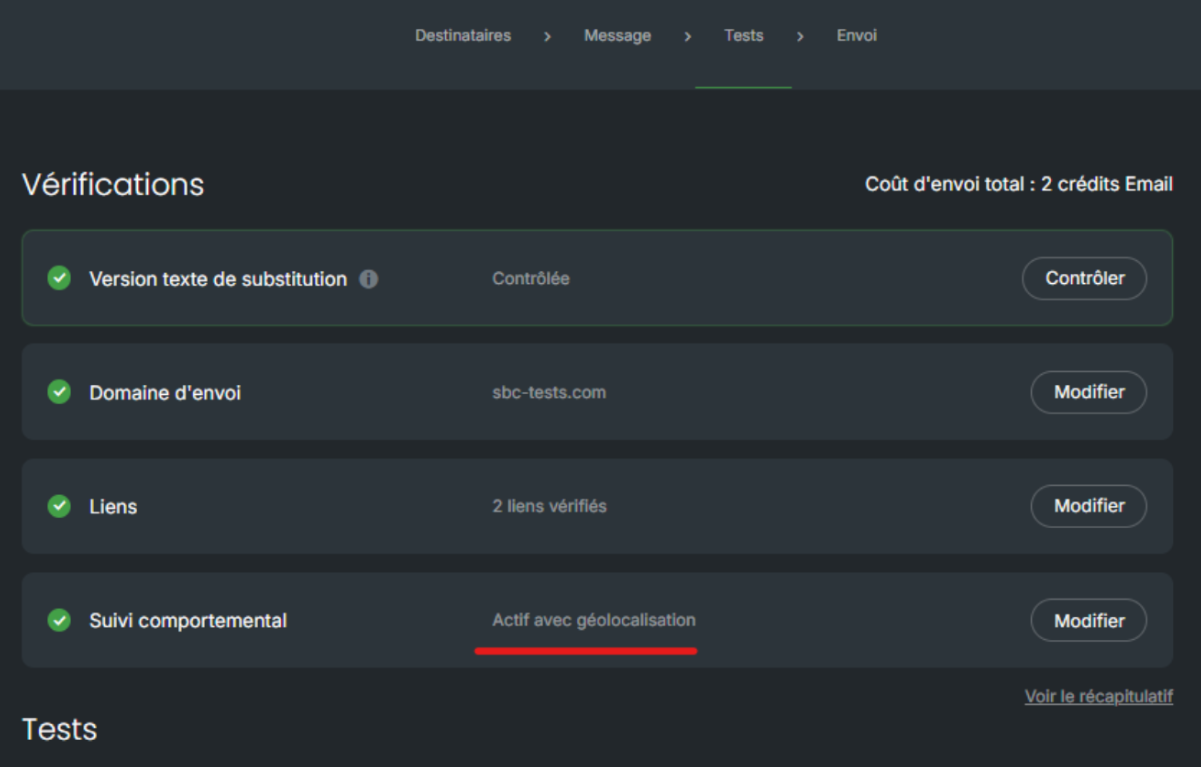
For confirmation, this information is also included in the checks before sending your message:
Important Note: Until July 14 inclusive, tracking of your shipments remains possible for all your contacts, provided that you have previously informed them of the existence of the tracking pixel and have implemented a means to opt out. Following this communication, you must segment your shipments based on the choices expressed.
From July 15 onwards, only contacts who have not expressed opposition may continue to be tracked. For others, your emails must be sent without any tracking. To learn more, follow this link.
