From your account and regardless of the subscription plan you have chosen, you can benefit from the Google Analytics option.
This option allows you to track and analyze the behavior of users who click on links directing to your website or websites. When an email link includes Google Analytics tracking parameters (via UTMs), this enables the collection of data and the evaluation of the relevance of your communications sent from Sarbacane. This functionality can then give you an indication of the impact and interest of your recipients by observing how many visits are generated on your site following the sending of your communications.
To activate this option, go to the settings section of Campaigns on your account, and simply enable it:
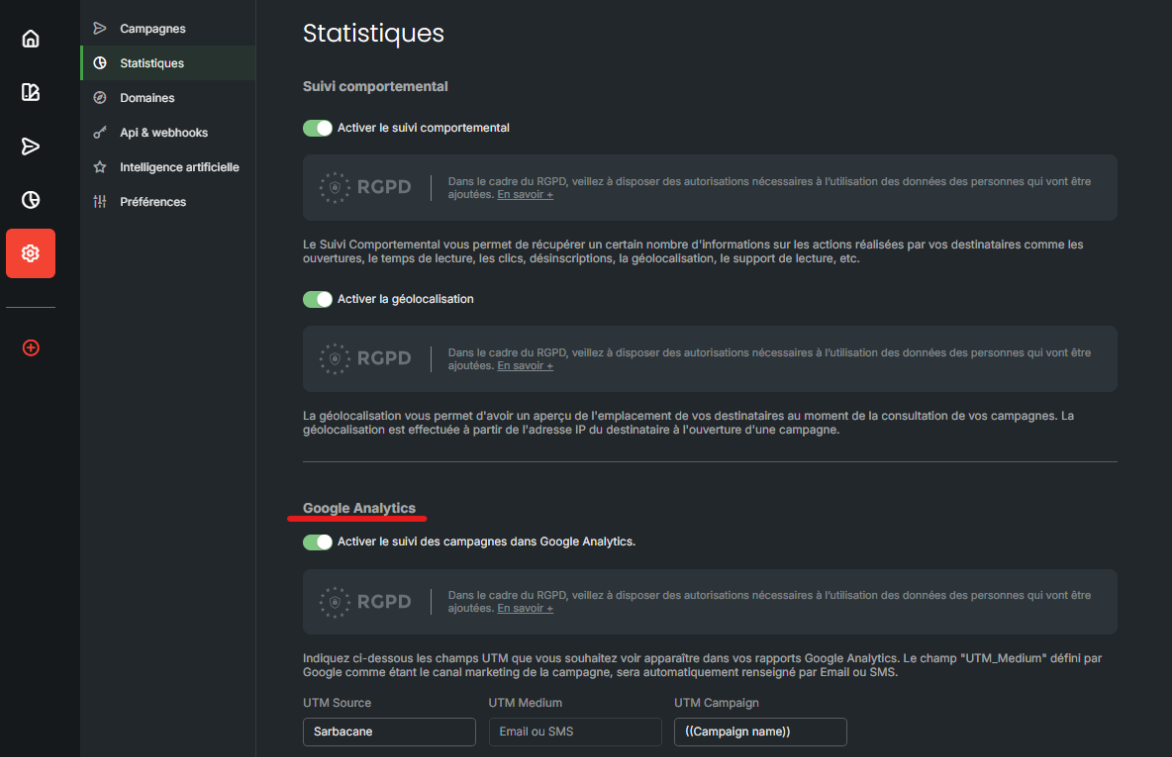
Next, you will see your UTMs:
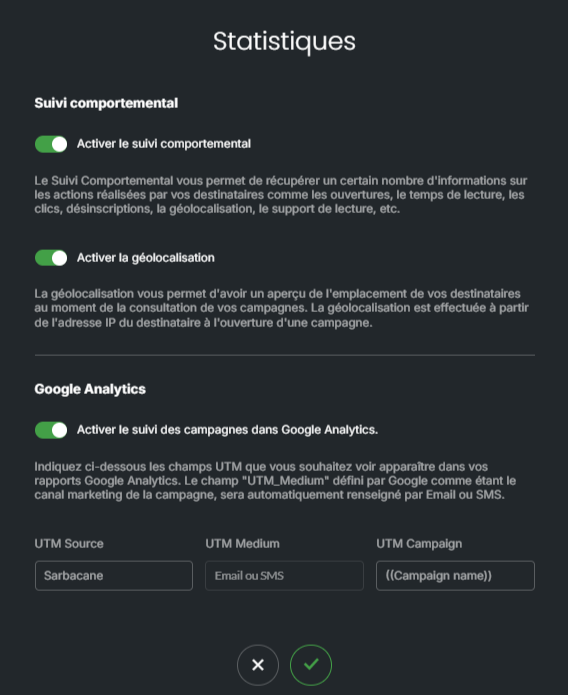
UTM Source : allows you to know that the visits generated come from your Sarbacane communications.
UTM Medium : allows you to define whether your site traffic comes from Email or SMS communications.
UTM Campaign : allows you to precisely indicate which communication the visits to your site originate from. By default, we provide a personalization field based on your campaign title, so this name adapts to all your emails without requiring any modifications, and will allow you to distinguish the origin of visits.
You can also manage these UTMs by campaign, from the "Advanced Configuration" option, then "Tracking":
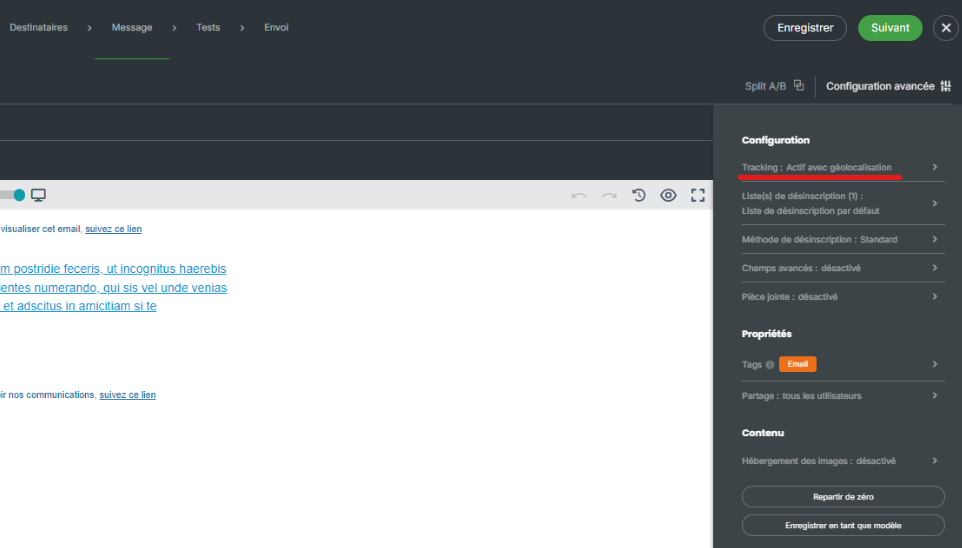
This allows you to have control over the UTMs for each campaign, if you wish to exceptionally change the UTMs already in place:
When sending my test, my links with my UTMs are not working, what should I do?
UTMs will apply certain code to your URLs. In rare cases, there may be incompatibilities between your campaign name and the added UTM, creating an error when accessing your links. This occurs especially if you have numbers or dates in your communication name:

When encoding URLs, spaces for example must be replaced with a specific code, as they cannot be used directly. The standard encoding for a space is "%20". However, when combined with numbers, this can sometimes lead to incompatibilities when redirecting your links. Therefore, make sure to test your messages carefully before sending them!
Note: Ensure that your campaign name does not contain the symbols "%", "[word]" as this may alter your Google Analytics UTMs.
