In Sarbacane Campaigns, the Google Analytics option adds UTM parameters to the links in your emails and SMS. In Google Analytics, you then see how many visits each campaign brought to your website. The option is available with every plan. It is turned on for the whole account and can be changed campaign by campaign if needed.
A Sarbacane Campaigns licence (all plans).
Google Analytics installed on your website.
In the left menu of Sarbacane Campaigns, click Settings.
In the settings menu, click the statistics option.
In the Google Analytics block, turn on the switch that activates campaign tracking in Google Analytics.
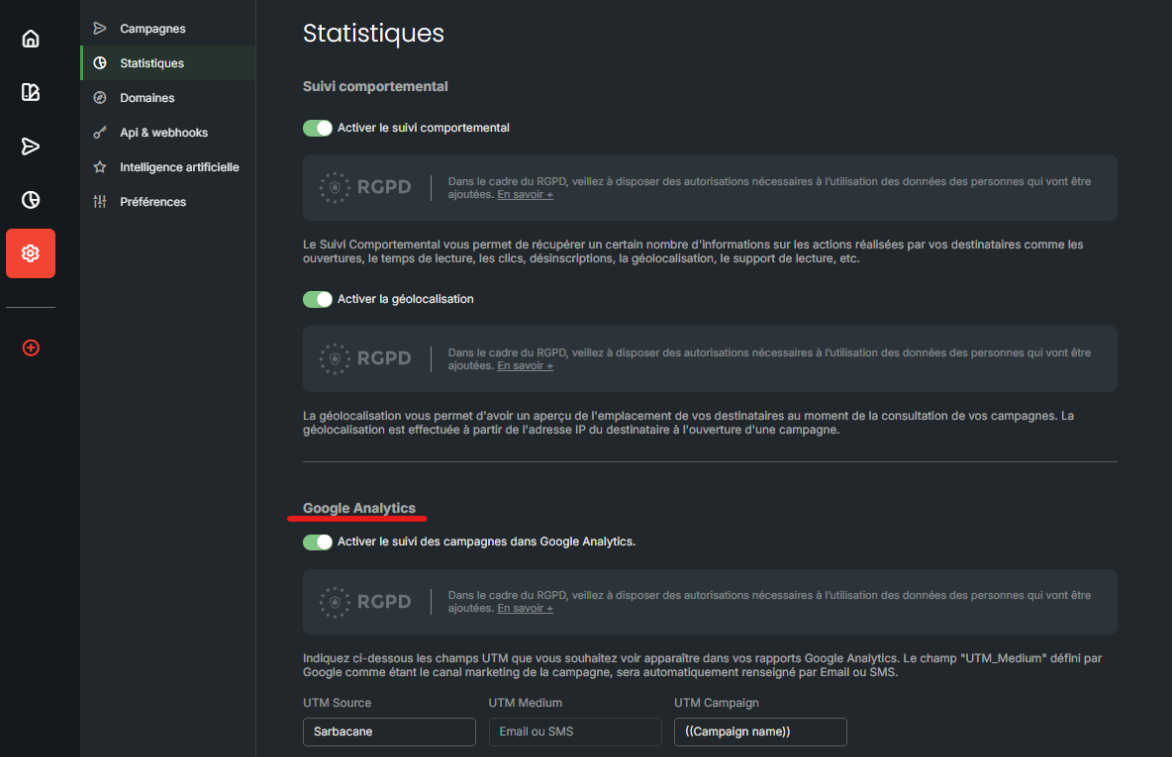
Below the switch, fill in UTM Source (Sarbacane is suggested) and UTM Campaign (by default ((Campaign name)), which inserts the name of each campaign automatically). UTM Medium is filled in automatically with Email or SMS.
Important: under the GDPR, make sure you have the necessary permissions to use the data of the people you add.
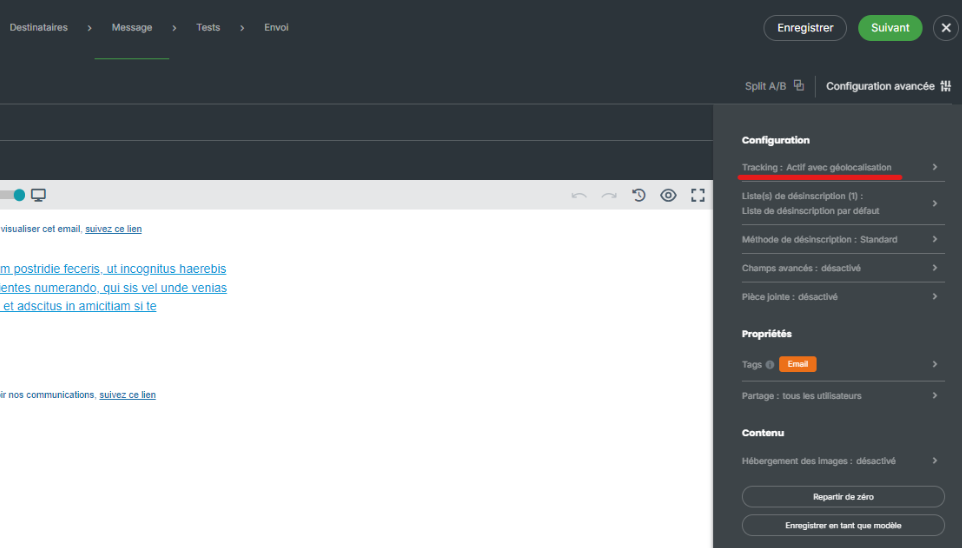
At the Message step, in the top right corner of the header, click Advanced settings.
Click the tracking option.
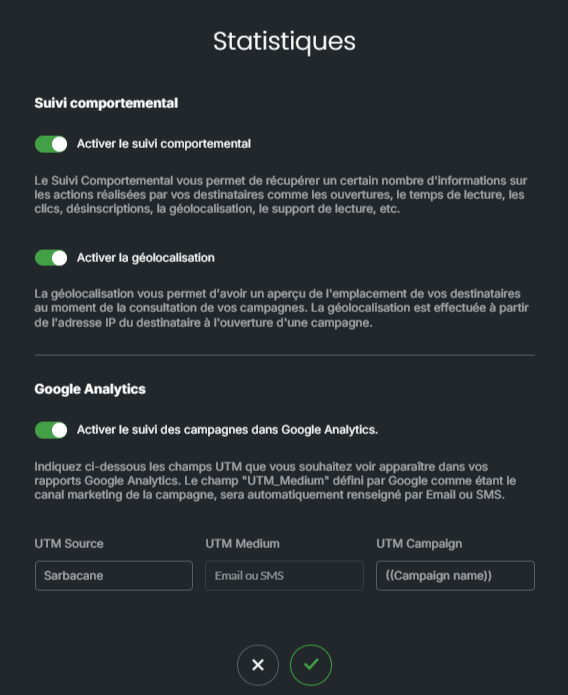
Change the values, then confirm.
The links to your website contain the UTM parameters. In Google Analytics, visits from your campaigns appear with the source, the medium (email or SMS) and the campaign name.
The campaign name, used in UTM Campaign, probably contains a character that breaks the link address: % or square brackets, or a date or numbers separated by spaces. Rename the campaign, or change UTM Campaign for this campaign (steps 5 to 7), then send a new test.

The UTMs are added when the campaign is sent: a campaign sent before the option was turned on is not tracked. In Google Analytics, filter on the source or the medium (email, SMS).
