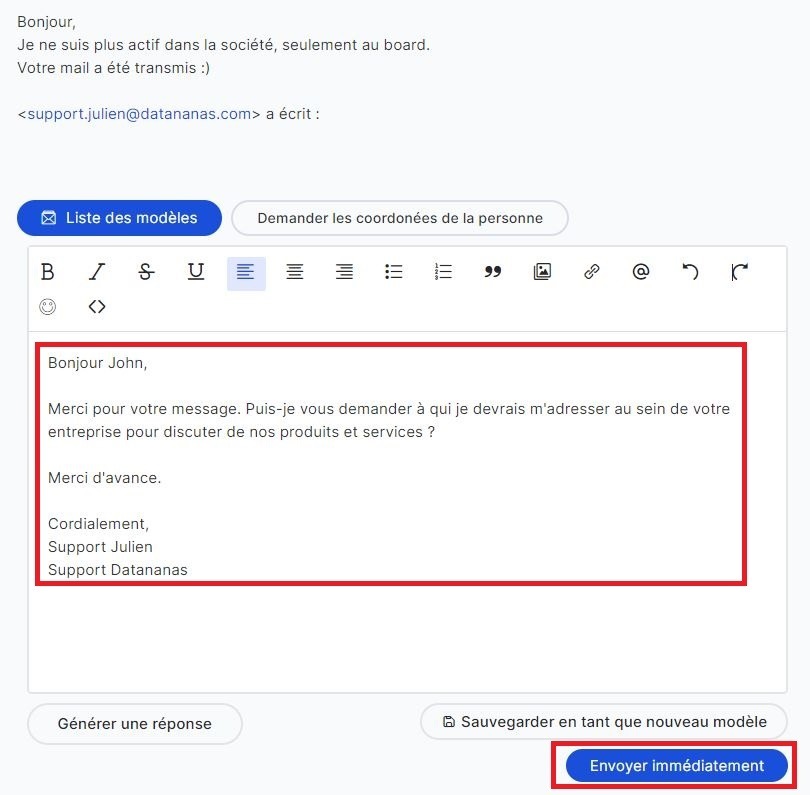
Thanks to ChatGPT (a type of artificial intelligence capable of generating text on demand), you can now, from your Engage Inbox, respond to your prospects using a "ready-made" reply that you can automatically generate with 1 click. The aim is to facilitate your exchanges with your prospects by providing you with response templates that adapt to them.
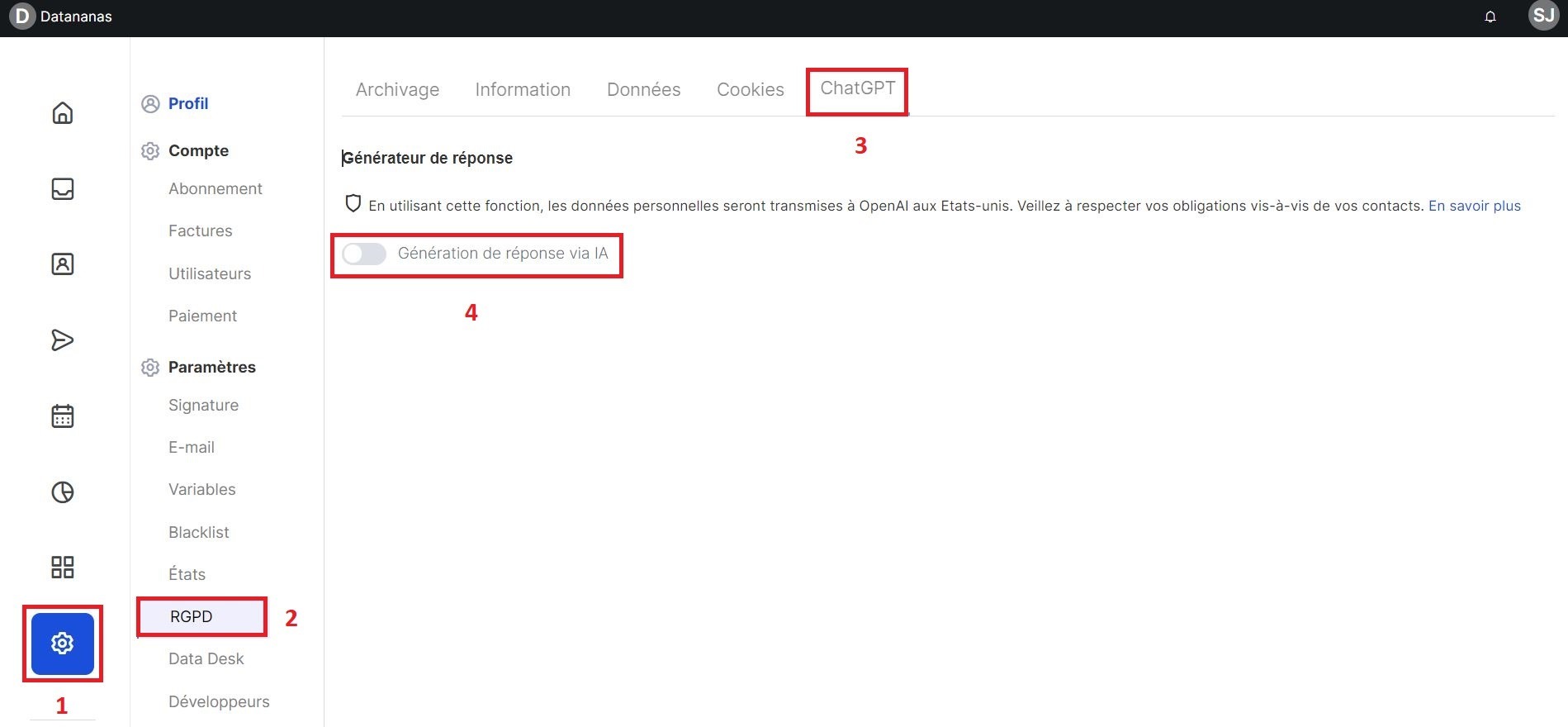
Go to your settings (1) via the left sidebar.
Then go to the tab GDPR then at the top to the ChatGPT tab (3)
Turn the "Response generation via AI" toggle to blue to activate it (4)
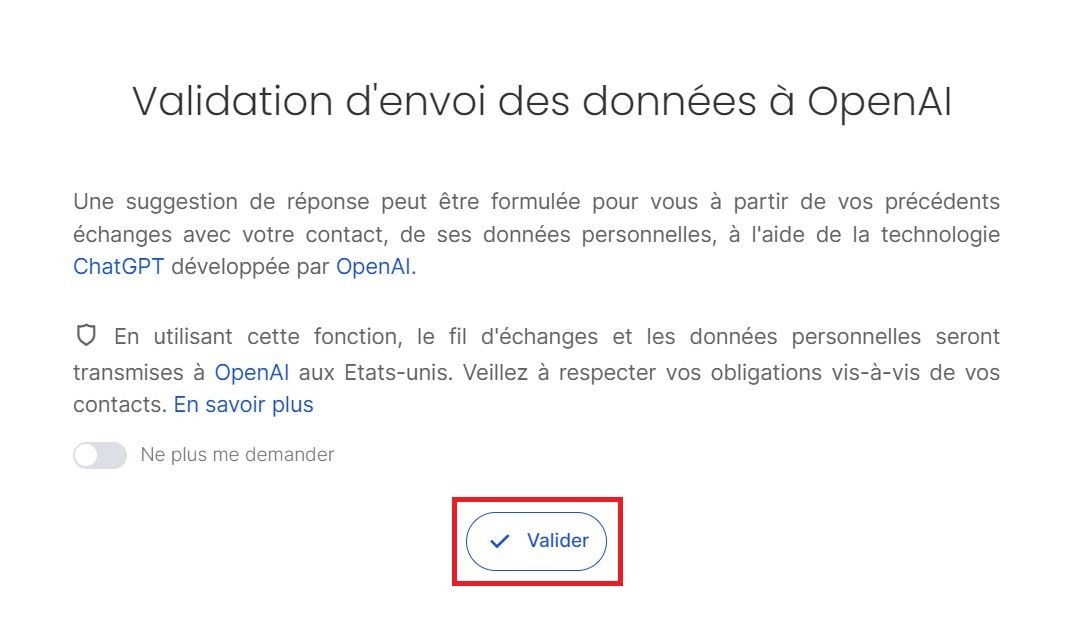
A message appears. Click Confirm.
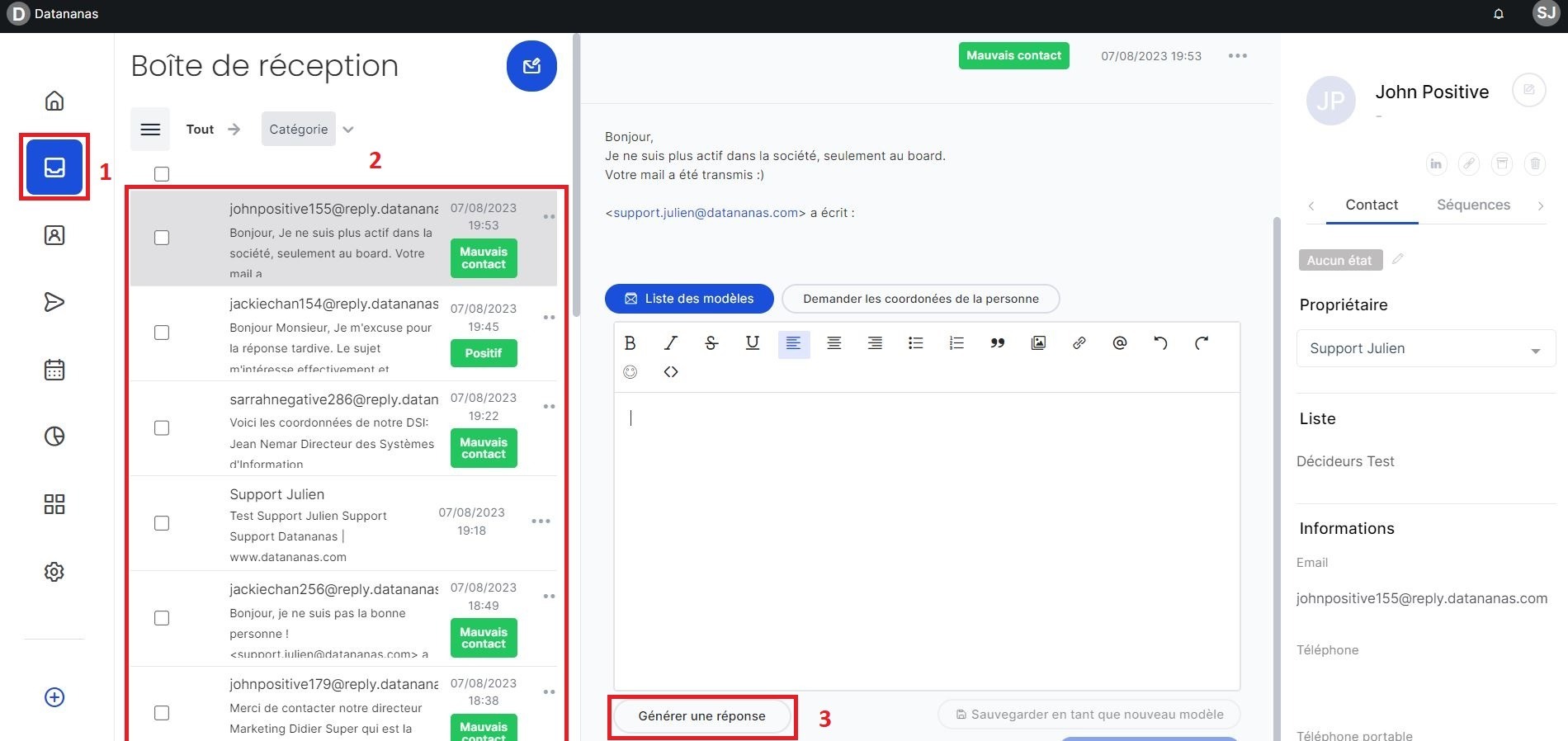
Go to your inbox (1) via the left sidebar.
On the left, select your contact's reply (2)
Below the editor to reply, click on Generate a reply (3)
A “ready-made” reply will be automatically generated within a few seconds, taking into account your previous exchanges with the prospect. If you are not satisfied with the generated reply, you can click again on “Generate a reply” to obtain another one. You can repeat this indefinitely. You can then make changes to the generated message and click on Send immediately to send your message to the contact.
seconds,