In Sarbacane Campaigns, you save the content of an email campaign created with the EmailBuilder as a template from the Advanced settings of the Message step. The template is then offered in your own templates folder for every new campaign.
A Sarbacane Campaigns licence (it includes Sarbacane Studio, where templates are managed).
An email campaign created with the EmailBuilder. The option does not exist for campaigns created from an HTML file or as text only.
In the left menu, open your campaigns.
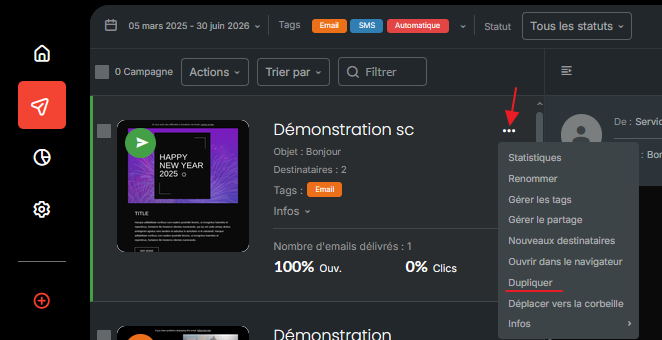
Open the campaign whose content you want to keep. If it has already been sent, duplicate it first (••• menu of its thumbnail, duplicate option), then open the copy.
Go to the Message step.
In the top right corner of the screen, under the Next button, open Advanced settings.
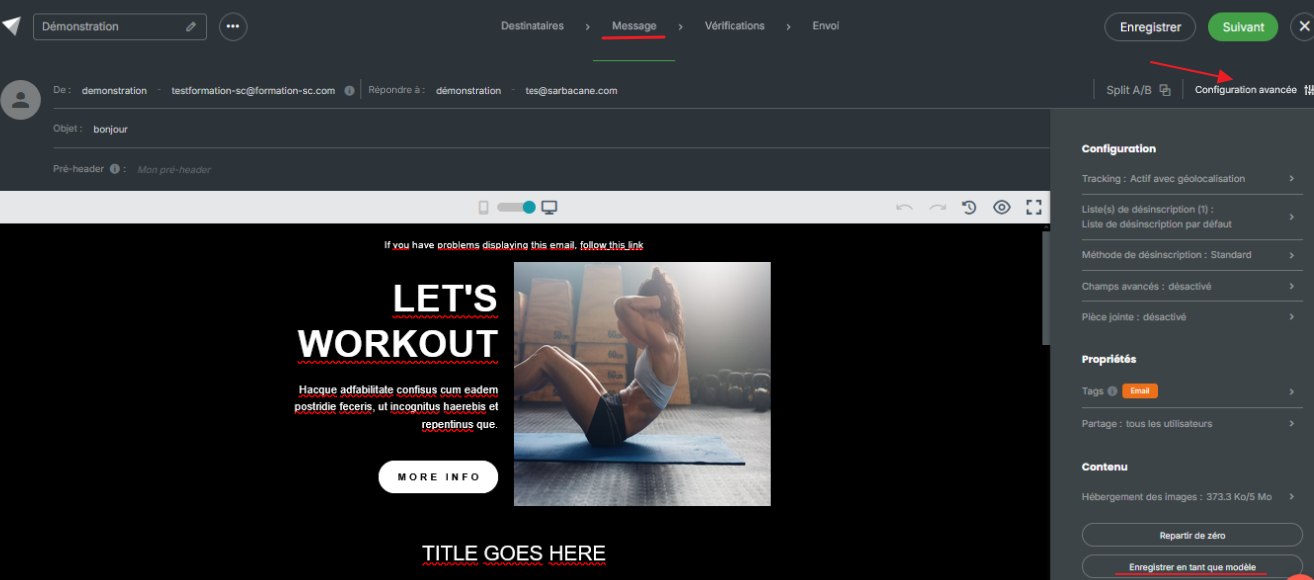
At the bottom of the menu, click the option to save as a template.
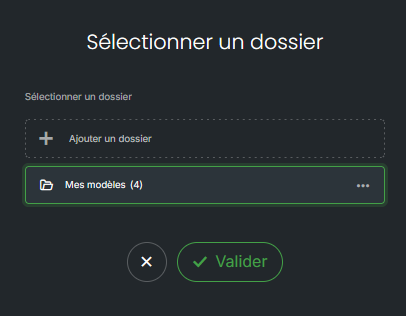
In the window that opens, enter the template name, choose the folder to store it in, then confirm.
Note: an automated campaign cannot be saved as a template as a whole (with its entire scenario).
The template appears in the folder you chose, at the Message step of your next campaigns (your own templates folder), and in Sarbacane Studio.
This option only exists for campaigns created with the EmailBuilder. To reuse the content of a campaign created from an HTML file or as text only, duplicate the campaign.
At the Message step, open the folder you chose when saving it in the left column, or use the search field with a word from the template name.
A template is visible to its author and to the members of their group. To share it with other colleagues, open Sarbacane Studio, then the ••• menu of the template, and use the sharing management option.
