Important : this article applies only to Tipimail accounts. For a Sarbacane or Sendkit account, see How do I add a user to your Sarbacane account?
In Tipimail, you can give other people access to your account by adding them as users. You can also create subaccounts: each one operates independently, and you assign credits to each subaccount from the main account.
Have a Tipimail account.
To add a user, have the Administrator role on the account.
To create a subaccount: be logged in to the main account.
The email address of each person to invite.
At the top of the screen, click My account, then click Users.
Click Add.
Enter the email address of the person you want to invite.
Choose their role:
User : sends messages, views statistics, the blacklist, etc.
Administrator : has the same permissions as a user, and can also access account settings (except for plan management and billing) and invite new users.
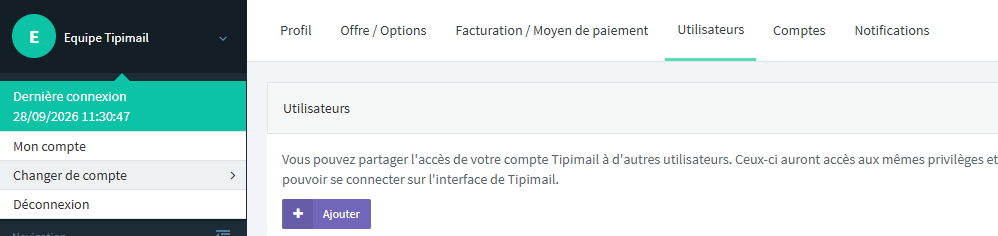
Note : you can change a user's role or delete them at any time from the Users page.
At the top of the screen, click My account, then Accounts.
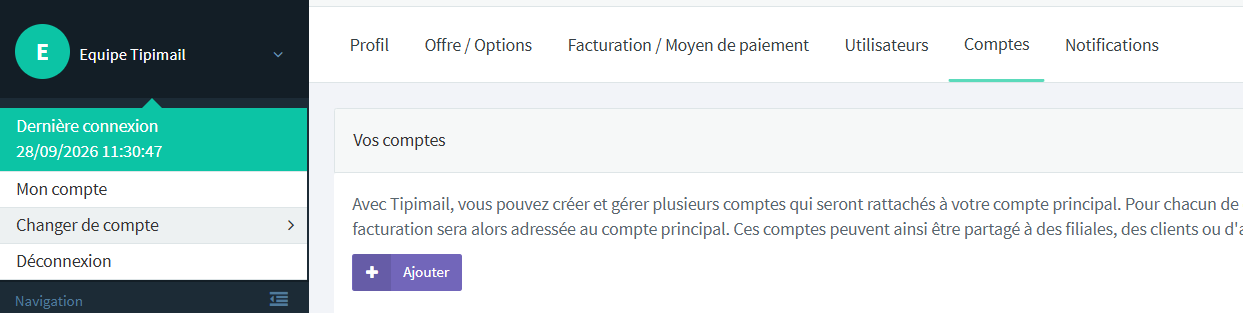
Add a sub-account. You can create as many as you need.
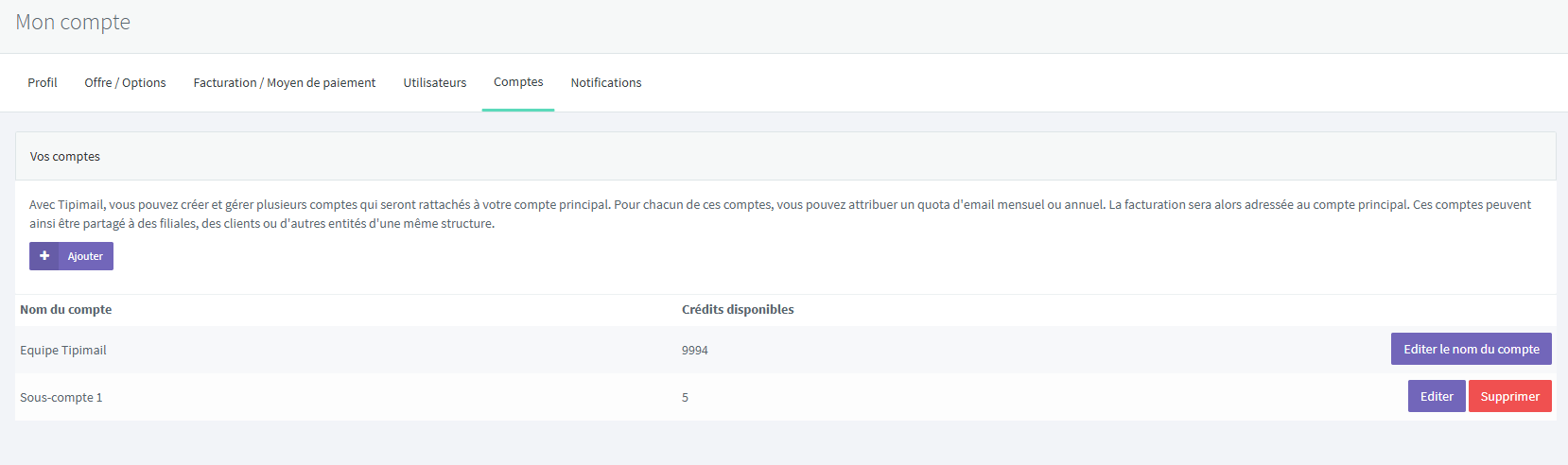
The added user appears in the Users page list, with the selected role. The sub-account appears in the Accounts page list, and you can assign credits to it from the main account.
It’s normal if you have been invited to multiple Tipimail accounts: the same person can be a user or administrator of several accounts. When you log in, select the account you want to work with.
