When you create a campaign on Sarbacane, it contains several versions:
A visible version, the HTML version, which is the one you see when receiving your email, with configured links, images, etc.
A plain text version (or alternative text version), which contains only text without formatting.
Why is it important to update it?
Updating this version is very important before sending your campaign, for several reasons:
If you duplicate your campaign, change the texts and images, but do not update your text version, some email clients may misinterpret the content of your message (display of the old duplicated version, interpretation errors, etc.).
An uncontrolled text version (therefore not identical to the HTML version of your message) alerts spam filters. Indeed, this is a technique used by spammers to hide certain information in the text version of an email.
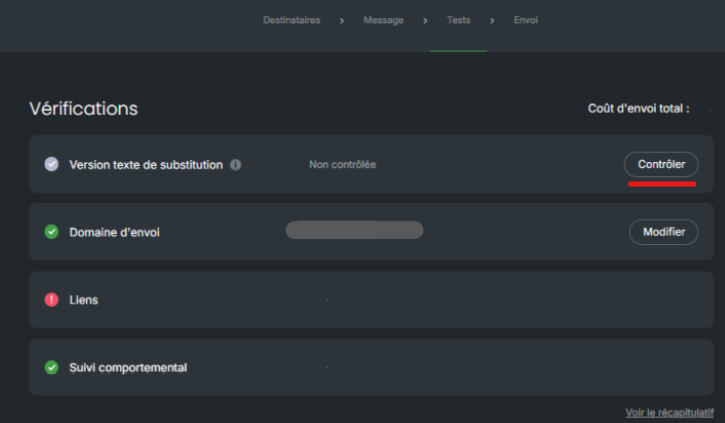
In the image above, you can see that the text version appears as "uncontrolled".
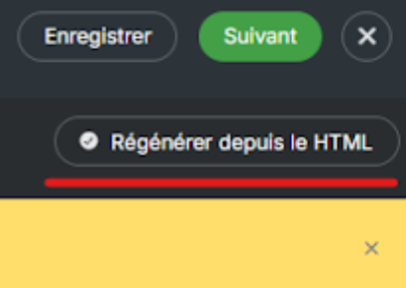
You simply need to click on the "control" button, then select "Regenerate from HTML":
The verification has been completed successfully; you can see below that it is marked as "controlled":
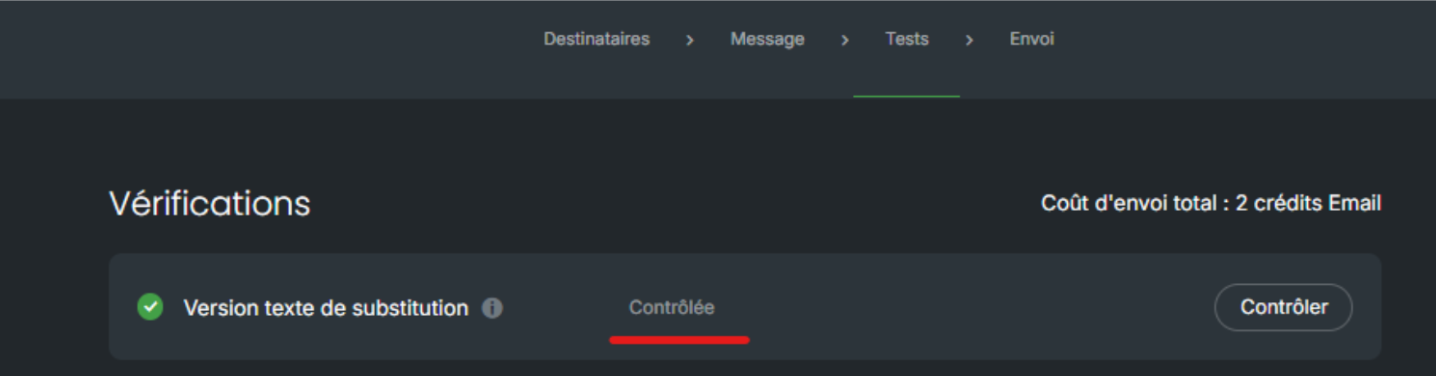
Once the refresh of this version is validated, you can send your campaign.
This is often due to a poor practice: campaign duplication. When you duplicate an existing campaign, the old text version remains frozen as is and is no longer updated. This is problematic because some contacts configure their email client to display only the text version — they continue to see the old content without realizing it.
Rather than duplicating a campaign, it is better to save the visual as a template, then start fresh with a clean base for each new campaign. This ensures that the text version remains consistent and up to date.
