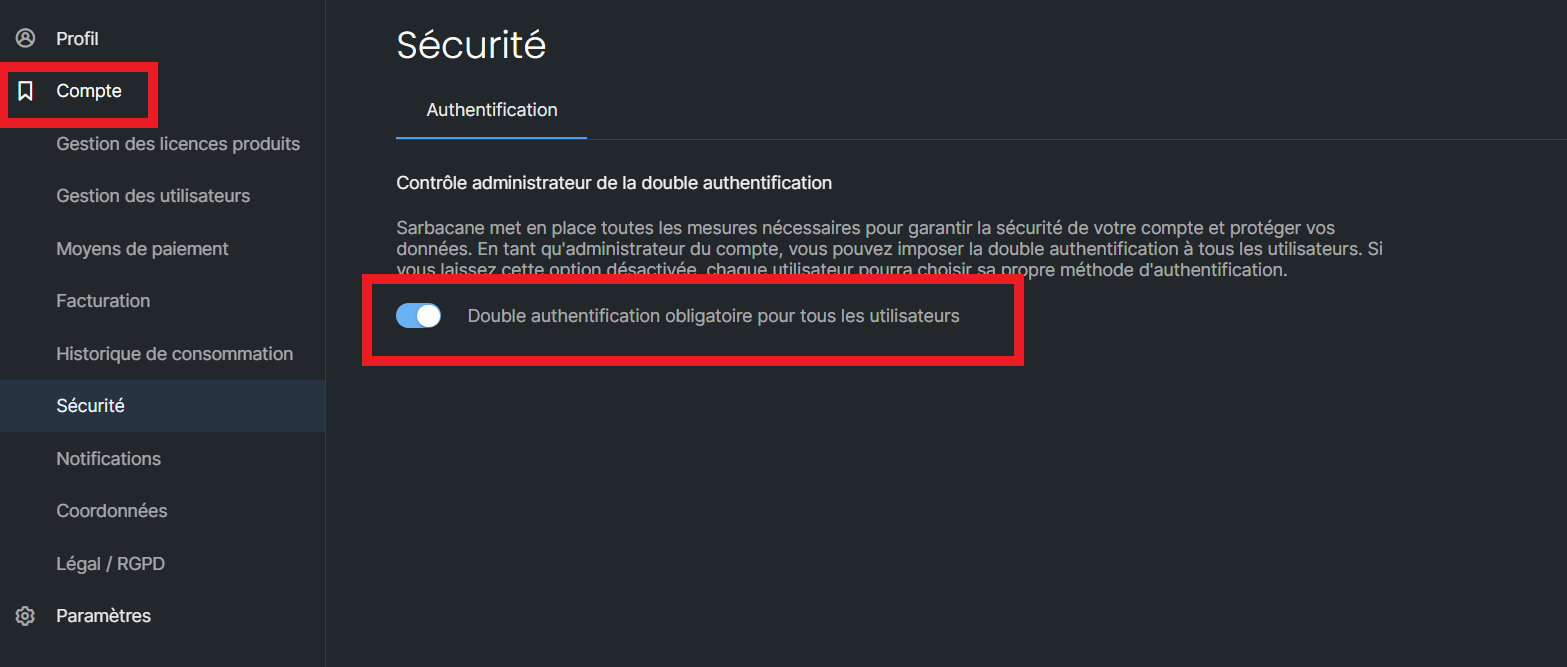
Two possible scenarios:
This action results in enforcing two-factor authentication for all users linked to the Sarbacane Suite account.
Here is the procedure to follow:
Once you are logged in to your administrator account, go to your account settings.
Click on the “Security” section.
A selector is displayed: if it is greyed out, two-factor authentication is disabled; if it is blue, two-factor authentication is enabled.
Click on this switch until you obtain the desired color.
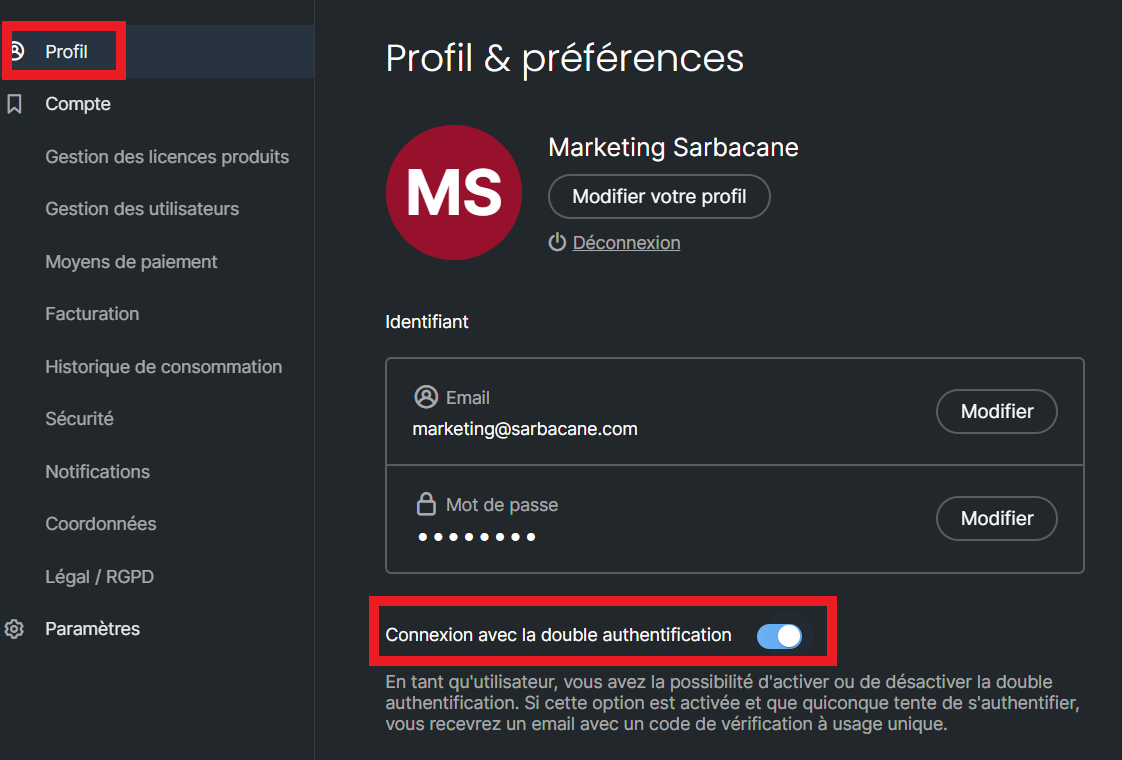
This action only results in enforcing two-factor authentication for your own Sarbacane Suite space.
Here is the procedure to follow:
Once you are logged in to your user account, go to your profile settings.
The profile section is displayed by default.
A selector is available: if it is greyed out, two-factor authentication is deactivated; if it is blue, two-factor authentication is activated.
Click this switch until you obtain the desired color.