Several scenarios:
No action is required on your part; two-factor authentication is enabled by default and cannot be disabled.
You may of course decide to activate it only for your account, and later deactivate it as you wish.
Here is the procedure to follow:
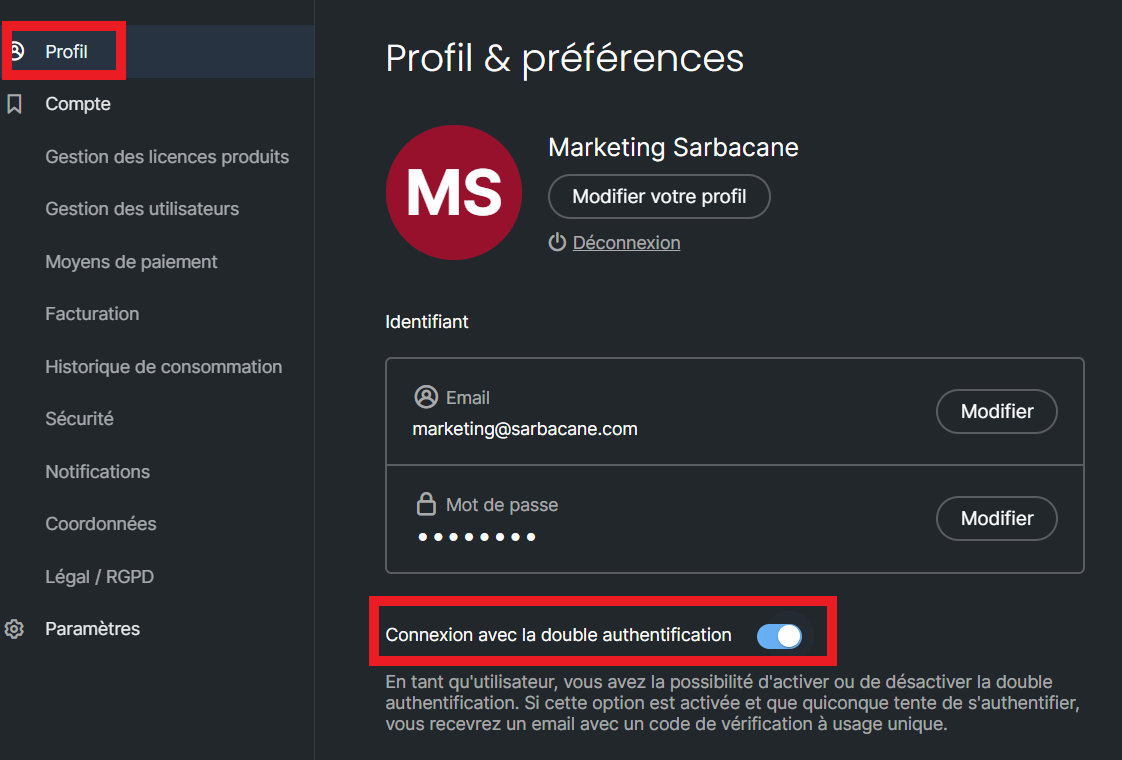
Once logged into your user account, go to your profile settings.
The profile section is displayed by default.
A selector is available: if it is greyed out, two-factor authentication is disabled; if it is blue, two-factor authentication is enabled.
Click this switch until you obtain the desired colour.
Good to know: if your account administrator decides to activate and then deactivate the feature, it is your responsibility to activate it manually for your user account according to the steps described above.
