There are 3 different roles for a user profile:
Owner
Administrator
User
Please note that the owner role is assigned by default to the person who created the account that is shared with the other administrators and users.
To view the roles of the different users of the account, go to your account settings by clicking on your avatar, then on “User management” in the “Account” section.
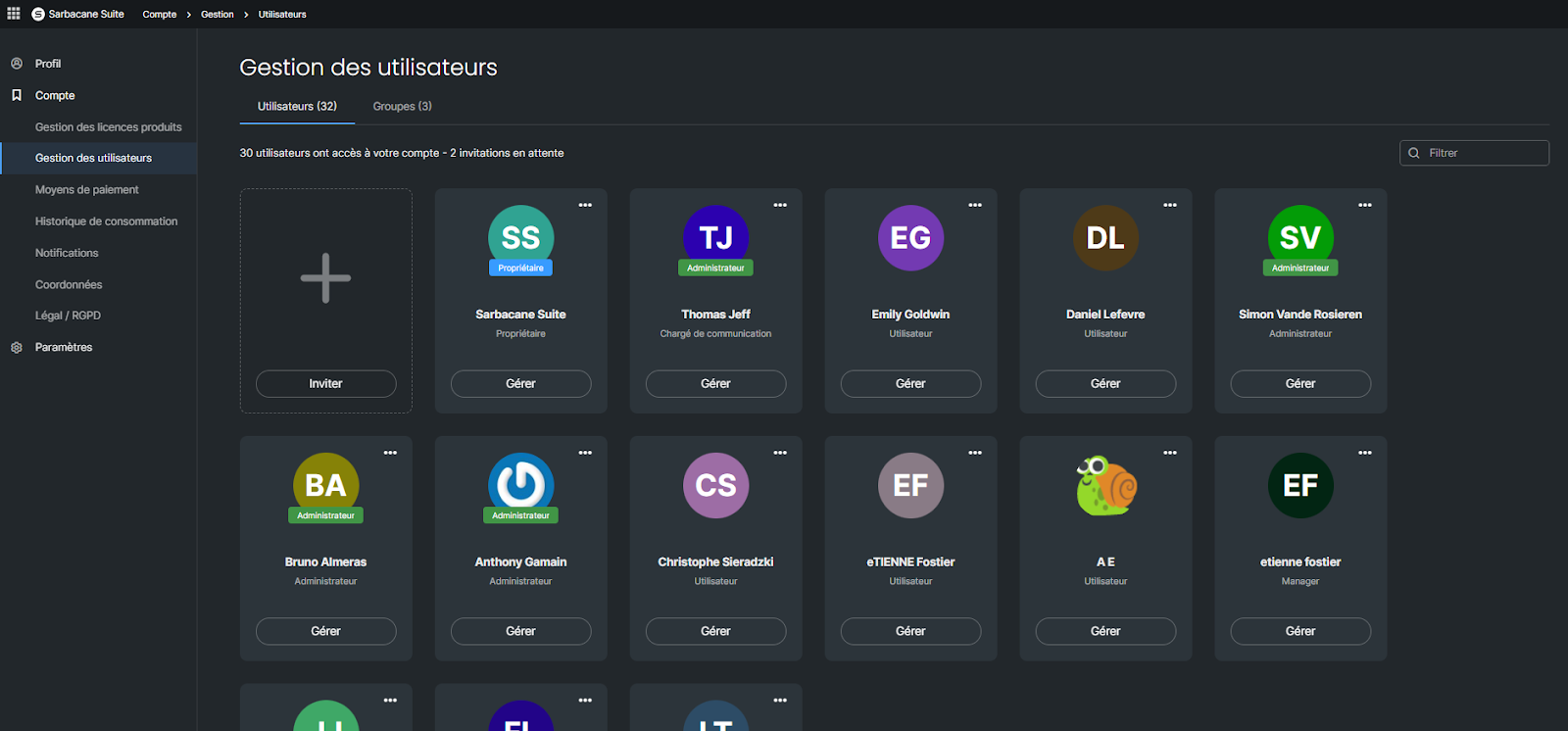
If you do not see this section in your account settings, it means that your role is user and that you do not have the rights to access it. Only the owner and/or an administrator of the account can access this section and modify user roles.
Please note that some Sarbacane applications have their own role management. This is the case for Sarbacane Chat and Sarbacane Engage. Role management is accessible via the settings of these applications.
The owner has the same rights as an administrator. However, in practice, certain information is sent only to the email address of the account owner.
By default, an administrator has access to the following resources created by all users (depending on the applications to which you have subscribed):
Sarbacane Campaigns: access to campaigns, statistics, templates,
Sarbacane Contacts: access to lists
Sarbacane Forms: access to forms
Sarbacane Pages : access to landing pages
By default, a user has access to all resources to which access is granted to the group to which they belong:
All campaigns, statistics, templates of Sarbacane Campaigns
All lists of Sarbacane Contacts
All landing pages of Sarbacane Pages
All forms of Sarbacane Forms
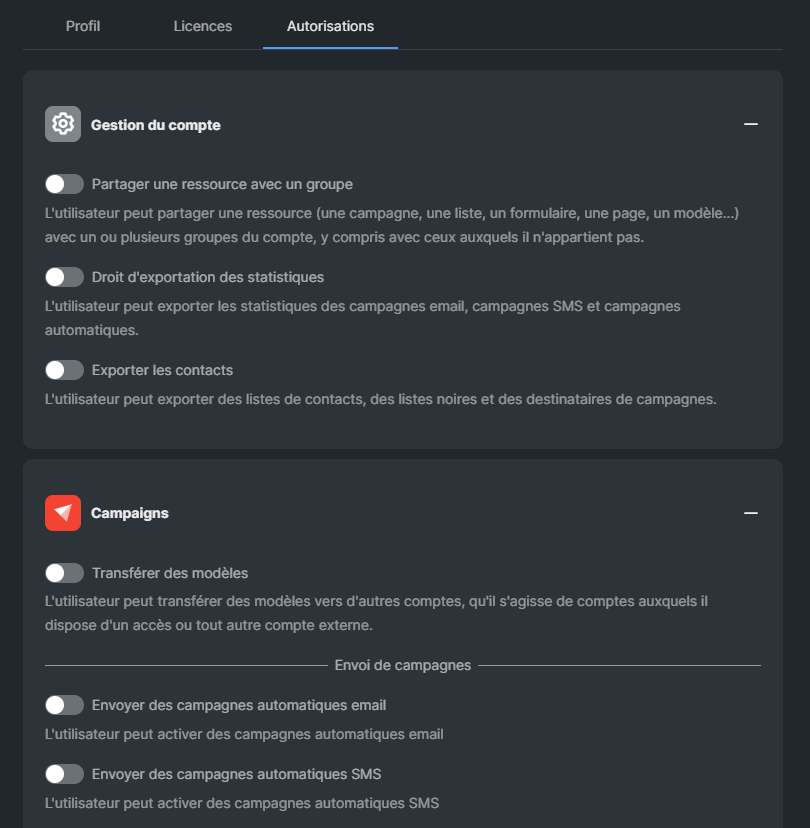
By default, a user cannot:
For overall account management:
Share a resource with a group
Export statistics
Export contacts
For the Campaigns application:
Transfer templates
Send automatic email campaigns
Send automatic SMS campaigns
Send email campaigns
Send SMS campaigns
Send a test email
Send a test SMS
For the Forms application:
Manage publication
For the Pages application:
Manage publication
For the Sendkit application
Manage API keys
All these options are accessible within the rights management of the user in question. Only the administrator can decide to grant this right to a user.
An administrator or account owner may choose to share a resource, or to restrict the sharing of a resource, with the group(s) or user(s) of their choice. The reverse is not possible (a regular user cannot hide anything from the administrator or the owner of an account).
Note that, by default, resources (campaigns, lists, forms, landing pages) are shared with all groups and users.
To modify the sharing settings of a resource:
Go to the action menu of the resource and click on “Manage sharing”.
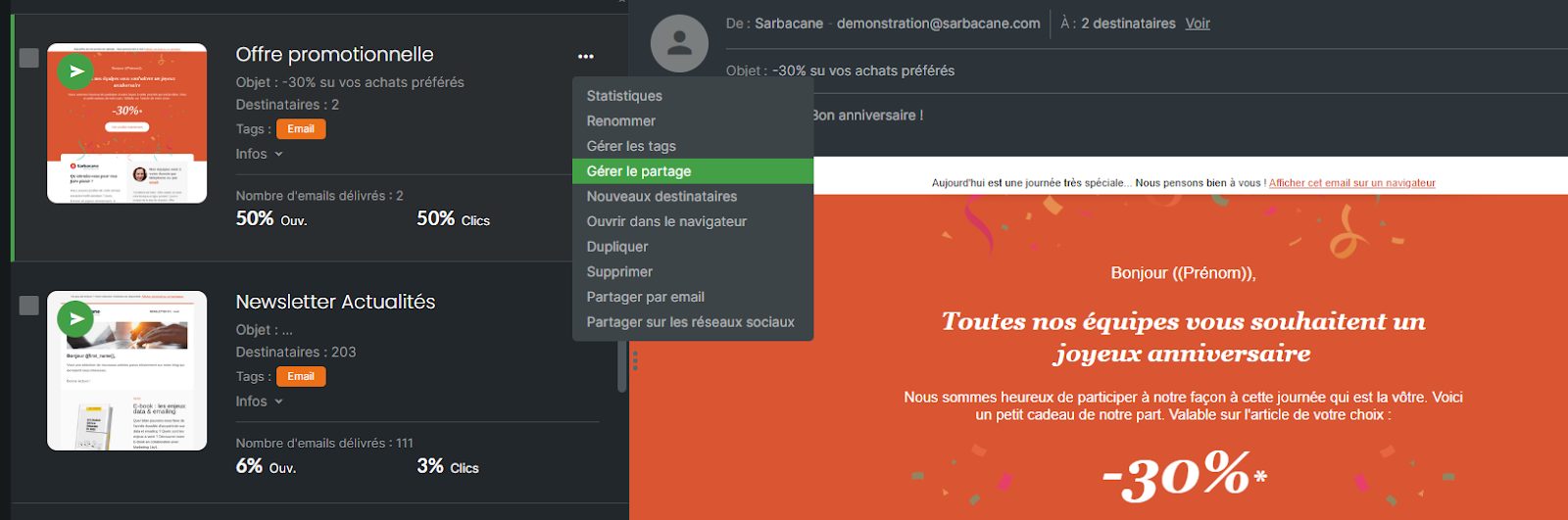
Deselect the groups or users who should not have access to a given resource.
