There are 3 different roles for a user profile:
Owner
Administrator
User
Please note that the owner role is assigned by default to the person who created the account, which is shared with other administrators and users.
To view the roles of different account users, go to your account settings by clicking on your avatar, then click on "User Management" in the "Account" section.
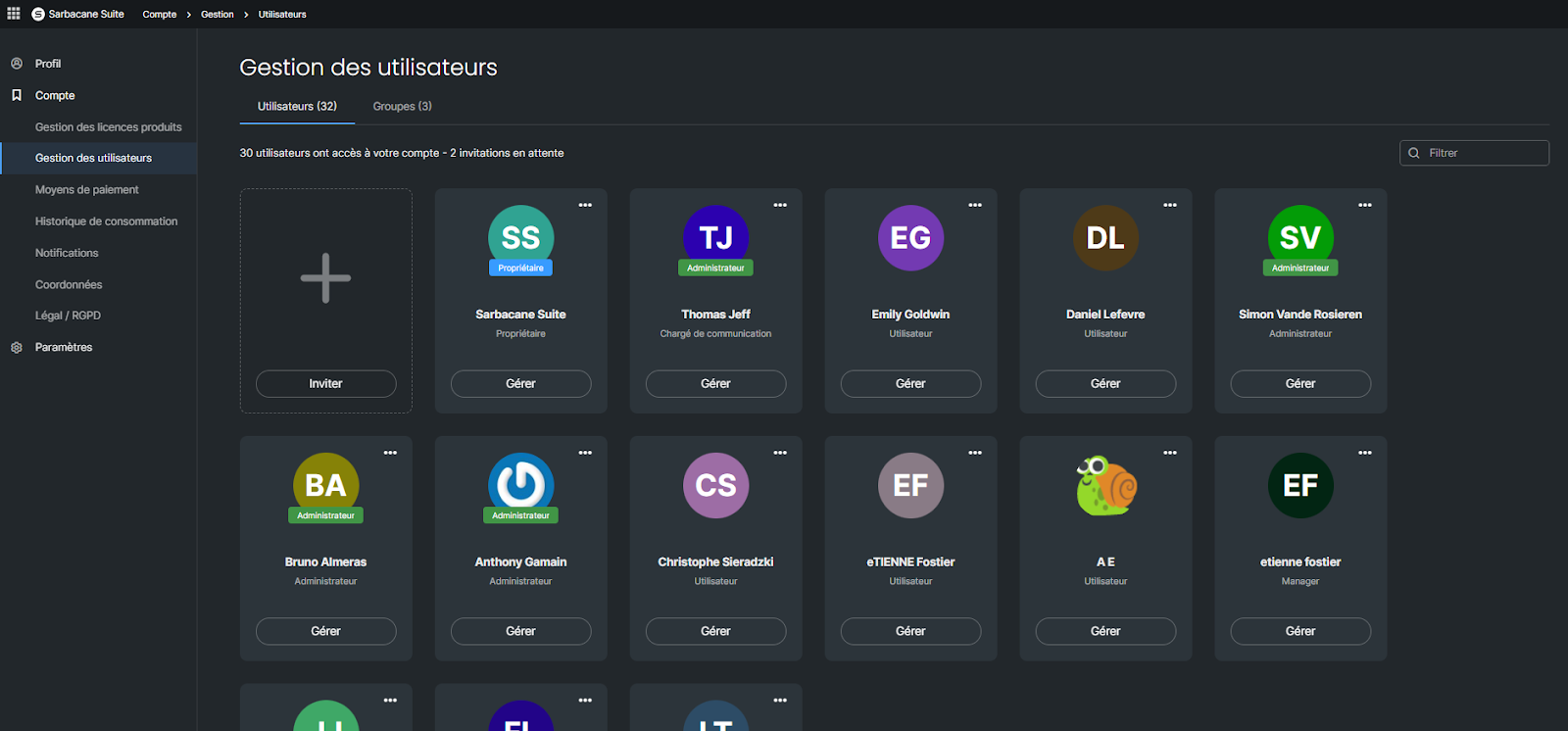
If you do not see this section in your account settings, it is because your role is user and you do not have the rights to access it. Only the owner and/or an administrator of the account can access this section and modify user roles.
Please note that certain Sarbacane applications have their own role management. This is the case for Sarbacane Chat and Sarbacane Engage. Role management is accessible via the settings of these applications.
The owner has the same rights as an administrator. However, in practical terms, certain information is sent only to the owner email address of the account.
By default, an administrator has access to the following resources created by all users (according to the applications to which you have subscribed):
Sarbacane Campaigns: access to campaigns, statistics, templates,
Sarbacane Contacts: access to lists
Sarbacane Forms: access to forms
Sarbacane Pages: access to landing pages
By default, a user has access to all resources whose access is authorized to the group to which they belong:
All campaigns, statistics, and templates from Sarbacane Campaigns
All lists from Sarbacane Contacts
All landing pages from Sarbacane Pages
All forms from Sarbacane Forms
By default, a user cannot:
For overall account management:
Share a resource with a group
Manage tags
Export statistics
Export contacts
Manage API access
For the Campaigns application:
Transfer templates
Send automated email campaigns
Send automated SMS campaigns
Send email campaigns
Send SMS campaigns
Send a test email
Send a test SMS
For the Forms application:
Manage publication
For the Pages application:
Manage publication
For the Sendkit application
Manage API keys
All of these options are accessible at the level of user rights management for the user in question. Only the administrator can decide to grant this right to a user.
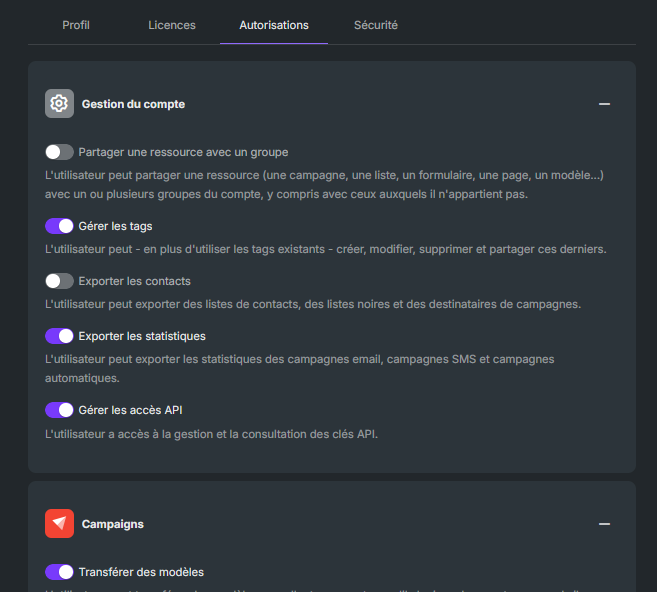
An administrator or account owner can choose to share a resource, or to restrict the sharing of a resource, with the group(s) or user(s) of their choice. The reverse is not possible (a regular user cannot hide anything from the administrator or account owner).
Note that by default, resources (campaigns, lists, forms, landing pages) are shared with all groups and users.
To modify the sharing of a resource:
Go to the action menu of the resource, via the three small dots appearing next to the name of your campaign, list, form, etc., and click on "Manage sharing".
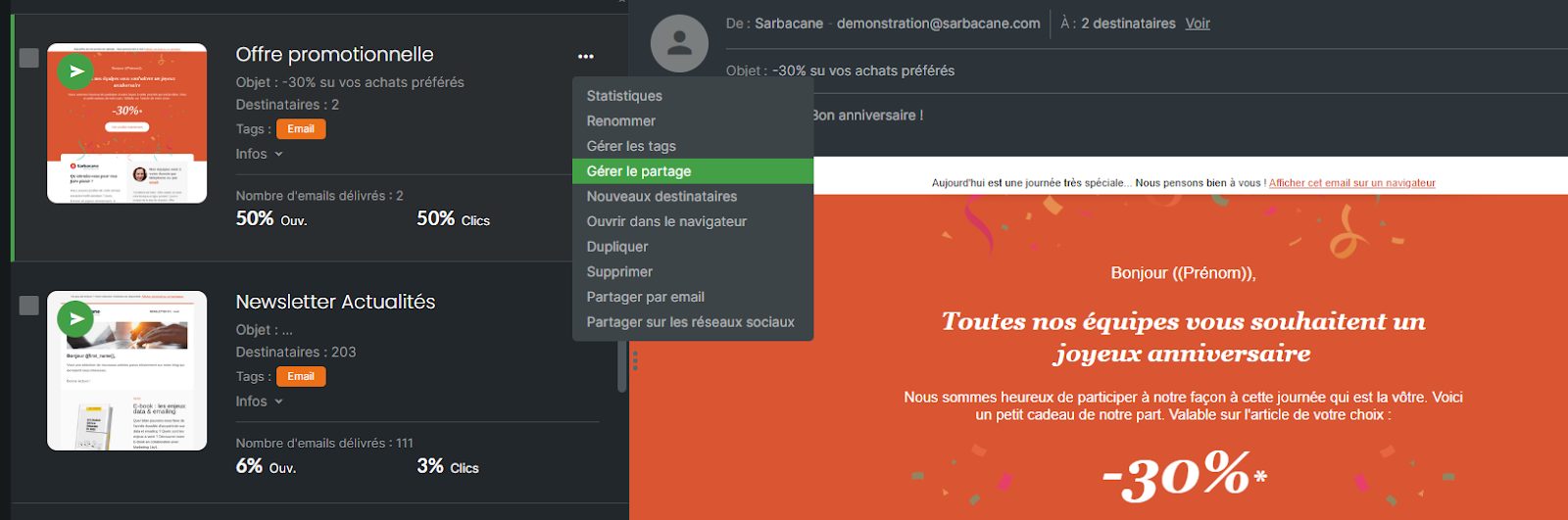
Uncheck the groups or users who should not have access to a particular resource.
