Following the latest CNIL recommendations regarding the use of tracking pixels in emails, we want to help you ensure your email campaigns comply with these requirements and explain the best practices to follow.
These recommendations mainly concern tracking pixels used in emails to measure opens and certain recipient behaviors. In some situations, your contacts must be informed about this use and have the possibility to object to it.
In practice, this means being able to distinguish between two categories of contacts:
Contacts who accept email tracking or who have not objected to it: they can receive your campaigns with tracking enabled.
Contacts who request not to be tracked: they must receive your campaigns without an open tracking pixel.
In Sarbacane, this process relies on a simple organization: create two separate audiences and send two identical versions of your campaign, with tracking settings adapted to each group.
This configuration only needs to be set up once. Once your audiences have been created, they can be automatically reused for your future sends.
The first step is to identify which contacts can receive emails with open tracking enabled and, if necessary, collect their consent.
Until July 14, CNIL (the French authority responsible for the protection of personal data) recommendations allowed contacts to be given the option to object to the use of open tracking pixels. Contacts who had not expressed any objection could continue to receive emails with tracking enabled.
If you implemented this process before this date:
You must keep a record of the choices expressed by your contacts and respect their preferences for future sends. In this case, you can directly continue reading this article from section 2: Create two targetings based on your contacts preferences to set up the necessary segmentation in Sarbacane.
If you have not collected your contacts’ preferences before this change:
You must no longer enable open tracking for these recipients, unless you have obtained their explicit consent allowing the use of a tracking pixel. You can then set up a form to collect this consent from your contacts.
This form must allow you to:
Identify the contact who expressed their preference (for example, using their email address)
Keep a record of the date when this choice was made
Clearly explain the purpose of the process, including the possible use of a tracking pixel in your emails, its purpose (for example, measuring campaign opens), and the possibility to accept or refuse this use.
The exact wording of the form should be adapted to your activity, your personal data processing activities, and your privacy policy. We therefore recommend validating its content with your legal department or your Data Protection Officer (DPO), who has full knowledge of your personal data practices.
We recommend using a form creation solution that allows you to collect this preference and retain the necessary proof, including the date when the choice was expressed.
Once responses have been collected, you can import or synchronize this data into Sarbacane using a dedicated field indicating contacts who have given their consent for open tracking (for example, a field called “Tracking consent”). You can then use this information to create your audiences and adapt tracking settings for your campaigns.
Once responses have been collected, you can create two separate groups in your contact list.
Create a first targeting grouping contacts who:
Have given their explicit consent to open tracking
Have not expressed an objection when this option was offered before July 14
This targeting will be used to send your campaigns with tracking enabled.
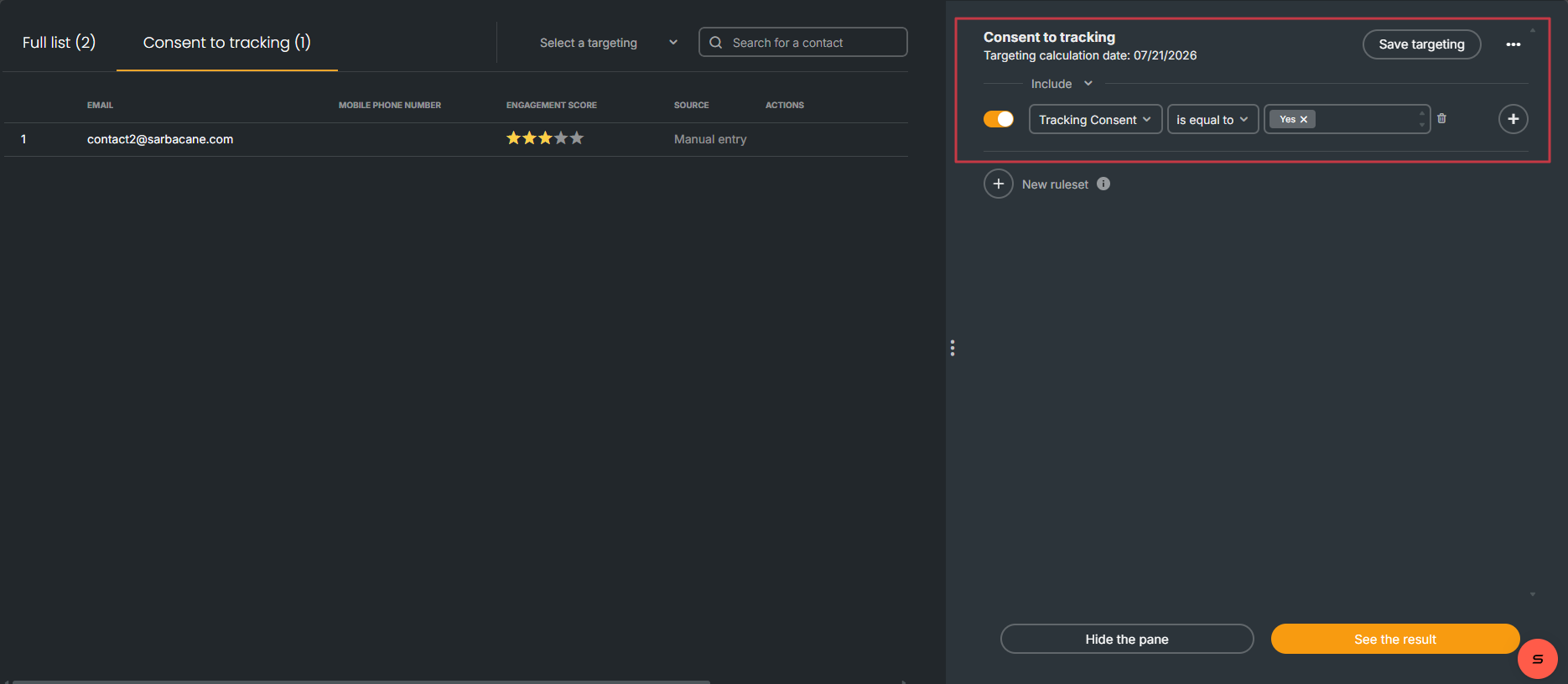
Create a second targeting grouping contacts who have indicated that they want to object to open tracking, or who have not given their explicit consent when it is now required.
This targeting will be used for campaigns without tracking.
These two targetings will automatically update based on new responses received. You will therefore not need to recreate this configuration for each campaign.
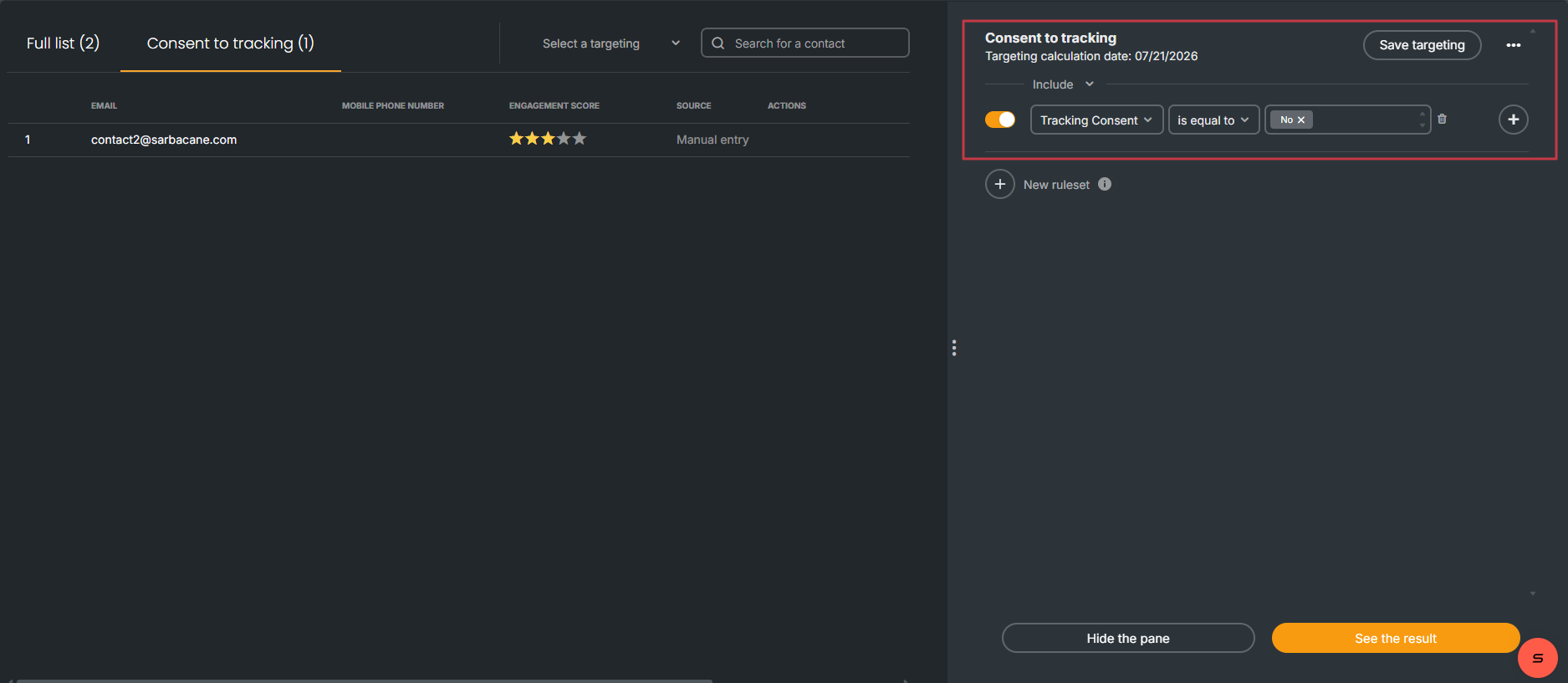
In Sarbacane, open tracking settings are applied at the campaign level.
Therefore, it is currently not possible to enable tracking for some recipients and disable it only for others within the same send.
To respect your contacts’ choices, you must create two campaigns containing the same content:
One campaign with tracking enabled for contacts who have not objected to tracking
One campaign with tracking disabled for contacts who requested not to be tracked
This way, all your contacts receive the same message, but with tracking settings adapted to their preferences.
For contacts who have given their consent:
Create your campaign as usual.
Select the targeting corresponding to contacts who can be tracked.
Open your campaign’s advanced settings.
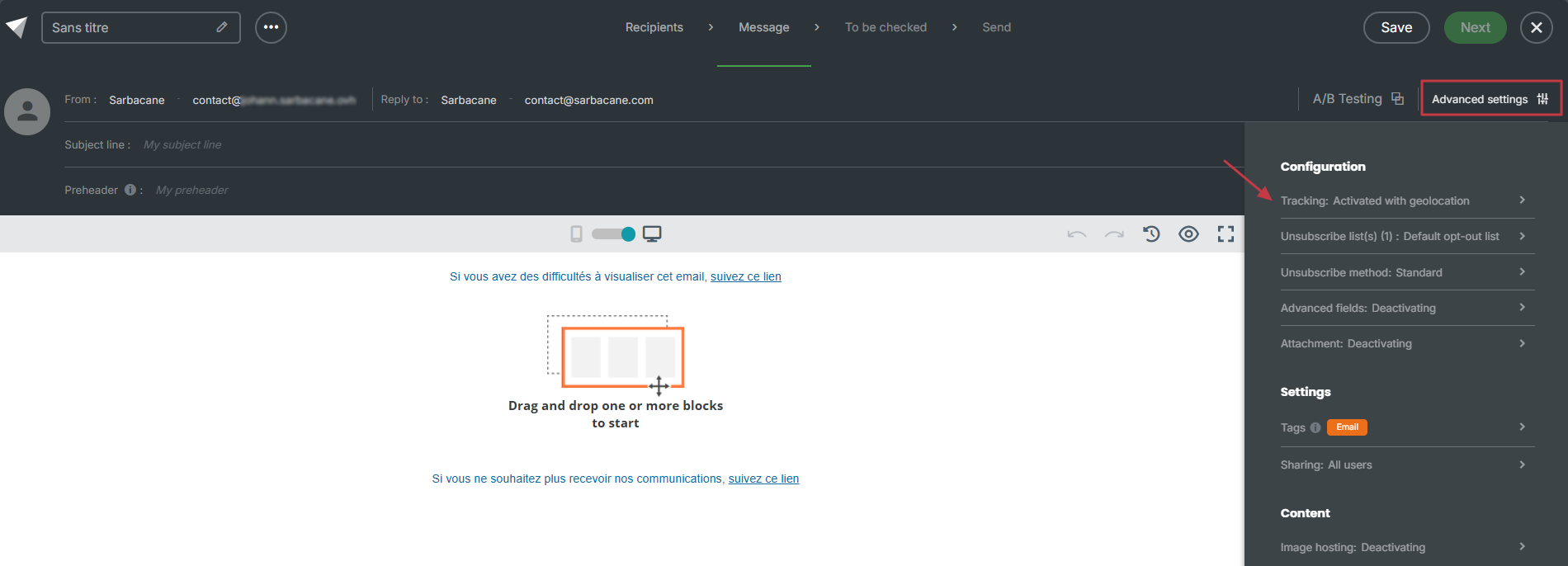
Make sure the “Activate behavioral tracking” option is enabled.
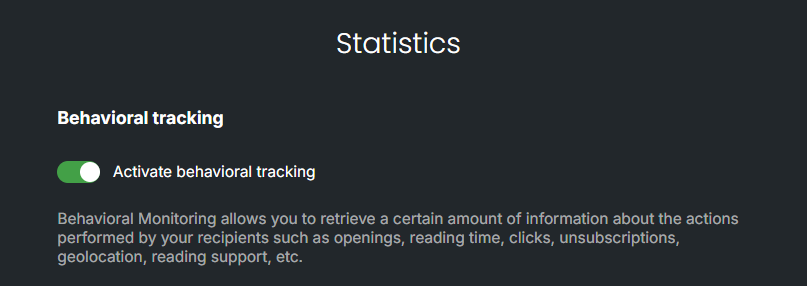
Save your changes and send your campaign.
Your recipients activities (opens, clicks, and technologies used) will then only be measured for this targeting.
For contacts who have refused tracking, or for whom you do not have the consent required to enable tracking:
Duplicate your campaign to keep exactly the same content.
Select the targeting corresponding to contacts who do not want to be tracked.
Go to your campaign’s advanced settings.
Disable the “Enable behavioral tracking” option.
Save your changes and send your campaign.
Emails sent to this targeting will not contain open tracking pixels, technology tracking pixels, or click tracking.
Once this configuration has been implemented, you will be able to reuse it over time.
For each new campaign, simply:
Create or duplicate your campaign
Select the corresponding targeting
Check that tracking is enabled or disabled depending on the targeting
Send your campaign
This method allows you to continue communicating with all your contacts while respecting their choices regarding tracking.
Our team remains available to help you implement this setup or answer any questions you may have regarding this regulatory change.
