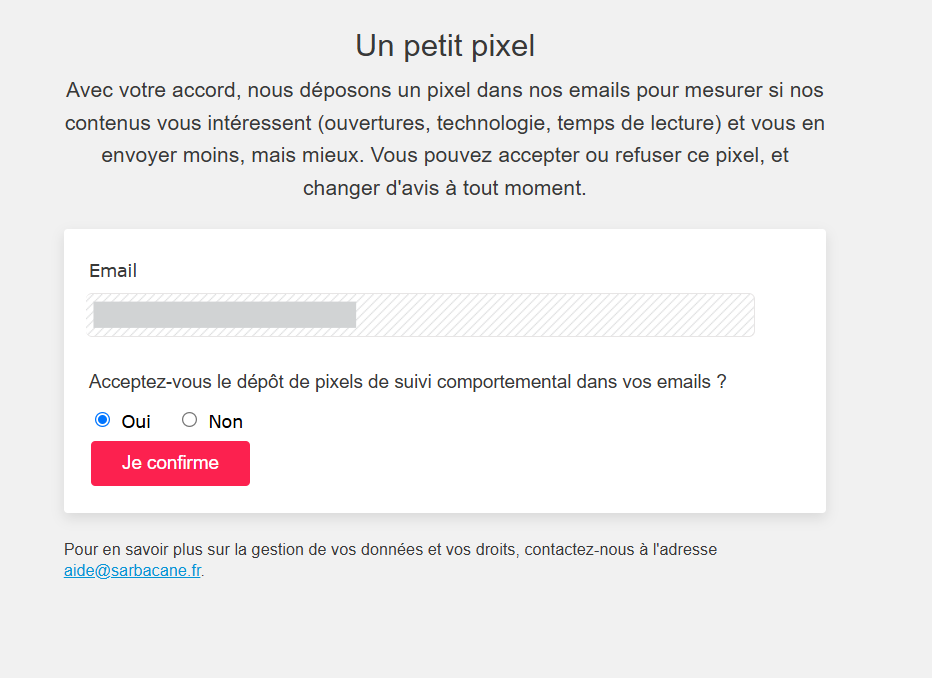
In Sarbacane, you can collect consent for the tracking pixel directly from your emails by inserting a dedicated button in the campaign editor. This button redirects your recipient to a page where their email address is pre-filled to allow them to authorize or refuse tracking with a single click.
Be logged into your Sarbacane account.
Have previously configured your account's pixel in "standard" mode in the account settings (this configuration is essential to unlock the option in the campaign editor).
Note: since the tracking pixel is a tracker within the meaning of GDPR and the ePrivacy Directive, the recipient's choice must be able to be expressed explicitly and modified at any time.
Dans Sarbacane, créez ou ouvrez une campagne dans l'éditeur.
Insérez un bouton à l'endroit souhaité dans votre mise en page.
Dans les propriétés du bouton, sélectionnez le type “Vers la gestion des préférences des pixels de suivi”.
Enregistrez votre campagne.
Effectuez un envoi de test pour vérifier le fonctionnement du lien et le préremplissage de l'adresse e-mail.
Bonne pratique : placez ce bouton de façon visible et permanente dans le pied de page de vos campagnes récurrentes, aux côtés du lien de désabonnement, pour permettre à vos contacts de modifier leur choix à tout moment.
By clicking the button from the test email, the recipient accesses a page displaying their email address pre-filled. Their choice ("yes" or "no") is recorded immediately and updates their consent status in Sarbacane.
The "Pixel Preference Management" option does not appear in the button properties Your account's pixel was not configured in "standard" mode during its initial setup. Modify this setting in your account settings to enable the option in the editor.
→ How do I configure the tracking preferences for your campaigns in Sarbacane?
→ How do I view and modify tracking pixel consent in Sarbacane?
