If you have forgotten your password, reset it from the Sarbacane login page: you will receive an email with a link to create a new one.
Access to the inbox for your login email address.
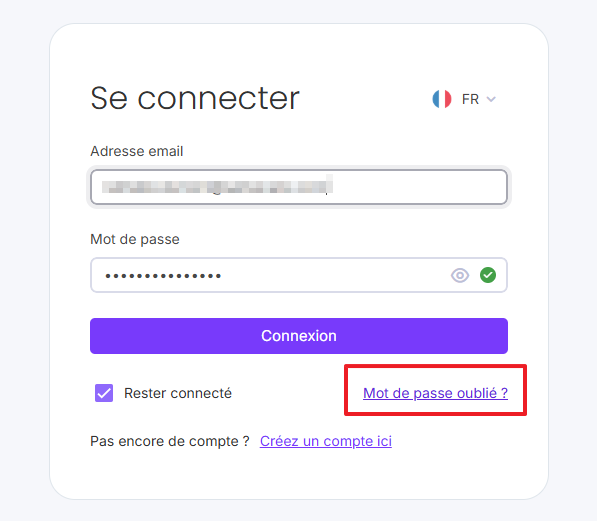
Open the Sarbacane login page.
Below the login fields, click Forgot password.
Enter the email address associated with your Sarbacane account, then click Reset.
Open the password reset email in your inbox.
Click the reset link.
Enter your new password: at least 12 characters, including an uppercase letter, a lowercase letter, a number, and a special character.
Your password has been reset: you can sign in right away with the new one.
Shared address (for example, [email protected]): ask the owner of the email inbox, or your Sarbacane account administrator, to reset the password.
No access to the email inbox : contact the Sarbacane support team via the site's support page to start a manual account recovery.
Make sure your new password:
isn't too similar to the old one;
contains at least 12 characters, including an uppercase letter, a lowercase letter, a number, and a special character;
doesn't contain any of these characters, which aren't accepted: / (forward slash), _ (underscore), +.
