In Sarbacane, your account settings bring together product license management, user and group configuration, payment methods, consumption history, notifications, and legal documents. You access them by clicking on your avatar in the top right of the screen, then selecting the Account section.
Be logged in to your Sarbacane account.
Have the Owner or Administrator role to access the Licenses and Payment Methods sections.
In the top right of your screen, click on your avatar
In the settings side menu, click on the Account section.
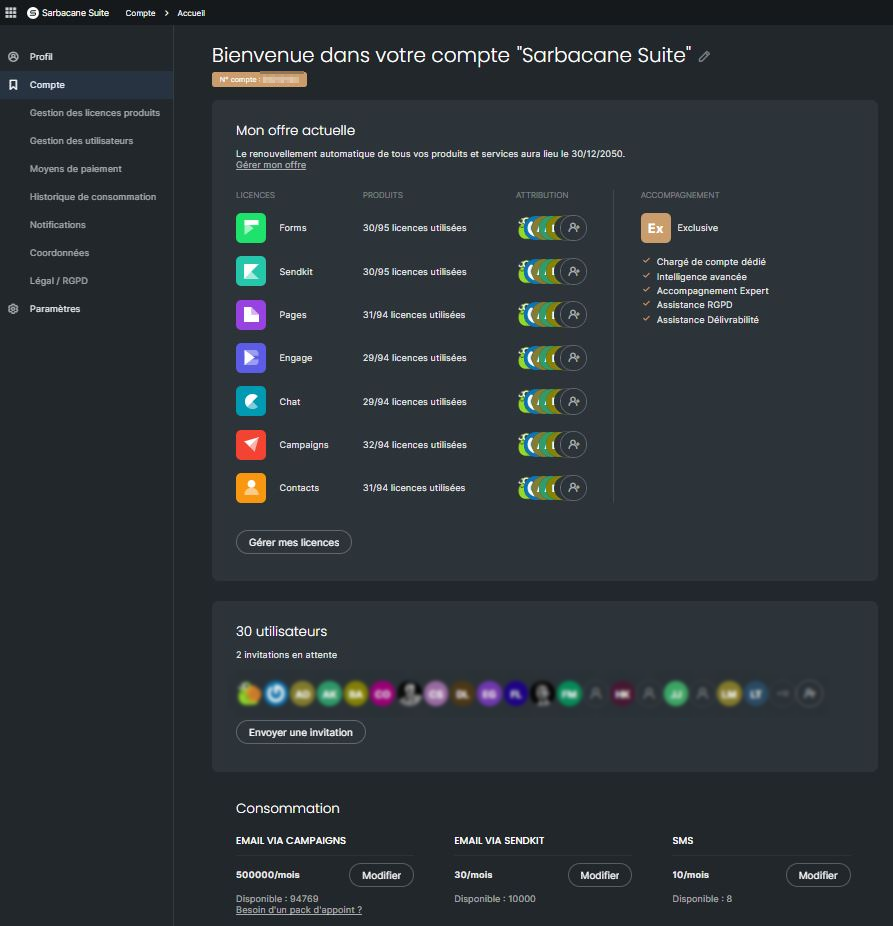
The account settings home page displays with the summary dashboard of your plan, your licenses, and your consumption.
To the right of the welcome message, click on the pencil icon.
Enter or modify your account name.
Confirm to save.
Your Sarbacane customer account number is displayed directly below the welcome message. This number is necessary to identify your space when communicating with customer service.
The home page displays the following summary information:
Current offer: subscription renewal date, offer modification link, number of assigned licenses, and support level.
Users and invitations: overview of invited users and pending invitations, with direct access to the Send an invitation button.
Available credits: balance of consumable email or SMS sending credits (for Sarbacane Campaigns and Sarbacane Sendkit).
Important: this section is accessible only to users with the Owner or Administrator role.
The Licenses section allows you to compare the number of available licenses against those assigned. From the action menu of each license, you can:
Purchase an additional license.
View the details of a license.
Access the associated application directly.
Assign or revoke a license for a user.
Invite a new user: click on Invite, then configure their attachment group, their profile (Administrator or User role, first name, last name, email, job title) and check the application licenses to assign to them.
Manage an existing user: click on Manage next to the user to modify their profile, adjust their licenses or configure their detailed permissions (data exports, email/SMS campaign sends, tests, publication of forms or landing pages).
The Groups subsection allows you to create, modify or delete user groups. For each group, you can:
Add, remove or move users.
Set a consumption limit for email and SMS credits.
Access rights management for each member.
Important: this section is reserved for the Account Owner and Administrators.
Allows you to register, view and modify your banking details and payment methods saved on Sarbacane.
This section presents a detailed table of your email and SMS credit consumption.
The table displays for each operation: the campaign date, the number of credits consumed, the channel type (email or SMS), the sending user and the campaign name.
Filter data: by period, by tag, by user or by keyword (campaign name).
Export: click the export button on the right side of the screen to download the consumption history.
This section allows you to:
To add two-factor authentication to all account users
Analyze the different account connections (according to the role or defined period): an export of this information can be made.
To add access restrictions to certain IPs
Allows you to configure the email addresses for receiving messages for two distinct communication channels:
Routing: email address for the recipient of technical sending and deliverability information.
Billing: email address for the recipient of quotes, invoices and accounting documents.
Data protection: email address for the recipient of data protection information.
Data export: email address that will receive the download link for the data to be exported.
Automatic renewal: you can, if you check the box, receive a reminder to renew your subscription and choose the address to notify.
Note: Multiple addresses can be added for the same communication, simply separate them with a comma.
Contact Information: update of the company's administrative contact details for managing your file.
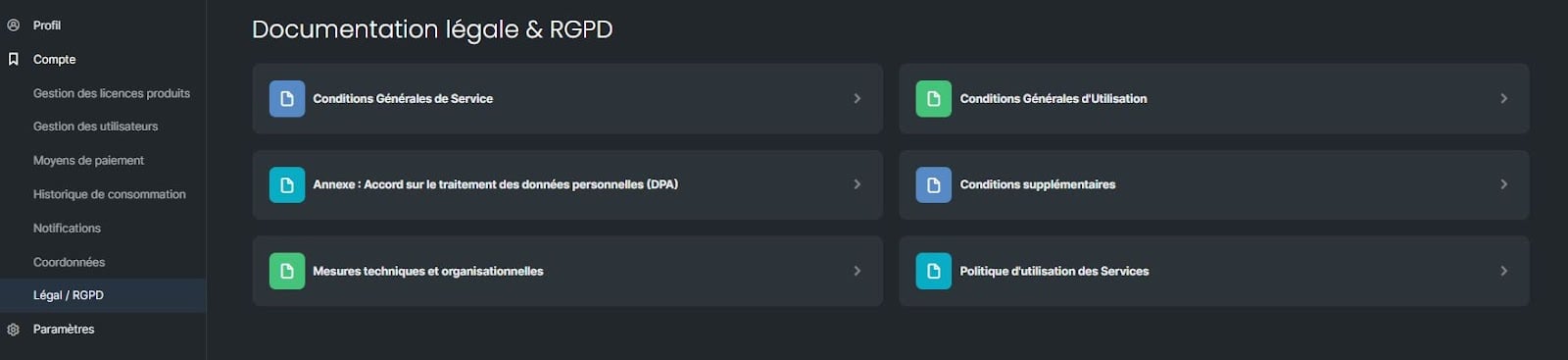
Legal / GDPR: consultation of contractual documents (Terms of Service, Terms of Use, Additional Terms, Data Processing Agreement / DPA, technical and organizational measures, usage policy).
Application Settings: direct access to specific settings for each module of Sarbacane Suite.